12
3. Using Measure Modes (Lower Display)
3.1 Measuring volts and frequency
Electrical parameters volts and frequency can be measured using the lower display. To make
the desired measurements, follow these steps:
1. Switch to the lower display [LOWER] from Main Menu.
2. Select the desired parameter for measurement.
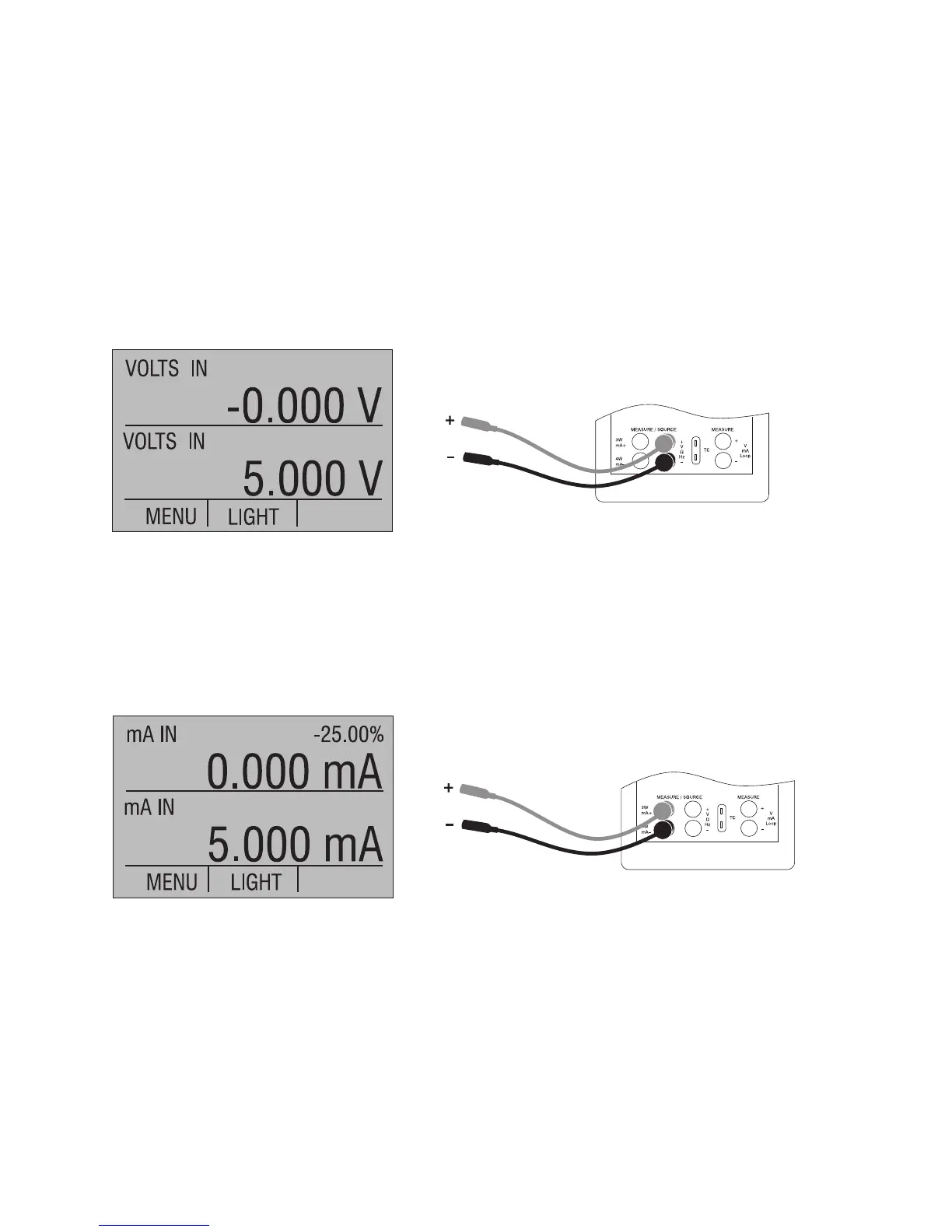
3. Connect leads as shown in Figure 5.
Figure 5. Measuring Volts and Frequency with Input/Output Terminals
3.2 Measuring mA
To measure mA follow these steps:
1. Switch to lower display and select mA.
2. Make sure the input/output control is set to IN.
3. Connect leads as shown in Figure 6.
Figure 6. Measuring mA with Input/Output Terminals


 To Next Page