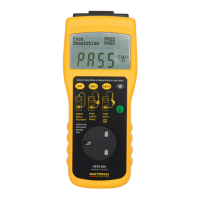
10 15
a) Earth Continuity
This test is only required for earthed (Class I) appliances. The resistance of the
earth circuit in the appliance and associated mains wire and plug is displayed.
Press the CONT key. The display will show the set earth continuity test limit and
the type of test. The type of test, 25A or 100mA, may be selected by pressing the
CONT key. The PROCEED key should then be pressed, the display will prompt
for the wander earth to be fitted. Carefully fit the wander earth lead to any
exposed earthed metal on the appliance then press and hold the PROCEED key.
The display will show the measured value for the appliance for as long as the key
is held down then will revert to ready mode after three seconds.
b) Fuse
The current likely to be drawn whilst the appliance is powered up is displayed.
Apart from identifying phase to neutral shorts this test is useful in establishing the
likely rating for appliance mains fuse.
Press the FUSE key. The display will momentarily show the fuse test limit then
prompt for the PROCEED key. Press and hold the PROCEED key. The display
will show the measured value for the appliance as long as the key is held down
then revert to ready mode after three seconds. If the measured value is zero or
very low compared with the expected value then it is likely that the appliance
phase is open circuit due to incorrect wiring, a ruptured fuse or the appliance
mains switch is not in the ON position.
NOTE: The value displayed is an indication of the current likely to be taken by the
appliance at initial switch on. Purely resistive loads may be a good indication of
the steady state current drawn by the appliance. With appliances which have very
high start up currents the display will show the likely maximum current drawn by
the appliance before the steady state condition has been achieved.
This value along with the steady state current is useful in establishing the likely
fuse type suitable for the appliance.
Examples of appliances which may have high start up currents are power tools,
industrial cleaning equipment, stage and site lighting.
c) Insulation
The integrity of the insulation of the appliance is tested by applying 500V DC
between phase/neutral linked together and earth. The measured insulation
resistance is displayed. Two pass levels are built into the test; these are 1.0MΩ
(Class I), 2.0MΩ (Class II). There is no disinction between ‘As New’ or ‘In Service’
pass limits. Allow a short press PROCEED to clear all the records or MAN to
return to the set up menu with all records retained unchanged.
Press the INSUL key. The display will indicate the type of appliance which is to be
a) Set Class:
Press the SET UP key. The display will show the setting options. By pressing the
CLASS key, the class menu is displayed. Repeated pressing of the CLASS key
allows Class I or Class II to be selected. Choosing Class I will also set up the
instrument to use 1.0MΩ insulation pass limit. Class II uses 2.0MΩ pass limit.
To return to set up menu press PROCEED. Pressing the PROCEED key stores
the selected class and limit and returns the display to the set up menu. Pressing
the MAN key returns the display to the set up menu, without the class and limit
being stored.
Fig. 4
b) Set Continuity:
This allows the pass limit for the earth continuity to be set and the type of test,
25A AC or 100mA DC, to be selected. For appliances with minimum lead lengths
this will normally be set to 0.1Ω. As a guide the following is a table for the
maximum lead lengths which should result in a pass with the 0.1Ω setting.
Cross section Max length Cable rating
0.5mm
2
2 metres 3 amps
0.75mm
2
3 metres 6 amps
1.0mm
2
4 metres 10 amps
1.5mm
2
6 metres 15 amps
To establish the maximum cable lengths permissible for other limits of earth
continuity divide the new limit by 0.1 and multiply by length for 0.1Ω.
e.g. Maximum cable length for 0.5mm
2
on 0.1Ω limit = 2 Metres
Maximum cable length for 0.5mm
2
on 0.2Ω limit = (0.2 : 0.1) x 2
= 4 Metres
Press the SET UP key. The display will show the setting options. Select CONT by
pressing the CONT key. The display will show the window for selecting the type
of test (see Fig. 5).
SET UP:- CLASS1
INSULATION 01.0 Mohm


 To Next Page
 Loading...