5
2-2. Setup the UPS
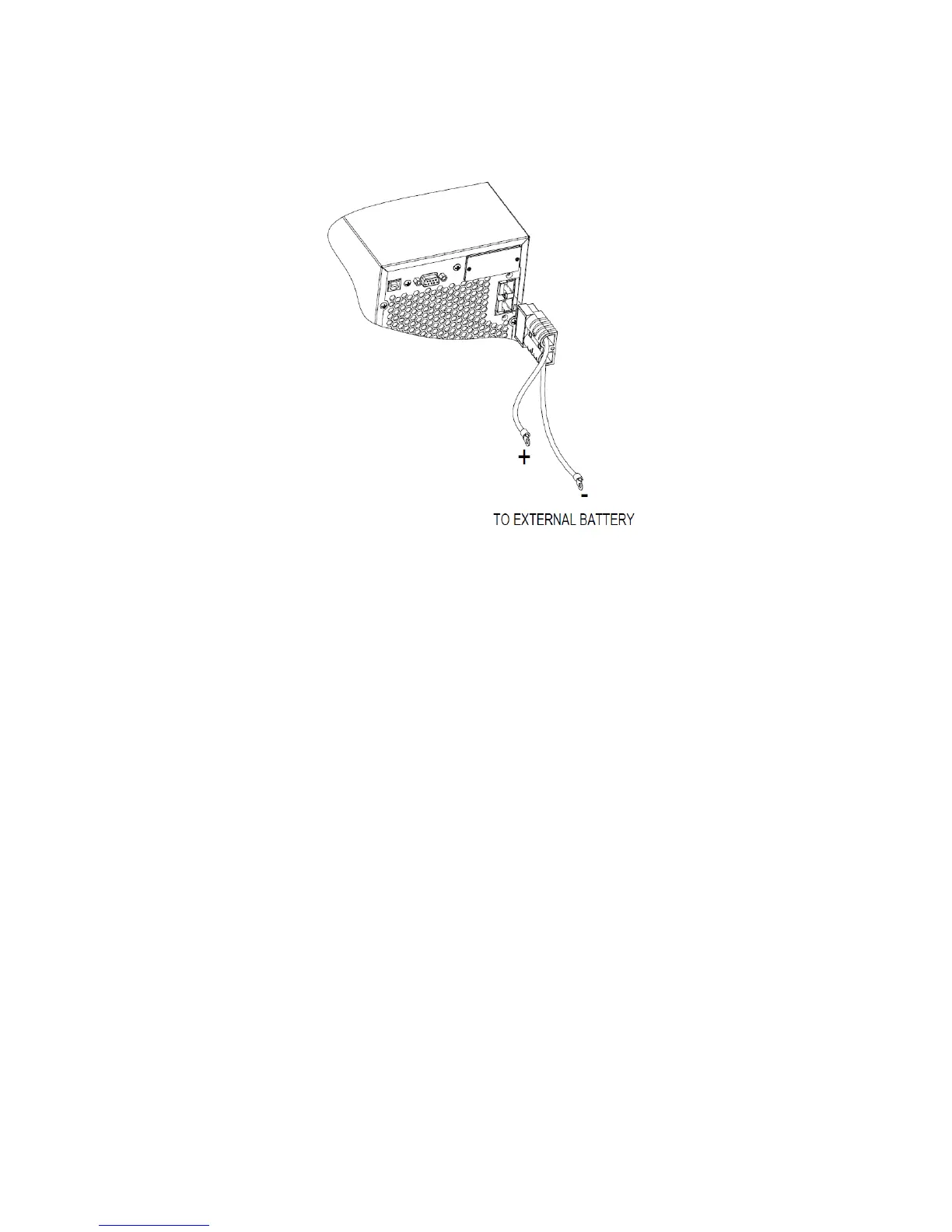
Step 1: External battery connection (Only for long-run model)
This UPS is not including batteries. Please connect external batteries as below chart.
Step 2: UPS input connection
Plug the UPS into a two-pole, three-wire, grounded receptacle only. Avoid using extension
cords.
For 200/208/220/230/240VAC models:
The power cord is supplied in the UPS package.
For 100/110/115/120/127VAC models: The power cord is attached to the UPS. The input
plug is a NEMA 5-15P for 1K model and NEMA 5-20P for 2K model.
Step 3: UPS output connection
For socket-type outputs, simply connect devices to the outlets.
For terminal-type input or outputs, please follow below steps for the wiring configuration:
a) Remove the small cover of the terminal block
b) Suggest using AWG14 or 2.1mm
2
power cords for 3KVA (200/208/220/230/240VAC
models). Suggest using AWG12-10 or 3.3mm
2
-5.3mm
2
power cords for 3KVA
(100/110/115/120/127VAC models). Please also install a circuit breaker (40A) between
the mains and AC input of UPS in 3KVA (100/110/115/120127VAC models) for safety
operation.
c) Upon completion of the wiring configuration, please check whether the wires are
securely affixed.
d) Put the small cover back to the rear panel.


 To Next Page