16
1.
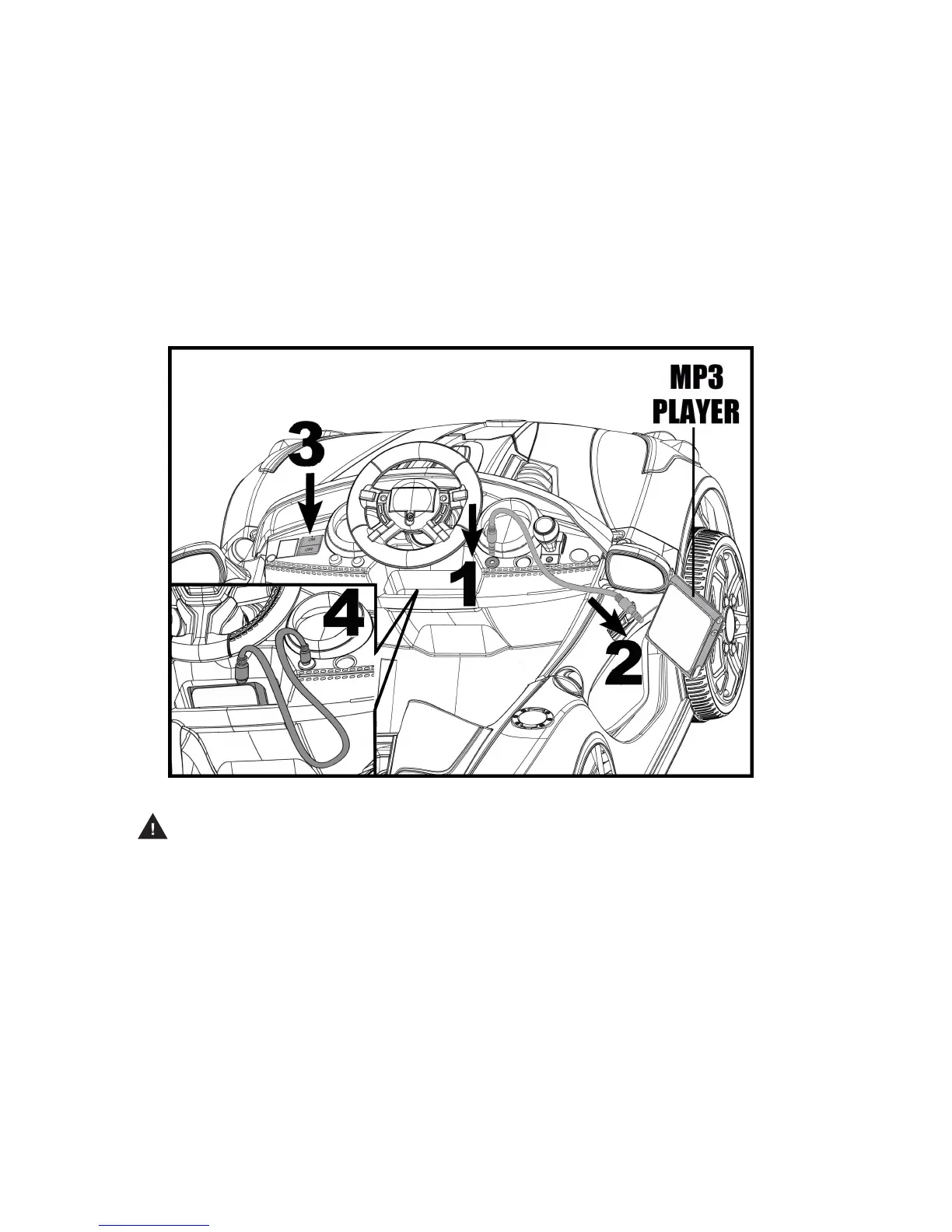
Plug
one end of the audio input cable (included) into the audio input jack
.nwohs sa elceht no ihev
2. Plug the other end of the audio input cable into the headphone jack on
your audio device or MP3 player.
Note: You may be able to place your audio device or MP3 player inside the
vehicle windshield as shown. If you do, make sure it is secure before riding.
3. Adjust your audio device or MP3 player volume to low level and turn the
power switch on your vehicle to the “ON” position.
4. Then adjust the volume to increase or decrease its sound level as desired.
Note: MP3 player or audio device not included.
IMPORTANT
Always stop vehicle when changing the direction to avoid damage to the gears and motor.
·
This vehicle has an adjustable seat belt; please instruct children on how
to fasten the seat belt before using.
·
moving.
Do not let any child touch the wheels or be near them when the car is
·
Make sure you come to a complete stop before changing directions from
to reverse.
·
forward
To avoid accidents, please inspect the vehicle before riding to ensure that
proper working order and safe to ride.
·
it is in
Protective equipment should always be worn.
·
This toy has no brake; to stop, remove foot from foot pedal.
·
Check all the screws, cap nuts and protective coverings regularly and
tighten as required. Check plastic parts on a regular basis for cracks or broken pieces.
AUDIO INPUT JACK:
Use the audio input cable (included) to connect your MP3 player or other compatible
audio device with this vehicle to listen to music.
WARNING: Do not let use of an audio device interfere with safe riding.


 To Next Page