7
NOTE: This kit does not have a specialized driver and does
not require one for proper operation and functionality.
Use
Keyboard
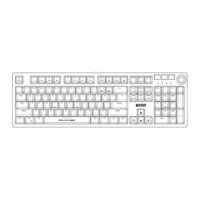
Configuring the keyboard and using the special functions is
done by using the various key combinations detailed below.
Multimedia and office functions
FN + F1: open media player
FN + F2: decrease audio volume
FN + F3: increase audio volume
FN + F4: mute
FN + F5: stop media file playback
FN + F6: previous track
FN + F7: play / pause
FN + F8: next track
FN + F9: open the e-mail client
FN + F10: open the internet browser
FN + F1: lock
FN + F12: open the calculator


 To Next Page