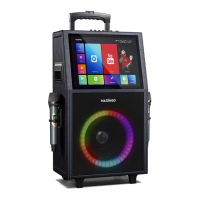
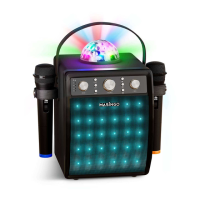
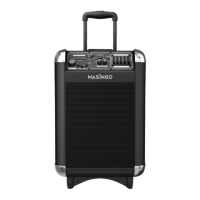
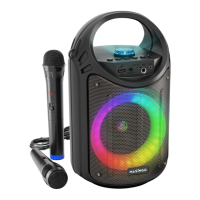
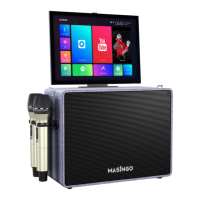
The Masingo Alto X6 is a professional, fully-functional, WiFi-enabled karaoke machine designed to elevate your party experience. It features a built-in Android 7.1 touch screen that serves as a control panel, lyrics display, and music library. The machine comes with two high-quality UHF wireless microphones, a remote control, and a powerful 40-watt speaker.
Function Description:
The Alto X6 offers multiple playback options, including Bluetooth, AUX, USB, MicroSD, and HDMI, allowing you to play music from various sources. It also supports a PA (Public Address) system for announcements and a Mic Priority mode that automatically lowers music volume when someone speaks into the microphone. A unique Karaoke Mode allows you to convert songs into karaoke versions by muting vocals, provided the music is in RMVB format and recorded in a 2.0 channel system. The machine also includes a guitar input, enabling users to accompany themselves with a guitar.
Usage Features:
- Charging: To charge the machine, plug the DC15V charging cable into port (13) on the function board and a polarized wall outlet. A charging indicator light will turn on.
- Power On/Off: Push the Power switch (22) towards "On" to turn the machine on, and towards "Off" to turn it off.
- Tablet Adjustment: The touch-screen tablet is attached to the machine and can be rotated to a desired angle. It has flexibility but cannot rotate a full 360 degrees. When first unlocked, it faces the back of the machine and can be gently rotated 180 degrees to face the front.
- Microphone Usage:
- Power On/Off: Press the triangular button with a Power symbol on each microphone.
- Battery Replacement: Unscrew the bottom half of the microphone, insert two AA batteries (not included), and screw the cover back on.
- Volume Adjustment: Turn the Mic Vol knob (20) on the machine's function board.
- PA Mode: The machine automatically enters PA Mode when no music is playing. Speak into the microphone when properly connected.
- Mic Priority Mode: Press the Mic Priority button (29) on the function board to activate or deactivate this mode, which lowers music volume when speaking into the microphone.
- Music Playback:
- Bluetooth: Press the Bluetooth & AUX app on the tablet or the BT button (28) on the function board. Search for "Masingo" in your device's Bluetooth settings to connect. Note that exiting the app on the tablet disconnects Bluetooth. Adjust device volume to midrange and use the machine's volume control (21).
- SD Mode: Insert a MicroSD card into the TF Slot (7). An icon will appear on the tablet. Access the Media Player app, press the SD icon, and select a file.
- AUX Out Mode: Plug an AUX or AUX-RCA cable into the Audio Out (2) port and the input of an external device. Enter the Bluetooth & AUX app on the tablet and press the Line-out icon.
- AUX In Mode: Plug an Aux Cable into the Line In (5) port and the input of an AUX-compatible device. Enter the Bluetooth & AUX app on the tablet and press the Line-in icon. Adjust external device volume to midrange and use the machine's volume control (21).
- USB Mode: Plug a USB stick or cable into a USB slot (9 or 10). An icon will appear on the tablet. Access the Media Player app, press the USB icon, and select a file.
- HDMI Mode: Plug an HDMI cable into the HDMI Out slot (8) and your TV. Enter the Media Player app on the tablet and press the HDMI icon. Audio and video will output from both the machine and TV. To limit audio to the machine, mute the TV; to limit audio to the TV, turn down the machine's volume (21). Microphone audio only outputs from the machine.
- Karaoke Mode: Connect music via USB (RMVB format, 2.0 channel system). Press the Karaoke Mode button (26) on the function board to mute vocals; press again to restore.
- Guitar Connection: Plug a guitar cable into the GT.IN jack (12) and your guitar. Rotate the GT.VOL knob (15) to adjust volume.
- Live Broadcast: Install a broadcast app (e.g., Facebook, Tiktok, YouTube) on your phone. Connect your phone to the Live port (3) using a 3.5mm Aux cable. Open the app to broadcast live using the Alto X6's microphone.
- Tablet Karaoke: Ensure mics are set up and mic priority mode is off. Select a pre-installed or downloaded music app on the tablet. Search for karaoke tracks (vocals removed). Many apps offer lyrics displayed in sync with music.
- WiFi Connection: Click the WiFi icon on the home screen and select a network.
- Slide-Up Menu: Located at the bottom of the tablet, it provides shortcuts to Bluetooth, Volume Down/Up, Active Applications, Home Screen, Back, and Scroll Down.
- Magic Mode & EQ Settings: Access via the DSP Adjuster app (swipe from right edge or click in "More Apps"). Magic Mode adds voice effects; EQ settings adjust audio balance.
- Notifications: Swipe down from the top left of the tablet screen.
- One Clean Up App: Use this app on the home screen to clear old files and improve tablet performance.
- Lycoo Wallpaper App: Change the tablet background by swiping left through options and selecting a new wallpaper.
- Remote Control:
- Battery Installation: Install two AAA batteries.
- Aiming: Aim directly at the speaker grill (gray mesh on the front) within 4 meters (13 feet) and a 60-degree range.
- Magic Mode: Press the Magic button to open the DSP Adjustor app. Use navigation buttons to cycle through voice effects.
- EQ Settings: Press the EQ button to open the DSP Adjustor app. Use navigation buttons to adjust settings and press OK.
- Mode Switching: Press the Mode button to switch between Bluetooth, AUX, and Touch Screen modes.
Maintenance Features:
- Cleaning: Turn off the machine and microphones, unplug all cables. Gently wipe the outside with a clean, dry cloth. Keep vents, buttons, and openings free of lint and dirt. Do not immerse in water or use harsh cleaners.
- Storage: Charge the machine and microphones. Dock microphones in holsters. Ensure the machine is clean and dry. Bind power cord and AUX cable individually with electrician-approved fasteners. Store in a cool, dry place away from damaging elements.
- Transport: Unplug all wires and swivel the tablet into its resting mount. Place microphones in side holders. Use the included shoulder strap by feeding ends through hooks on top and securing with the plastic fastener.
- Battery Longevity: Fully charge the machine at least once every three months and before long-term storage.


 To Next Page
 General