EasyManua.ls Logo

Mastech HY3005D - User Manual

Mastech HY3005D
14 pages
Print Icon
To Next Page IconTo Next Page
Loading...
LINEAR DC POWER SUPPLY
USER MANUAL
REGULATED LINEAR DC POWER SUPPLY
Question and Answer IconNeed help?

Do you have a question about the Mastech HY3005D and is the answer not in the manual?

Summary

Introduction

Specifications

General

Details AC input, rating, and operating environment requirements.

Front Panel Descriptions

Describes the front panel components and their functions.

Back Panel

Details the back panel components and their functions.

Technical Parameters

Lists detailed technical specifications in CV and CC modes.

Operation Instructions

Installation

Instructions for correct input voltage selection and power cord connection.

Constant Voltage; Constant Current Characteristics

Explains the automatic crossover between CV and CC modes.

Operating Procedures

Step-by-step guide for operating the power supply, including CV, CC, battery charging, and inductive loads.

Setting Current Limit for CV Operation

How to set a specific current limit for Constant Voltage operation.

Trouble Shooting & Maintenance

Fuse Replacement

Steps for safely replacing the fuse.

Warranties and Attachment

Overview

This document describes a series of regulated linear DC power supplies designed for a variety of applications, including laboratory, school, and manufacturing settings. These power supplies offer precise control over output voltage and current, making them versatile tools for electronic design and testing.

Function Description

The core function of these devices is to provide a stable and adjustable DC power source. They operate as regulated linear DC power supplies, meaning they maintain a constant output voltage or current despite variations in the input power or load. A key characteristic is their automatic crossover between constant current (CC) and constant voltage (CV) modes. This means the power supply intelligently switches between maintaining a set voltage or a set current, depending on the load connected and the limits configured by the user.

In Constant Voltage (CV) mode, the power supply strives to maintain a constant output voltage. If the load resistance changes (e.g., decreases), the current will increase to keep the voltage stable, up to the point where the preset current limit is reached. Once this limit is hit, the device automatically transitions to CC mode.

In Constant Current (CC) mode, the power supply maintains a constant output current. If the load resistance increases, the voltage will rise to maintain the set current, up to the point where the preset voltage limit is reached. At this point, it will switch back to CV mode.

This automatic crossover is a significant feature, simplifying operation for various tasks. For instance, when charging a battery, the power supply might initially operate in CC mode to deliver a steady charging current to a discharged battery. As the battery charges and its voltage rises, the power supply will eventually switch to CV mode to maintain the desired charging voltage.

The power supplies are equipped with over-voltage protection, enhancing safety and reliability, especially for sensitive applications. This protection makes them suitable for tasks like electroplating, anodizing, battery charging, and DC motor testing, where precise and safe power delivery is crucial.

Usage Features

The power supplies are designed for user-friendly operation with several adjustable controls and indicators on the front panel.

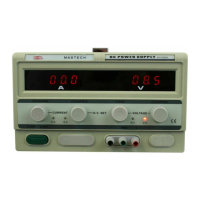
  • Output Adjustment: Both output voltage and current can be continuously adjusted from zero up to their maximum rated values. This is achieved through dedicated coarse and fine potentiometers for both voltage and current. The coarse adjustments allow for large changes, while the fine adjustments enable precise tuning.
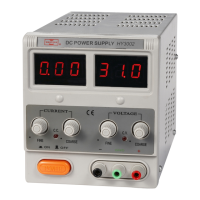
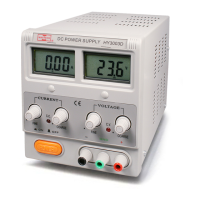
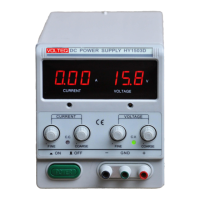
  • Digital Displays: The front panel features a digital voltmeter and a digital ammeter. The voltmeter displays the actual output voltage, which corresponds to the set value when in CV mode. The ammeter shows the actual output current, equating to the set value when in CC mode.
  • Output Control: An "Output" button allows users to enable or disable the power supply's output to the terminals. When pushed "In," the output is enabled; when in the "Out" position, the output is stopped. This provides a safe way to connect or disconnect loads without power being applied.
  • Mode Indicators: Two indicator lights, one for CC and one for CV, clearly show the current operating mode of the power supply. The CC indicator turns red when the power supply is in constant current mode, and the CV indicator turns red when it's in constant voltage mode.
  • Power Control: A main "Power" button turns the entire unit on or off, illuminating the display when on.
  • Terminal Connections: The power supply provides three output terminals: a negative polarity terminal (black), a positive polarity terminal (red), and a ground terminal (green). The ground terminal is connected to both the case and the AC ground, ensuring safety. For specific electrochemical applications like plating or anodizing, users are advised to remove the short connector between the negative and ground terminals.
  • AC Voltage Selector: On the back panel, an AC voltage selector switch allows users to choose between 110V and 220V input AC, ensuring compatibility with different power grids. It is crucial to match this setting to the local AC voltage to prevent damage to the unit.
  • Safety Warnings: The manual emphasizes several critical safety warnings. Users are instructed to ensure the output is stopped before connecting or disconnecting loads, especially inductive ones. For inductive loads, current changes should be made slowly to prevent reverse EMF generation that could damage the power supply. When charging batteries, it's vital to ensure the power supply's output voltage is higher than the battery voltage before connection and to stop output or remove the battery immediately if AC power is lost.

Maintenance Features

The power supply is designed for reliability, but some maintenance aspects are covered in the manual.

  • Fuse Replacement: All models are equipped with a fuse located at the AC input. If the power supply fails to turn on, a blown fuse is a likely cause. The manual instructs users to identify and fix the cause of the blown fuse before replacing it. Crucially, replacement fuses must be of the correct rating and type, specifically slow-blowing, to ensure continued fire protection. This procedure requires removing the AC power cord and using a flat-head screwdriver to access the fuse holder.
  • Cooling System: The device includes a cooling fan on the back panel that operates as long as the power supply is on. This helps dissipate heat and maintain optimal operating temperatures.
  • Environmental Considerations: The power supply is designed for indoor use in environments with dry and dust-free air for cooling. It can operate at altitudes up to 2000m and within a temperature range of -10°C to 40°C, with relative humidity below 80%. For storage, the temperature range extends to -10°C to 70°C, with relative humidity below 70%.
  • Installation for Heat Dissipation: For optimal heat dissipation, the manual recommends leaving at least 10cm of space around the two sides and back of the power supply when installing it.
  • Calibration Screws: The front panel includes screws for current and voltage calibration, allowing for fine-tuning of the meter readings if necessary.
  • Warranty Information: The product comes with a standard one-year manufacturer's warranty covering parts and labor from the date of purchase. However, damages resulting from user error, harmful environments, or force of nature are not covered, highlighting the importance of following the operating instructions.
  • Technical Support: For any questions or issues, users are directed to contact factory support via email.

Overall, these linear DC power supplies are robust, versatile, and designed with both functionality and safety in mind, catering to a range of professional and educational applications.

Mastech HY3005D Specifications

General IconGeneral
ModelHY3005D
TypeLinear DC Power Supply
Output Voltage0-30V
Output Current0-5A
Power Rating150W
Voltage Regulation≤0.01% + 2mV
Ripple & Noise (CV)≤ 1mVrms
Ripple & Noise (CC)≤3mA RMS
DisplayLED
CoolingFan
Operating Temperature0-40°C
Relative Humidity≤ 80%
Storage Temperature-20°C to 70°C
Input Voltage220V ±10%, 50Hz/60Hz
Power SupplyAC

Related product manuals