EasyManua.ls Logo

Mastech M840D - Resistance Measurement; Capacitance Measurement

Mastech M840D
8 pages
Print Icon
To Next Page IconTo Next Page
To Previous Page IconTo Previous Page
Loading...
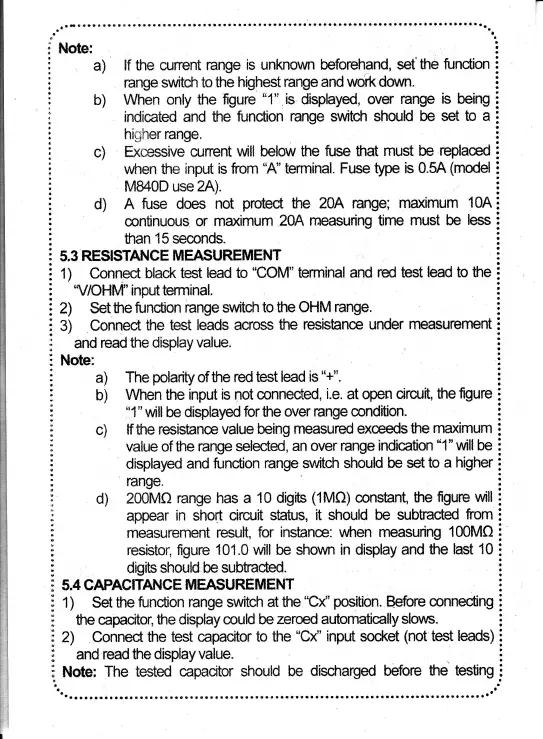
Note:
lf fre cunent
range
is unknawn
hforehand, set'the
furxfion
range switch to
the
highest
range and urork down.
Wnén only
the
figuré
"1"
is
displayed,
over
range
is
being
indicated
and fre
fundion
ilange suntch should
be set
to a
higher range.
f;xcessive current
will
belaw the fuse frat
must
be replamd
when
the
input
is fom
"A'
termlnal.
Fuse tlpe
is 0.5A
(fflodel
M840D
use 2A).
A
fuse
dres not
proted
he
20A
range;
rnaximum
10A
mntinuous
or ma<imum
?04
rneasuring
üme rnust
be
less
han
15
seconds.
5.3
RESISTAT{TH
MFASUREMHNT
1) Conned
black test
lead to
'COM"
teffninal
and red te$t
lead
t'r
the
'V/OHM"
input terminal.
2t $et
fle
func{icn
range
switch
to
$le
OHM
range.
3)
Connect
the
test
leads acro$$
fie
resishnm
under
rneasurement
and
read
the
display
value.
Note:
The
plarity
of üre
red test
lead i$
"+".
When fre
input
is
not
mnnected,
i.e.
at CIpen circuit,
the
figure
'*1"
\¡uill
be displayed
for
the over
range condition.
lf tt're resistane
value
being
measurcd exmds
the
rnaximum
value of
the range
selected,
an over range
indicaüon
"1"
will be
displayed
and function
range swthlr
should
h
set
to a higher
range.
?00Mfi
range has a
10 db¡ts
(1Mn)
mnstant,
fte
figure
will
appear
in short ciru.¡it
sbtus, it should be
subfacted
fom
rneasurernent
result,
for
instance: when rneasuring
100MCI
resistor, figure
101.ü will be shown
in
display
and
the last 10
drgit$ shauld,h
subtracted
5.4 CAPACITANCE
MEA$UREMfr
NT
1)
Set
the
fundion range
switch at
ttre
"Ct'' psition.
Before
mnneding
the capacitor,
üre display
muld
h
zeroed automatically
slows.
2) Connec{ the test
capacitcr to the
"Ct''
input
socket
(not
test
leads
and
read the
display value.
Note;
The
tested"
capacitor
should
be dischargCId
befare
tfre tmting
a)
b)
c)
d)
a)
b)
c)
d)

Related product manuals