19
EN
PAIRING TO 2 DEVICES
How to pair with two devices
Enter pairing mode
Connect to device 1
Enter pairing mode again
Device 1 will disconnect
Connect to device 2
Turn headphone off
Turn headphone on, headphone
will automatically connect to
device 1 and 2 simultaneously
Pause one device and play
from the other to swap
headphone connection
1
2
3
4
5
6
7
8
18
•
•
ENPAIRING
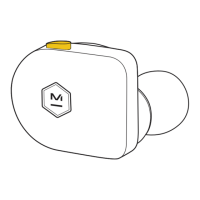
Hold in position for 2 seconds,
light will pulse when headphone is
in pairing mode.
Access Bluetooth
®
settings
on your source device. Locate
MW50 and connect. A solid light
indicates you are connected.
If no connection is made after 2 minutes,
the headphone will enter deep-sleep mode.
Cycle power switch to awaken.
Pairing
Connected






 To Next Page