
 Need help?
Do you have a question about the Master & Dynamic MW08 and is the answer not in the manual?
Details play/pause, skip, and voice assistant functions of the multi-function button.
Explains using VOL+ for Ambient Listening and VOL- for ANC ON/OFF.
Guides through the first-time pairing process and manual activation via the multi-function button.
Explains how to connect the earphones to two devices simultaneously and switch between them.
Details Hybrid ANC and Ambient Listening modes for controlling environmental sound.
Solutions for common problems like failure to pair or poor audio quality from connected devices.
Detailed steps to reset the earphones to factory settings to resolve pairing or other issues.
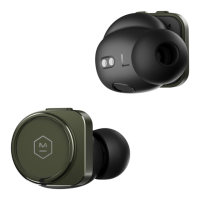
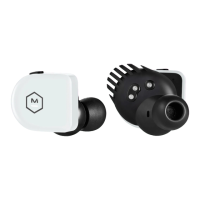
The Master & Dynamic MW08 Active Noise-Cancelling True Wireless Earphones are a premium audio product designed for an exceptional listening experience. Master & Dynamic, a New York City-based company, focuses on building technically sophisticated sound tools that balance aesthetics, strength, comfort, and outstanding sound quality.
The MW08 earphones are designed to provide high-quality audio with advanced features for various listening environments. They incorporate Hybrid Active Noise-Cancelling (ANC) to deliver clear, expansive sound by minimizing external noise, and an Ambient Listening Mode to enhance awareness of your surroundings when needed. These World Volume modes allow users to control how much of the external world they hear.
The earphones are true wireless, meaning they operate without any physical connection between them or to a source device. They connect via Bluetooth, allowing for wireless audio streaming and call management. A multi-function button on each earphone provides intuitive control over playback, calls, and voice assistant activation.
The MW08 earphones come with a charging case that not only protects them but also provides additional battery life, ensuring they are ready for use whenever you need them. The case features battery level indicators to keep you informed about the charge status of both the earphones and the case itself.
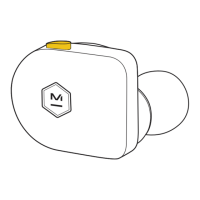
Controls: The MW08 earphones feature a multi-function button and volume controls (VOL+ and VOL-) on each earphone.
Fit: The earphones are designed for a superior universal fit, with custom round ear tips engineered to work with the oval nozzle shape. They come with medium ear tips attached, and additional sizes (XS, S, M, L, XL) are provided to ensure a proper seal with your ear canal. To insert the earphones:
Charging: The earphones offer up to 12 hours of charge, and the charging case provides an additional 30 hours, totaling 42 hours of listening time.
Pairing: The MW08 earphones automatically enter pairing mode the first time they are removed from their case.
Multipoint: The MW08 supports connecting to up to two devices simultaneously.
Mobile App (M&D Connect): The M&D Connect app enhances the Master & Dynamic experience. It provides access to:
Factory Reset: If the earphones are no longer paired to each other, a factory reset can resolve the issue:
Cleaning:
Storage:
Environmental Protection:
Ear Health: Master & Dynamic emphasizes the importance of ear health. To protect your hearing:
 General
| Battery type | Built-in battery |
|---|---|
| Battery charge indicator | Yes |
| Continuous audio playback time | 42 h |
| Talk time (with charging case) | 30 h |
| Battery recharge time (charging case) | 1 h |
| Continuous audio playback time (with ANC) | 10 h |
| Continuous audio playback time (without ANC) | 12 h |
| Control type | Touch |
| Headset type | Binaural |
| Product type | Headset |
| Product color | Blue |
| Wearing style | In-ear |
| Control unit type | On-ear control unit |
| Recommended usage | Calls/Music |
| International Protection (IP) code | IPX5 |
| Package type | Box |
| Charging case type | Wired |
| Audio adapters included | USB |
| Accessories included in set | 5 sizes silicone eartips |
| Charging case connector type | USB Type-C |
| Wireless range | 30 m |
| Bluetooth version | 5.2 |
| Bluetooth profiles | AAC, SBC |
| Connectivity technology | Wireless |
| Driver unit | 11 mm |
| Magnet type | Beryllium |
| Ear coupling | Intraaural |
| Noise canceling type | Active |
| Intraaural headphones type | Earbuds |
| Microphone type | Built-in |
| Number of microphones | 6 |
| Material | Ceramic |
 Weight and Dimensions
| Depth | 25.08 mm |
|---|---|
| Width | 21.19 mm |
| Height | 20.22 mm |
| Charging case weight | 81 g |
| Left earpiece weight | 9 g |
| Charging case dimensions (W x D x H) | 64 x 47.1 x 25 mm |





 To Next Page
