Master Audio
DSP206-608. Version 1.2 Apr 14 5
2.2 Model-specific features:
DSP206
- 2 Inputs and 6 Outputs with flexible routing
- 110dB dynamic range (inputs) / 114dB dynamic range (outputs)
- 48kHz sampling rate
- Low latency (1.32ms)
- Storage of up to 50 Program Setups
DSP608
- 4 Analog Inputs, 2 Digital Inputs (AES/EBU) and 8 Outputs with flexible routing.
- 118dB dynamic range (inputs) / 114dB dynamic range (outputs)
- 65kHz sampling rate
- Low latency (1ms)
- Ethernet connection (RJ45, on back panel)
- Storage of up to 80 Program Setups
3 MAIN CONTROLS AND CONNECTIONS
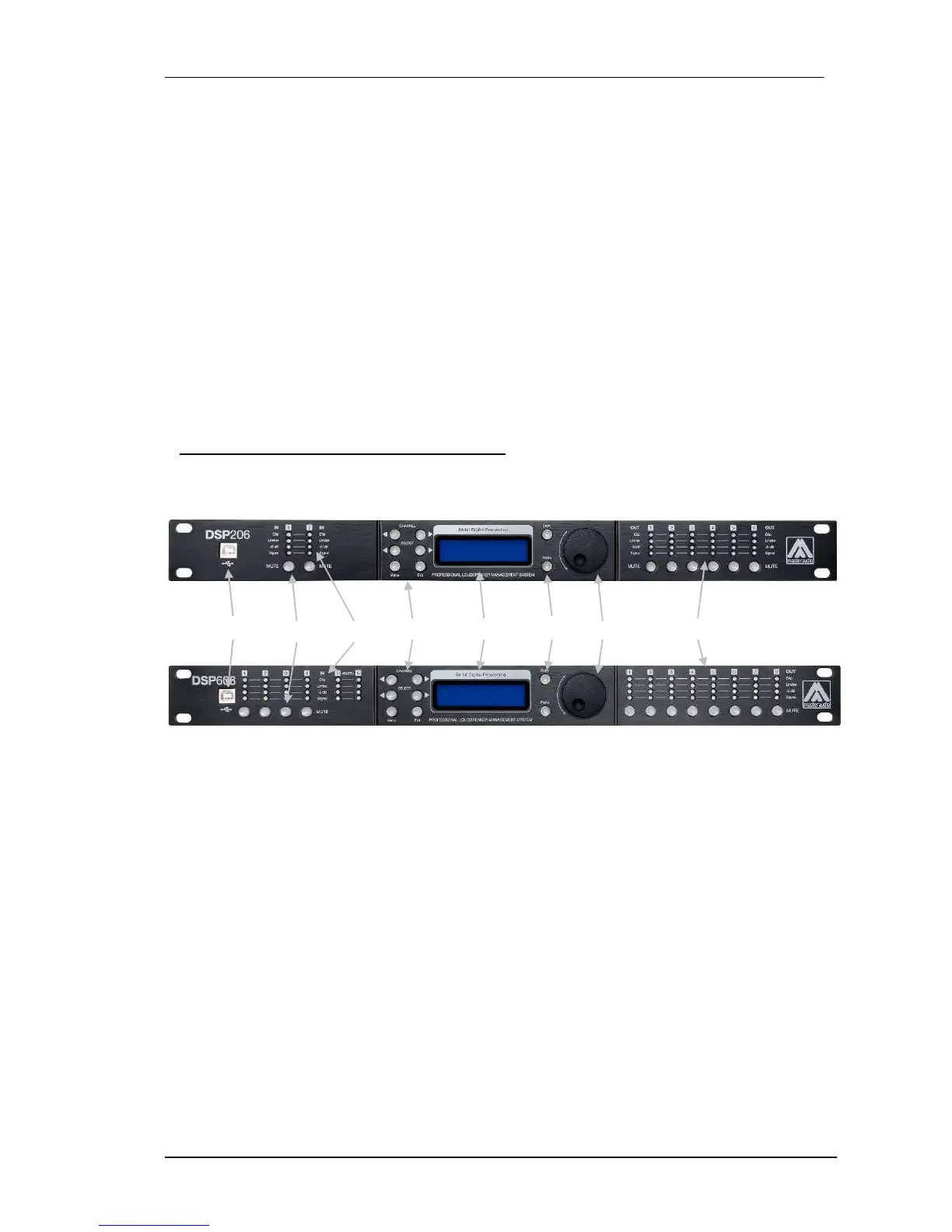
3.1 The front panel
A) USB Connector – A standard type B USB connector for interface with a PC or
Mac. Software and driver must be installed prior to usage.
B) Mute keys – Press for Mute/Unmute input and output channels. When a channel
is muted, this key will light up in red for indication.
C) Input signal LEDs - Show the current level of the Signal: Signal (-48dBu), -6dBu,
Limit (orange), Clip (red). The Limit led lights up if a gain reduction is taking place
(due to a programmed compressor). The Clip LED references to the device's
maximum headroom (+22dBu).
D) Menu Control keys - There are 6 menu keys: <Channel (Previous Channel),
Channel> (Next Channel), <Select (Previous Option), Select> (Next Option), Menu
and Exit. The functions of each key is explained below:
<Channel: Choose previous channel for editing.
Channel>: Choose next channel for editing



 To Next Page