Master Audio
DSP206-608. Version 1.2 Apr 14 18
NOTE: In DSP206, where no network card is available, IP Address and MAC
Address are shown with default values (all zero).
5.3.5 Routing (DSP608 only)
The routing function assigns the inputs to the outputs using pre-established
templates. The templates are shown in the table below:
Routing Out 1 Out 2 Out 3 Out 4 Out 5 Out 6 Out 7 Out 8
Stereo 1-Way In1,In3 In2,In4 Off Off Off Off Off Off
Stereo 2-Way In1,In3 In2,In4 In1,In3 In2,In4 Off Off Off Off
Stereo 3-Way In1,In3 In2,In4 In1,In3 In2,In4 In1,In3 In2,In4 Off Off
Stereo 4-Way In1,In3 In2,In4 In1,In3 In2,In4 In1,In3 In2,In4 In1,In3 In2,In4
Mono 8-Way In1,In3 In1,In3 In1,In3 In1,In3 In1,In3 In1,In3 In1,In3 In1,In3
The unit assigns the Input source for the corresponding outputs when each routing
mode is selected. The Stereo configuration will also activate the links between paired
channels (Out 1&2, Out 3&4, Out 5&6, Out 7&8)
NOTE: The configuration mode configures the input sources when selected. The user
can change the source afterwards if desired. It does not keep the configuration in
memory.
6 OPERATING THE SOFTWARE
6.1 Device List
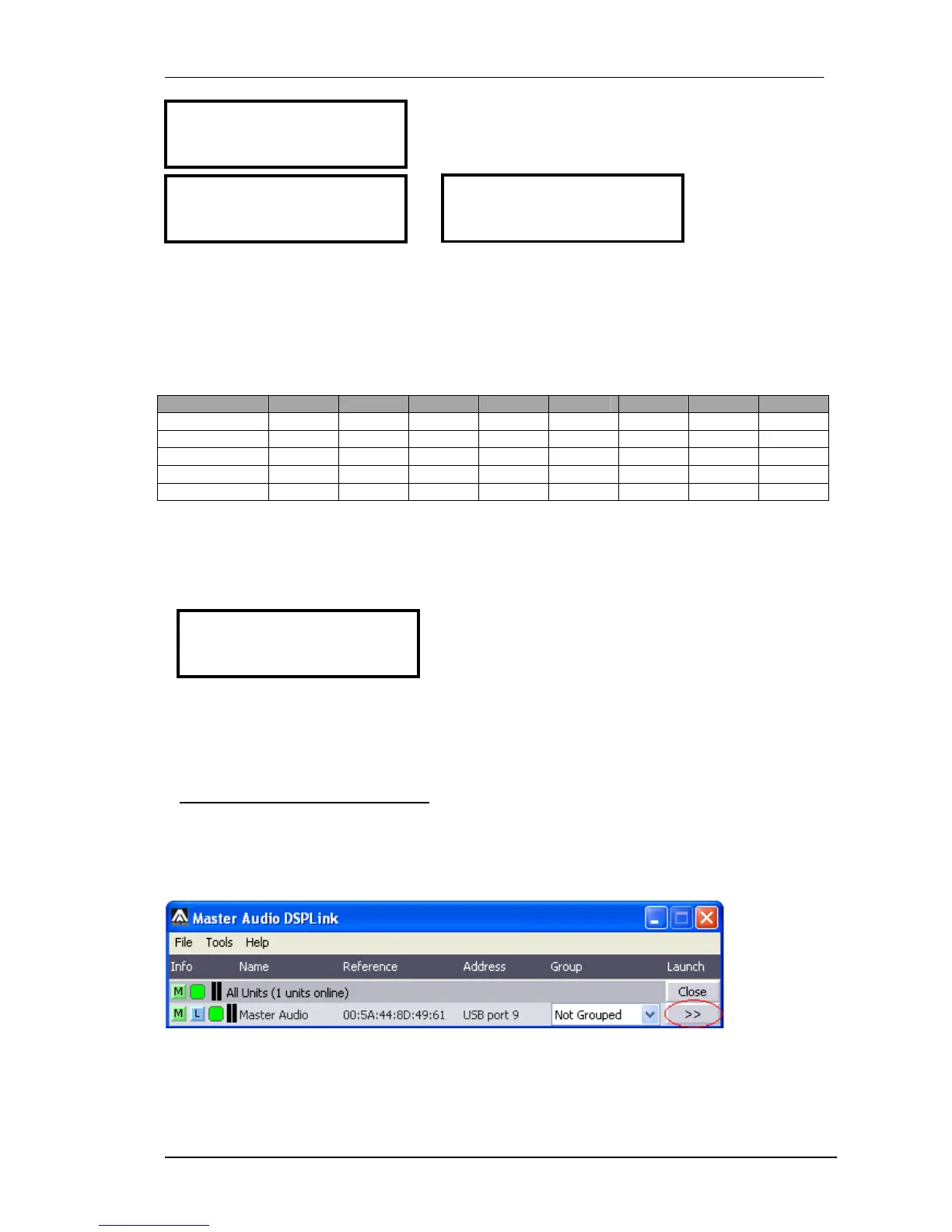
Once the software DSPLink is started, a window with the list of connected devices is
shown. To access the main window of each device, click on the arrows icon “>>”
6.2 Device Options
6.2.1 Main window
In this window the Preset options, the device name, and the input and output levels
and VUMeters, as well as the link and mute settings are displayed.



 To Next Page