10
Lowes.com/masterforge
®
ASSEMBLY INSTRUCTIONS
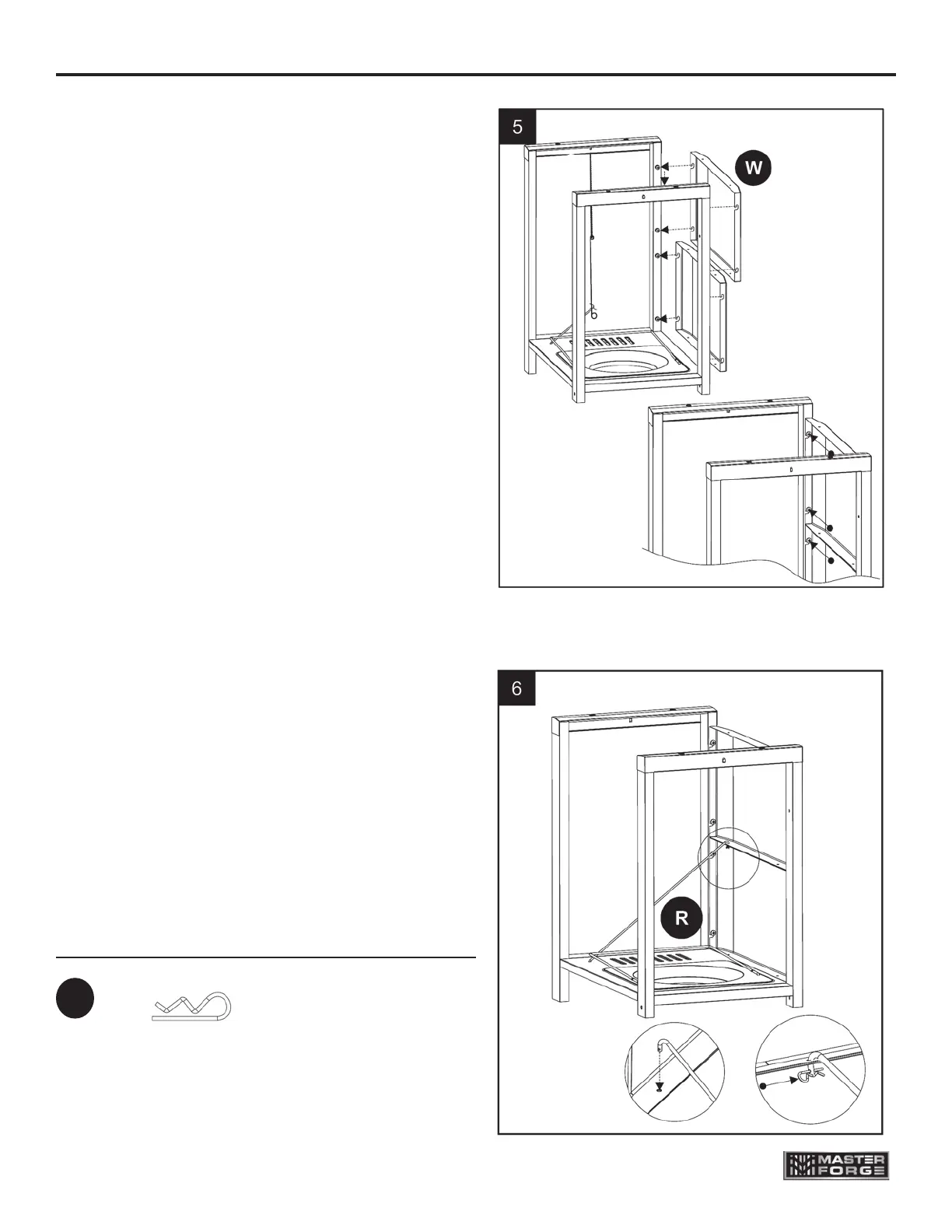
5. Install front panels
Align the two front panels (W) to preinstalled
screws on front legs of cart.
Slide the front panels (W) into place
and tighten all 8 screws . Note: The front panel
with the labels should be placed at the top of the
cart. The front panel with no labels should be
placed the at bottom of cart.
Hardware Used
R Pin x 1
EE
6. Install diagonal bar barrier
Put the other end of diagonal bar
barrier (R) into the hole of front
panel (W), then insert R pin (EE) into
the small hole of diagonal bar barrier
(R). Noted: After installing, do not
uninstall the diagonal bar barrier while
using the grill.



 To Next Page