Logix Control Valve Timer Settings:
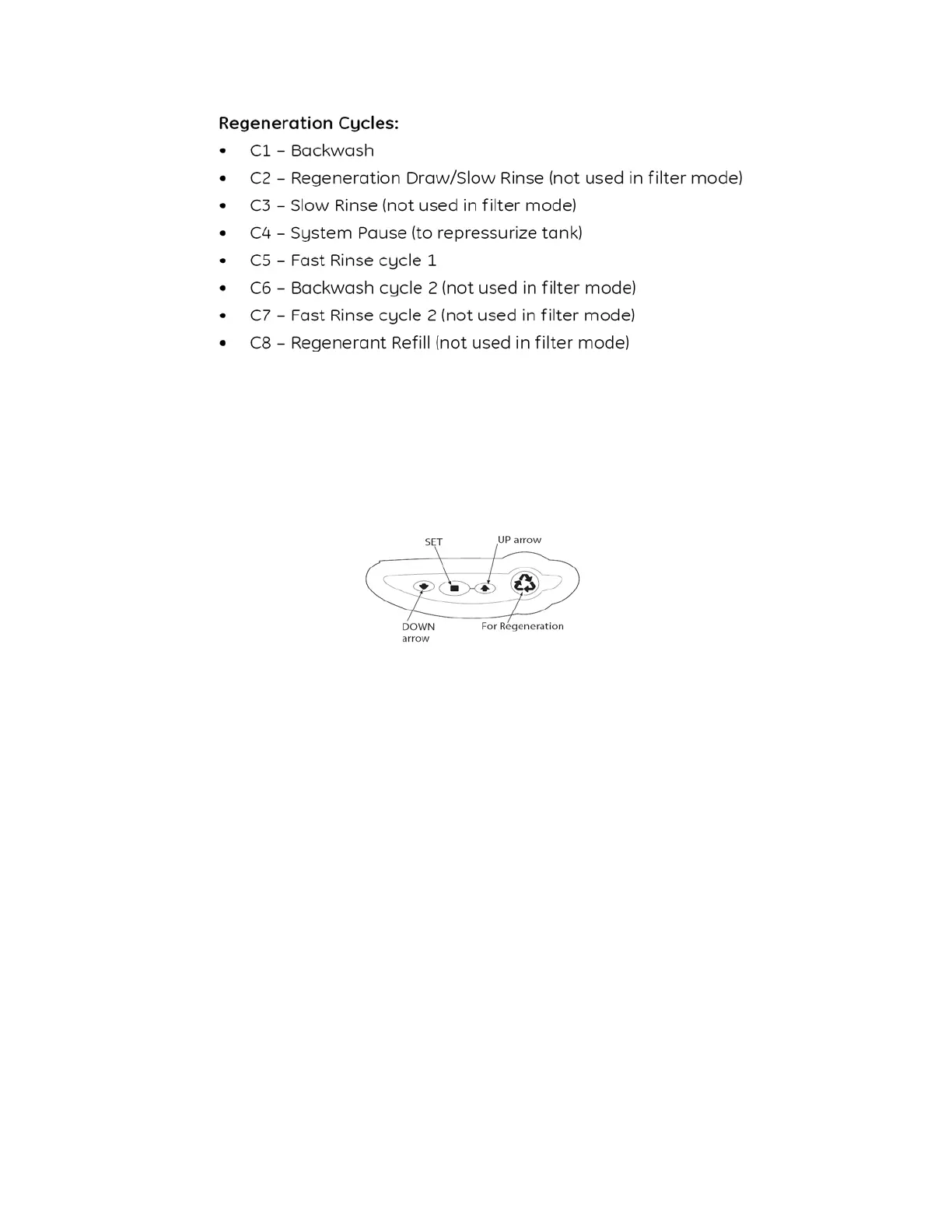
(See Figure 5)
Note: The control valve is set at the factory. You only need to set
the hardness, time of day and regeneration time if required, which
is preset at 2 am.
Figure 5
Time of Day Setting
1) Press the SET button. The screen will show the Time of Day
in blinking numbers.
2) To change the Time of Day, use the UP or DOWN arrows.
3) Press the SET button.
Day of Week Setting
1) Press the SET button. The screen will show the Day of Week
in blinking triangle.
2) To change the Day of Week, use the UP or DOWN arrows.
3) Press the SET button.
Time of Regeneration Setting (the factory default is 2 AM)
1) Press the SET button. The screen will show the Time of
Regeneration in blinking numbers.
2) To change the Time of Regeneration, use the UP or DOWN
arrows.
3) Press the SET button.


 To Next Page