38
EN
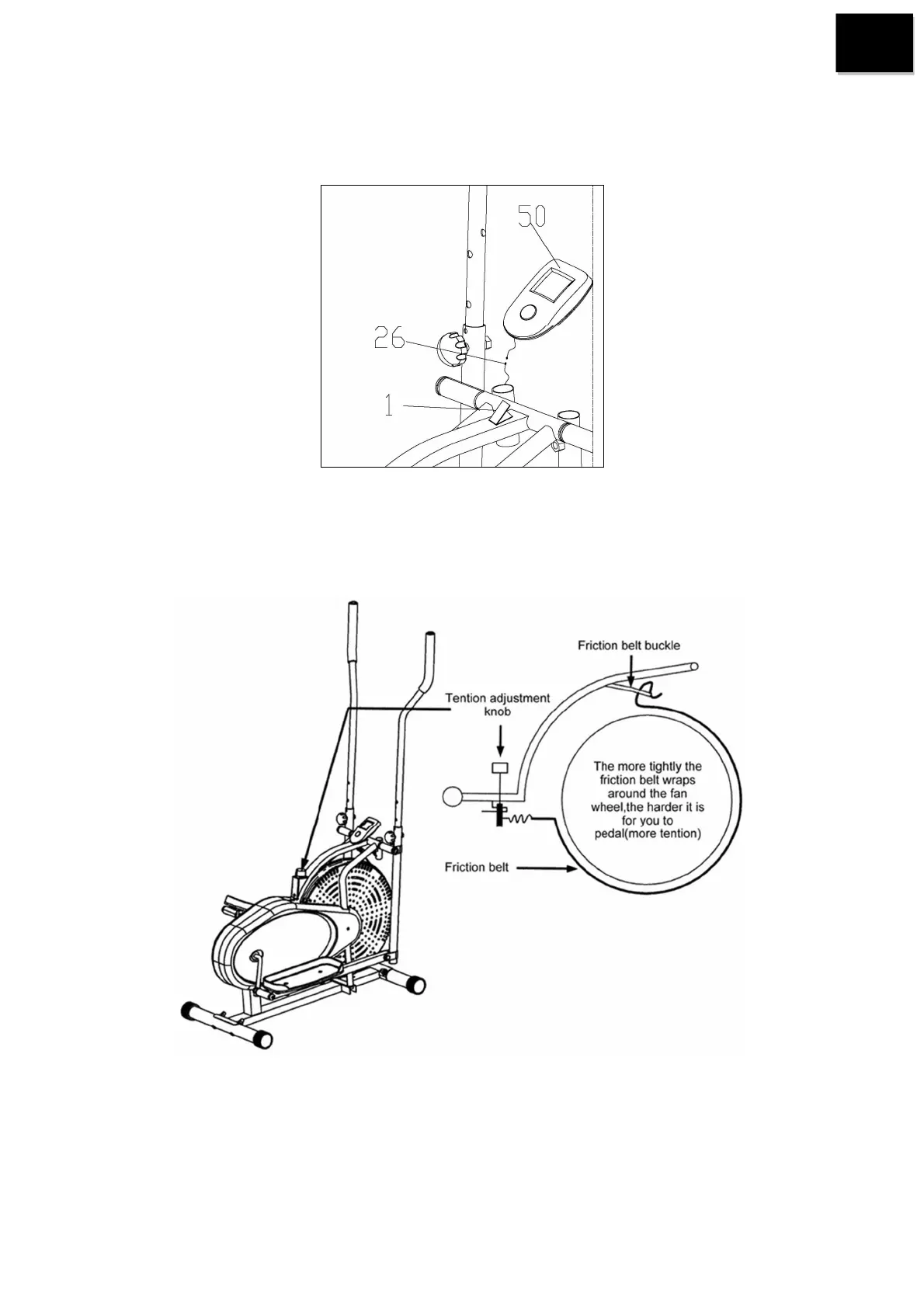
STEP 5:
Connect the computer wire with the wire of Sensor (26), after that insert the Computer (50) to the computer
bracket of Main frame (1).
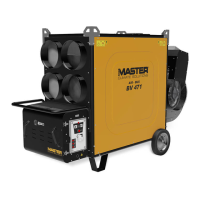
Tension adjustment
The assembly of your elliptical is now completed, as you try it for the first time, you should adjust the tension
(#36) to the loosest level, as you exercise, you should adjust the tension (#36) to a appropriate level slowly
before you begin a full workout.
Through tension adjustment, so you can loosen or tighten the resistance belt (#35) that beneath the flat beam at
top center,the longer friction belt you adjust, the less resistance while you pedaling. Reversely, the shorter of
friction belt you adjust,the more resistance while you pedaling.


 To Next Page