13
2- Medium orbit action
3- Maximum orbit action for the most aggressive action, for quick cutting
plywood or soft material.
Experiment on a piece of scrap material to determine the optimum orbit
action setting.
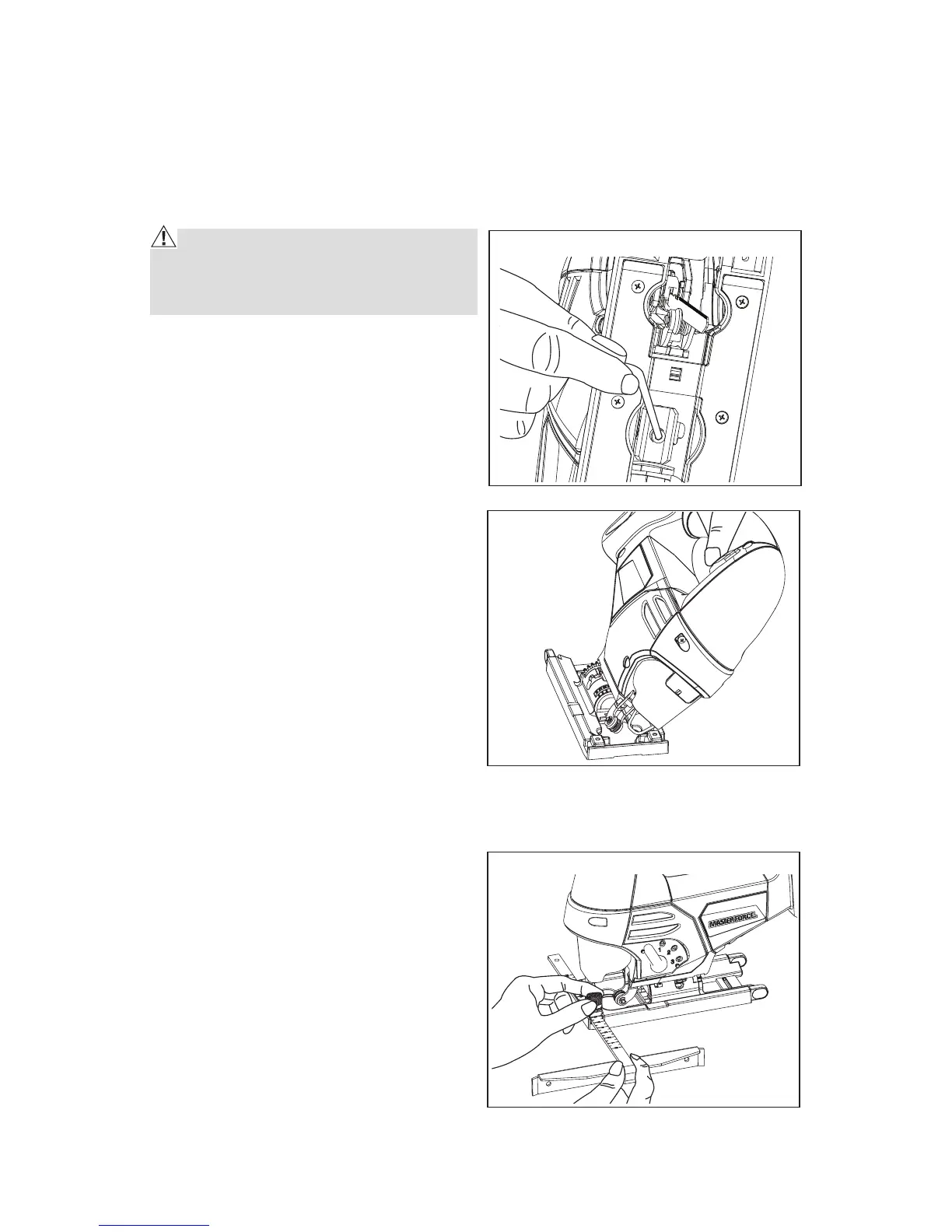
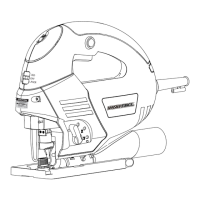
ADJUSTING THE SHOE FOR ANGULAR CUTTING (Fig. 7&Fig. 8)
CAUTION! Always ensure that the
jigsaw is switched off and the battery
pack is removed before making any ad-
justments.
1. Loosen the hex screw located on the
underside of the tool using hex key.
2. Move the shoe plate backwards
so that the teeth on the plate no
longer engage with the retaining
teeth and the shoe can be tilted to
the left or right.
3. Select 15°, 30° or 45° to the left
or right or select 0°, and push the
shoe plate forward so that the
teeth on the plate mesh with the
retaining teeth.
4. Retighten the hex screw.
The angle selected can be read on the
cutting angle guide on the shoe plate.
For accurate work it is necessary to
make a trial cut, then measure the
work and reset the angle with the
shoe plate moved a little towards the
rear so that the teeth on the plate do
not mesh with the retaining teeth.
Repeat the trial cut and reset the angle setting until the correct setting is
achieved.
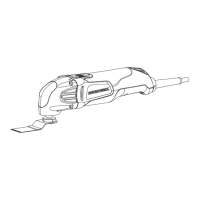
PARALLEL GUIDE (Fig. 9)
The parallel guide fits into the shoe
plate and is locked in place by the
locking screw.
Use the parallel guide to guide the jigsaw
along a straight line which can be an
edge of a workpiece or a piece of straight
timber clamped to the workpiece.
By changing the position of the guide
and using the same straight edge as a
guide, it is possible to quickly and easily
make parallel cuts in the workpiece.
NOTE: When adjusting the cutting angle, you can move the parallel guide
locking screw to the left or right.
Fig. 7
Fig. 8
Fig. 9



 To Next Page