51
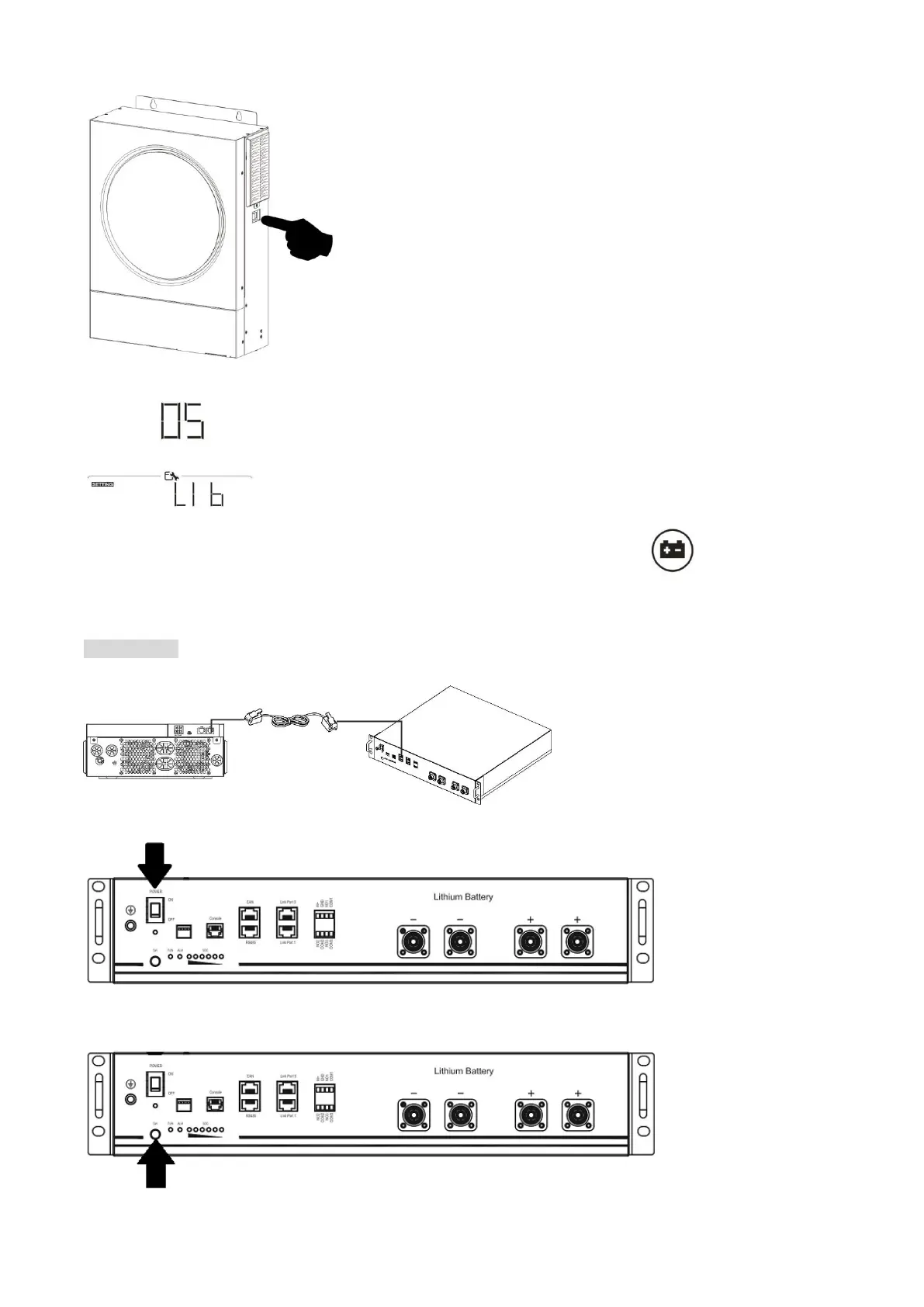
Step 5. Turn on the inverter.
Step 6. Be sure to select battery type as “LIB” in LCD program 5.
If communication between the inverter and battery is successful, the battery icon on LCD display will
flash. Generally speaking, it will take longer than 1 minute to establish communication.
PYLONTECH
Step 1. Use custom-made RJ45 cable to connect inverter and Lithium battery.
Step 2. Switch on Lithium battery.
Step 3. Press more than three seconds to start Lithium battery, power output ready.


 To Next Page