EasyManua.ls Logo

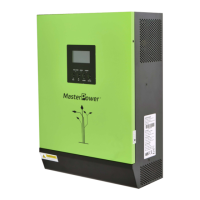
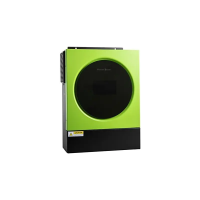
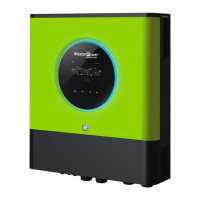
MasterPower 3.6KW - User Manual

MasterPower 3.6KW
65 pages
Print Icon
To Next Page IconTo Next Page
Loading...
Version: 1.0
3.6KW/5.6KW
SOLAR INVERTER / CHARGER
User Manual

Questions and Answers

  • E
    ebrewerAug 16, 2025
    Why is my MasterPower 3.6KW Inverter working in battery mode when mains exist?
    • J
      Jeremy GrayAug 16, 2025
      If your MasterPower Inverter is working in battery mode even when mains exist, it could be due to a tripped input protector. Check if the AC breaker is tripped and ensure the AC wiring is properly connected. Another reason could be insufficient AC power quality from the shore or generator. In this case, verify that the AC wires are not too thin or excessively long. Also, check if the generator (if applied) is working correctly or if the input voltage range setting is correct.
  • J
    Jessica DouglasAug 22, 2025
    Why does my MasterPower Inverter shut down automatically during startup?
    • D
      Danielle ParksAug 22, 2025
      If your MasterPower Inverter shuts down automatically during the startup process, it's likely because the battery voltage is too low (less than 1.91V/Cell). Try recharging the battery. If that doesn't solve the issue, the battery may need to be replaced.
  • E
    Edward HensonAug 28, 2025
    What to do if my MasterPower 3.6KW Inverter has no response after power on?
    • P
      Phyllis FernandezAug 28, 2025
      If your MasterPower Inverter isn't responding after you power it on, the battery voltage might be too low (less than 1.4V/Cell). Check the batteries and wiring to ensure they are well connected. Another possibility is that the battery polarity is reversed, in this case re-charge battery. If the issue persists, consider replacing the battery.
  • J
    Jeffrey BryantSep 2, 2025
    Why is the internal relay switching on and off repeatedly on my MasterPower 3.6KW?
    • R
      Roy CobbSep 3, 2025
      If the internal relay of your MasterPower Inverter is repeatedly switching on and off when you turn it on, the battery might be disconnected. Check the battery wires to ensure they are properly connected.
  • C
    Chelsea BradyNov 9, 2025
    What to do if my MasterPower 3.6KW Inverter buzzer beeps continuously and the red LED is on?
    • B
      bmurphyNov 9, 2025
      If your MasterPower Inverter beeps continuously and the red LED is on due to an overload error, it means the inverter is experiencing a load exceeding 110% for too long. Try reducing the connected load by turning off some equipment. If the red LED is on because the internal temperature of inverter component is over 100°C, check for blocked airflow or a high ambient temperature. If the output is abnormal (Inverter voltage below than 190Vac or is higher than 260Vac), reduce the connected load. Also, the beeping and red LED could indicate a short circuit, so check the wiring and remove any abnormal loads. Other possible causes include over-charged battery, too high battery voltage or fan fault. In these cases you must return to repair center or replace the fan. The beeping and red LED could a...

Summary

Safety Instructions

Product Overview and Components

Operation Panel Elements

Identification of LCD display, LED bar, function keys, and power switch.

Connectivity Ports Identification

Locating AC, PV, Battery, USB, RS-232, BMS, and Dry contact ports.

Battery Connection Guide

Recommended Battery Wiring Specifications

Cable size, terminal dimensions, and torque values for battery connections.

Step-by-Step Battery Connection

Procedure for connecting battery packs to the inverter.

AC Input;Output Connection Guide

Recommended AC Wiring Specifications

Cable size and torque values for AC input and output connections.

Step-by-Step AC Connection

Procedure for connecting AC input and output terminals.

PV Connection Guide

Recommended PV Wiring Specifications

Cable size and torque values for PV module connections.

LCD Setting: Battery and Input Configuration

Program 05: Battery Type Selection

Select the type of connected battery (AGM, Li-ion, etc.).

LCD Setting: Charger Priority and Alarm Settings

Program 16: Charger Source Priority

Configure charger source priority (Solar, Utility, or Solar+Utility).

LCD Setting: Battery Charging Voltages

Program 29: Low DC Cut-off Voltage

Set low DC voltage cut-off point to protect the battery.

Program 30: Battery Equalization Control

Enable or disable battery equalization function.

LCD Setting: Timer Settings

Program 99: Timer Setting for Output Source Priority

Configure timed output source priority.

Program 100: Timer Setting for Charger Source Priority

Configure timed charger source priority.

Operating Mode Descriptions

Battery Mode Operation Details

Description of operation using battery or PV power.

Faults Reference Code

Warning Indicator Guide

Battery Equalization Functionality

Applying Battery Equalization Function

How to enable equalization via settings.

System Specifications

Inverter Mode Specifications

Technical data for operation in Inverter Mode.

Troubleshooting Common Issues

BMS Communication Installation

Lithium Battery Communication Configuration

Setting up communication for lithium batteries.

Pylontech Battery Configuration

Dip Switch Settings Explained

Function of dip switches for baud rate and group address.

Lithium Battery Installation and Operation

LIO Series Battery Setup

Steps for connecting LIO series batteries.

Lithium Battery Installation and Operation (Continued)

Pylontech Battery Setup

Steps for connecting Pylontech batteries.

WECO Battery Setup

Steps for connecting WECO batteries.

Soltaro Battery Setup

Steps for connecting Soltaro batteries.

Wi-Fi Network Configuration

Wi-Fi Network Setup Procedure

Connecting the inverter to a Wi-Fi network.

WatchPower App Login and Functions

App Login and Main Functions

Logging into the WatchPower app and overview screen.

Device Management in the WatchPower App

Understanding Device Operation Modes

Explaining Standby, Line, and Battery modes.

Parameter Setting Guide in the App

Output and Battery Parameter Settings

Configuration options for output and battery.

MasterPower 3.6KW Specifications

General IconGeneral
Rated Power3.6kW
Power Output3600W
Efficiency>90%
Input Voltage24V/48V DC
Output Voltage230V AC
Frequency50Hz/60Hz
Protection FeaturesOverload, Short Circuit

Related product manuals