6
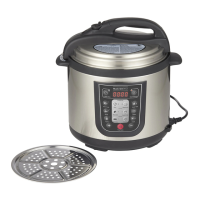
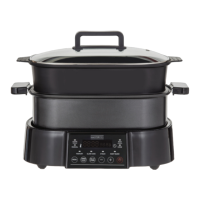
OPERATING YOUR ULTIMATE STEAMER & MULTI COOKER
Before First Use
• Read instruction manual carefully and retain for future reference.
• Wash cooking pot, lid and steaming insert as described under Care.
• Place appliance on a dry, level benchtop or table. Keep edge of appliance at least 30cm away from any
objects.
• When appliance heats for the first time, it may emit small amount of smoke or odour. This is normal
and will not persist.
Getting Started
Before cooking, ensure cooking pot and steamer insert are clean and dry. This will ensure proper
contact with cooking surface.
• When using all other functions, place cooking pot on base first.
• When using steam function, place cooking pot with water on base, then put steamer insert in cooking pot.
• To start your appliance, press the
button for 3 seconds, then use the menu button to scroll through
to your desired function.
1. Sauté Function
• Place ingredients in cooking pot.
• Press
button to turn on appliance.
• Press Menu button until Sauté function is selected.
• Default temperature is 175°C and default time is 1 hour.
• Press Timer/Temp button and temperature will blink. Press + or - to adjust sauté temperature
(between 120°C and 200°C).
• Press Timer/Temp button again and time will blink. Press + or - to adjust time (from five minutes to
one hour).
• Press
button to start cooking process.
• Sauté function works best with lid placed on appliance.
2. Manual Function
• Place ingredients in cooking pot.
• Press
button to turn on appliance.
• Press Menu button until Manual function is selected.
• Default temperature is 100°C and default time is 4 hours.
• Press Timer/Temp button and temperature will blink. Press + or - to adjust sauté temperature
(between 40°C and 200°C).
• Press Timer/Temp button again and time will blink. Press + or - to adjust time (from five minutes to
one hour).
• Press
button to start cooking process.
• Manual function works best with lid placed on appliance.


 To Next Page