Need help?
Do you have a question about the Mat-Tuner mAT-Y200 and is the answer not in the manual?
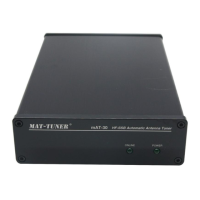
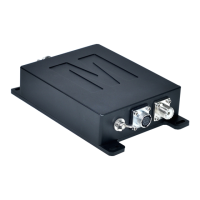
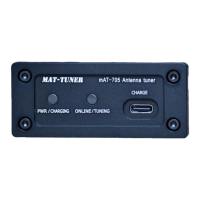
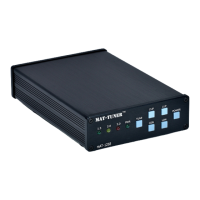
The MAT-Y200 is an automatic antenna tuner specifically designed for Yaesu brand transceivers. It functions as an external tuner, connecting to the transmitter via a control cable (mAT-CY) which also supplies power to the tuner. This eliminates the need for an additional power supply for the tuner itself. The MAT-Y200 tracks and synchronizes frequency data with the transmitter, similar to the mAT-30 tuner, making its operation convenient.
The primary function of the MAT-Y200 is to match the impedance of various antennas to the 50-ohm output impedance of a Yaesu transceiver, thereby optimizing power transfer and reducing SWR (Standing Wave Ratio). It can tune dipoles, verticals, Yagis, or virtually any coax-fed antenna. The tuner is compatible with modern Yaesu transmitters with RF power not exceeding 200W (SSB) and 100W (DATA mode, such as FT8, CW, RTTY).
Compatible Yaesu transceivers include models like FT-891, FT-991A, FTDX10, FTDX101D, and FTDX101MP. It's important to note that it cannot be used with FTDX5000 and FT-2000 due to their non-standard 8-pin Yaesu tuner interface. For the FTDX-101MP, using an external tuner automatically sets the maximum RF power to 100W. The MAT-Y200 is not suitable for the FT-817/818; for those, the mAT-10 tuner is recommended.
A key feature of the MAT-Y200 is its robust performance in digital modes. Unlike many tuners that struggle with sustained high power in digital modes, the MAT-Y200 can handle up to 100 watts of digital mode RF signals, making it an excellent choice for users of FT8, CW, and RTTY.
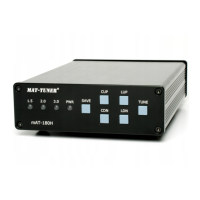
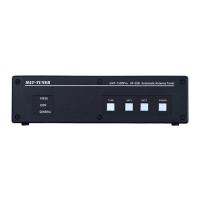
The tuner features a frequency tracking function. If the transmitter's frequency changes, the tuner will automatically adjust. Users can initiate a new tuning cycle if they are not satisfied with the current VSWR or if they are operating at a new frequency for the first time. Modern transmitters typically allow a new tuning cycle to be started by pressing and holding the [TUNE] key on the front panel for more than 1 second. A quick press and release of the [TUNE] key can switch the tuner's "ONLINE / BYPASS" status.

 To Next Page
 General