9
MDMAXLITEA
4 Initial Use
4.1 User Registration
Users need to go through an sign-up process before using
this tool.
Notes:
• Before registering, please make sure that your tablet has
a strong and stable Wi-Fi signal.
• While activating device, the Serial number and Verification
code can be found in the included password envelope. To
obtain Activation code, please contact with your dealer.
Follow the steps below to proceed:
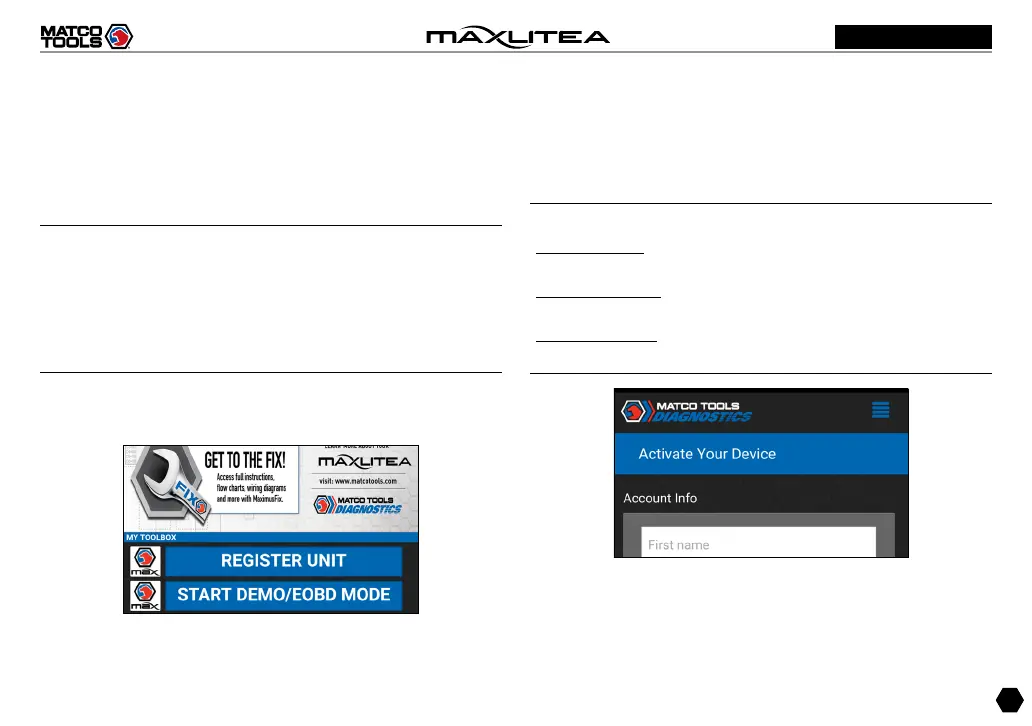
1. Tap on “MaxLite” on the home screen to Fig. 4-1.
Fig.4-1
A. For new user, tap on “REGISTER BASIC MODE” to go to
step 2.
B. “REGISTER FULL SOFTWARE” enables you to choose the
coverage that works for you.
2. Fill in your account information and device information and
then tap on “ACTIVATE” to enter Fig. 4-3.
Notes:
Serial number is a 12-digit number starting with 98 -- you
can find it on the back of your tool.
Verification code is a 8-digit number stored in the Private &
Confidential sheet.
Activation code is printed on the receipt, or consult your
dealer for it.
Fig.4-2



 To Next Page