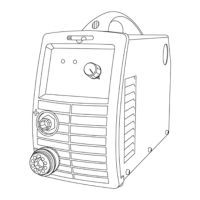
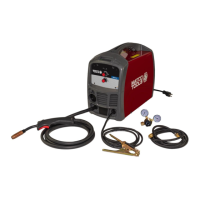
This document describes the MM200 LCD Inverter Multimig Welder, an arc welding machine designed for various welding processes including MIG (GMAW), TIG (GTAW), and STICK (SMAW). It is intended for professional use and emphasizes safety, proper installation, operation, and maintenance.
The MM200 LCD welder is a high-performance multifunction power source, suitable for all-position welding of various plates made of stainless steel, carbon steel, alloyed steel, copper, titanium, and other materials. It incorporates a digital control system that provides real-time display of welding parameters, allowing for precise adjustments. A key feature is its waveform control with IGBT technology, which ensures a stable welding arc and low power dissipation. The machine is equipped with automatic protection functions that intelligently respond to over-voltage, over-current, and over-heat conditions, activating an alarm lamp for protection.
For MIG/MAG welding, the machine utilizes mix gas as a shielded gas. Specifically, active gases like Ar+O2 or Ar+CO2 are used for MAG welding, while inactive gas (Ar) is used for MIG welding. The working principle involves rectifying single-phase AC input (110V/220V) into DC, then converting it to medium frequency AC via an inverter device (IGBT). This is followed by voltage reduction through a medium transformer and rectification by fast recovery diodes, with the output smoothed by inductance filtering. The circuit employs current feedback control for stable current output in MMA or TIG modes, and voltage feedback control for stable voltage output in MIG mode. Welding current parameters can be continuously and infinitely adjusted to meet specific craft requirements.
The MM200 LCD offers several usage features across its welding methods. For MIG/MAG Synergic welding, users can select the welding method, synergic parameters (such as material, gas, and wire diameter), and welding parameters (including two/four stroke, burn back, slow feed, pre-flow, post flow, and inductance) through a user-friendly interface with rotating knobs. The system also allows for setting welding current and voltage, with the welding voltage automatically adjusting based on the set current.
In MIG/MAG Manual welding, users can select the method, set welding parameters, and adjust wire feed rate and welding current independently. The device supports spool gun operation, where the spool gun is installed into a dedicated socket and activated via a switch.
For Stick welding, users can select the method and set parameters like "Hot Start" and "Arc Force" to optimize arc ignition and stability. The welding current can be adjusted within a specified range.
TIG Lift welding also allows for method selection and parameter settings, including "Two/four Stroke," "Pre-flow," "Down Slope," and "Post Flow," along with adjustable welding current.
The operation steps for connecting the equipment are detailed, covering power source input, wire feeder connections, gas cylinder connection, torch joint insertion, and ensuring proper wire diameter and tension. The front and rear panels feature various connectors and switches, including a MIG Gun Euro-connect socket, positive and negative polarity output sockets, a control cable connector socket, a shield gas connection fitting, and a wire feeder/spool gun switch.
Maintenance is crucial for the longevity and safe operation of the MM200 LCD welder. Regular daily examinations include checking the flexibility and correct placement of panel knobs and switches, listening for unusual noises or smells upon startup, verifying the integrity of the LED display, ensuring the fan operates normally, and inspecting for loose or overheated fast connectors and damaged output cables. Monthly maintenance involves using dry compressed air to clear dust from internal components like the radiator, transformer, IGBT module, and PCB, as well as checking and tightening bolts. Quarterly examinations require verifying the actual current against the displayed value using a plier-type ampere meter. Yearly examinations involve measuring the insulating impedance among the main circuit, PCB, and case to ensure proper insulation.
Troubleshooting guidance is provided for common issues, such as the power light not turning on (suggesting a damaged breaker, fuse, or power supply), the fan not working after overheating (indicating a damaged fan or loose cable), or no gas output (pointing to issues with the gas cylinder, pipe, or electromagnetic valve). Wire feeder problems, like the wire reel not working or the press wheel being loose, are also addressed. Other issues include no striking arc or output voltage, welding stops with an alarm light, uncontrolled welding current, and problems with crater current adjustment or post-gas function, with solutions ranging from changing components to checking circuits or PCBs.
Specific maintenance instructions for the MIG gun are also provided. This includes servicing the wire feed mechanism (checking feed roll groove wear and cleaning the wire guide with compressed air) and changing the wire guide if it is worn or clogged. The manual details how to remove and replace the wire guide, ensuring proper installation and trimming.
Overall, the MM200 LCD Inverter Multimig Welder is presented as a versatile, digitally controlled, and protected welding machine designed for professional use, with comprehensive instructions for safe operation and maintenance.



 To Next Page
 General