5
The Control Panel
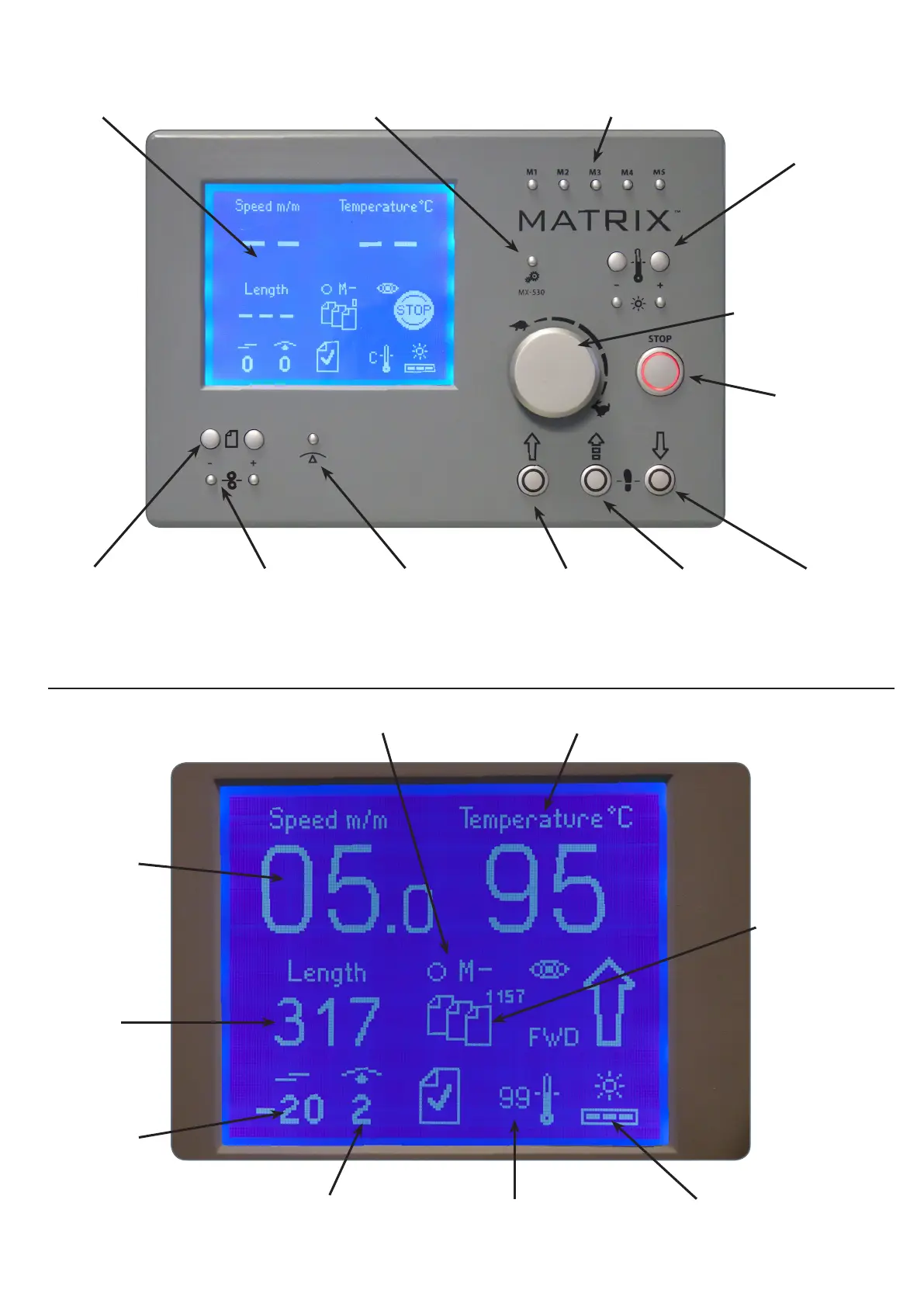
Display screen Function key 5 Memory keys
Temperature
Setting**
Speed
setting
dial
Stop key
Reverse
rotation key*
Crawl Key*Forward driveAnti-curl settingFine tune key for
cutting position
Paper
length
setting
* Functions with foot pedal only
** Temperature settings are also used to scroll through setup screen information
Running
speed
The Display Screen
Sheet
length
Sheet
splitting
adjustment
Anti-curl setting (0-6) Actual temperature Screen brightness
Memory Set temperature
Sheet counter
Settings quoted are a guide only and may need adjusting depending on stock used and amount of toner on prints


 To Next Page