6
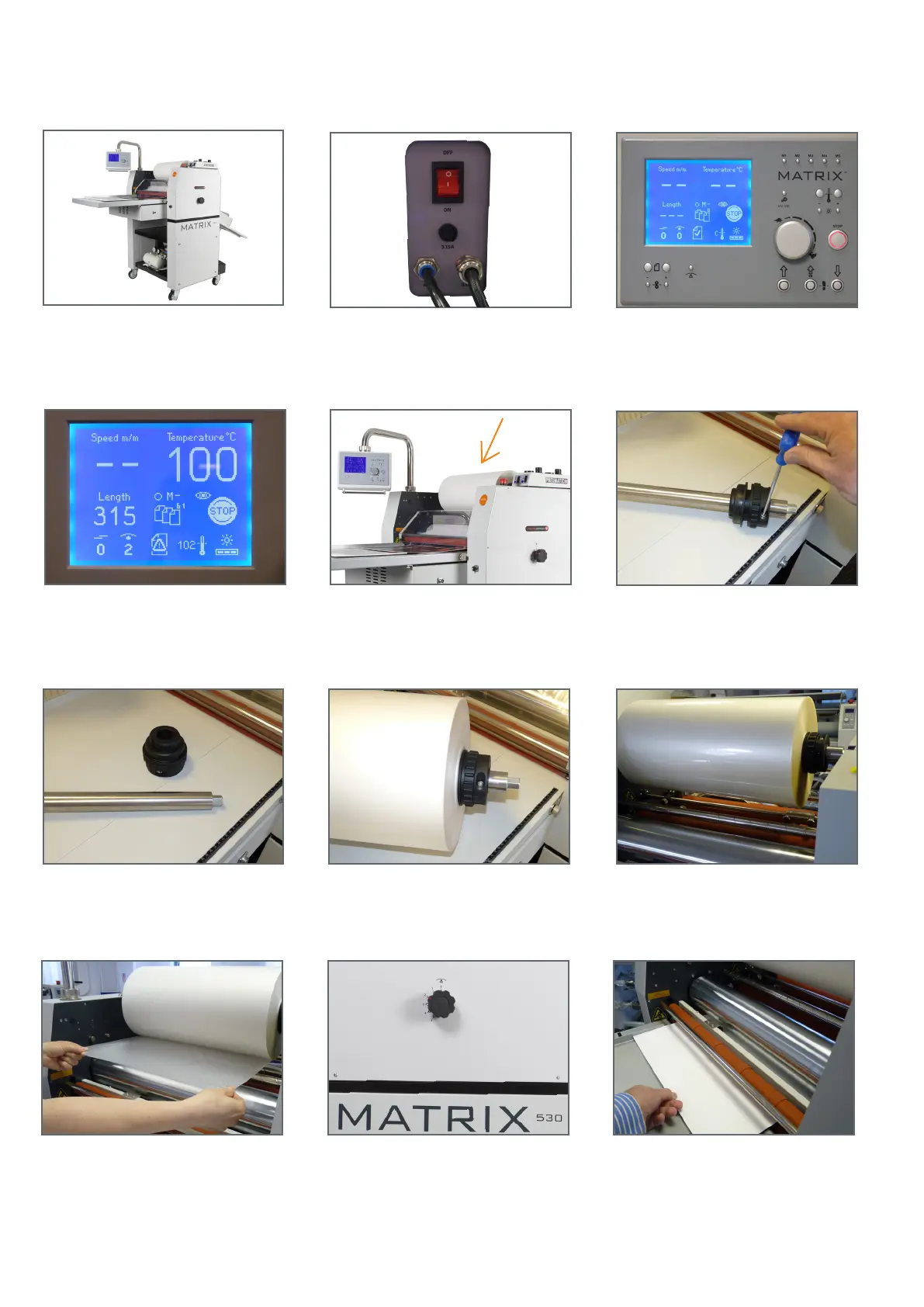
4. Set temperature, sheet length
and anti-curl setting.
5. Remove lm mandrel. 6. Using the allen key provided, loosen
screws on the core adaptor.
Set-Up & Installation of Laminating Films
7. Remove one core adaptor. 8. Slide lm onto the mandrel and
centralize, replace core adaptor.
9. Place lm and mandrel back onto the
machine.
10. Ensure lm feeds from the bottom of
the roll.
11. Set the anti-curl device to the zero
position and ensure both laminating and
pull rollers are in the raised position.
12. Press rubber roller to drop gate and
slide in plain print, ensure it goes through
anti-curl device and into pull rollers.
2. Turn the power on. 3. Screen displayed, see large screen
diagram for functions on page 5.
1. Position the machine near a suitable 13
amp socket and plug into the mains.


 To Next Page