7
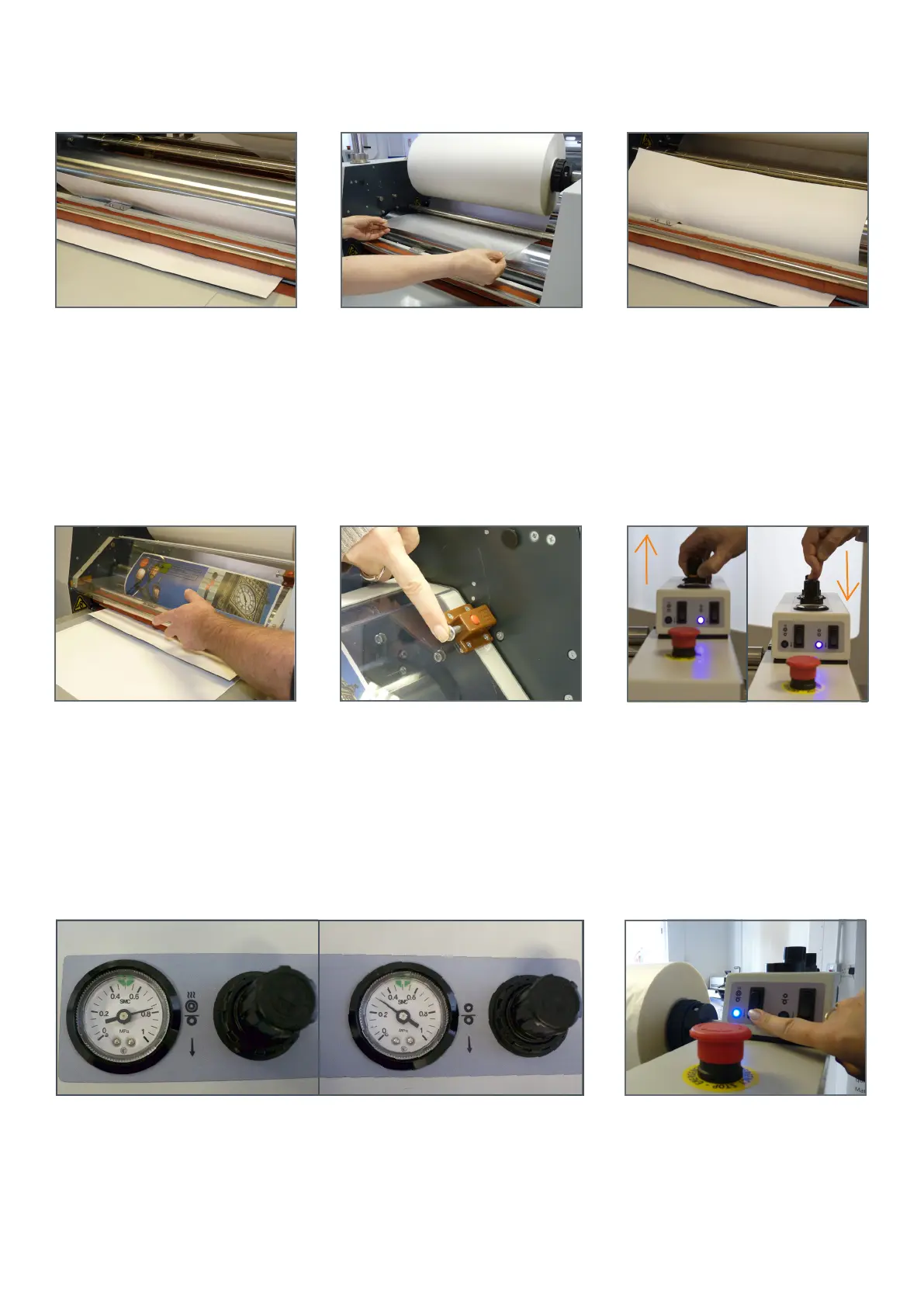
13. Slide the second blank print around
the steel laminating roller, through the
anti-curl device and into the pull rollers.
14. Run the lm under the idler bar and
drape over the steel laminating roller.
15. Press second set-up print onto the
lm.
16. Replace the guard. 17. Ensure the micro switch is located,
otherwise the machine will not run.
20. Press laminating roller switch. Roller
will lower and light should illuminate.
19. Laminating roller full pressure is 8 bar. Pull roller between 3-4. Please note these
are guides only and for thinner stocks the laminating roller pressure may need to be
decreased.
18. You can adjust the pressure by lifting
the control and turning clockwise to
increase the pressure, and anti-clockwise
to decrease the pressure. Push the
control down to lock.
PULL ROLLERLAMINATING ROLLER


 To Next Page