35| Revision Date: 8/30/2017 | Revised by: EM
Rewrite or replace compact flash card and tuner
To begin, follow these instructions to reposition the original CF card:
1. Reboot the system.
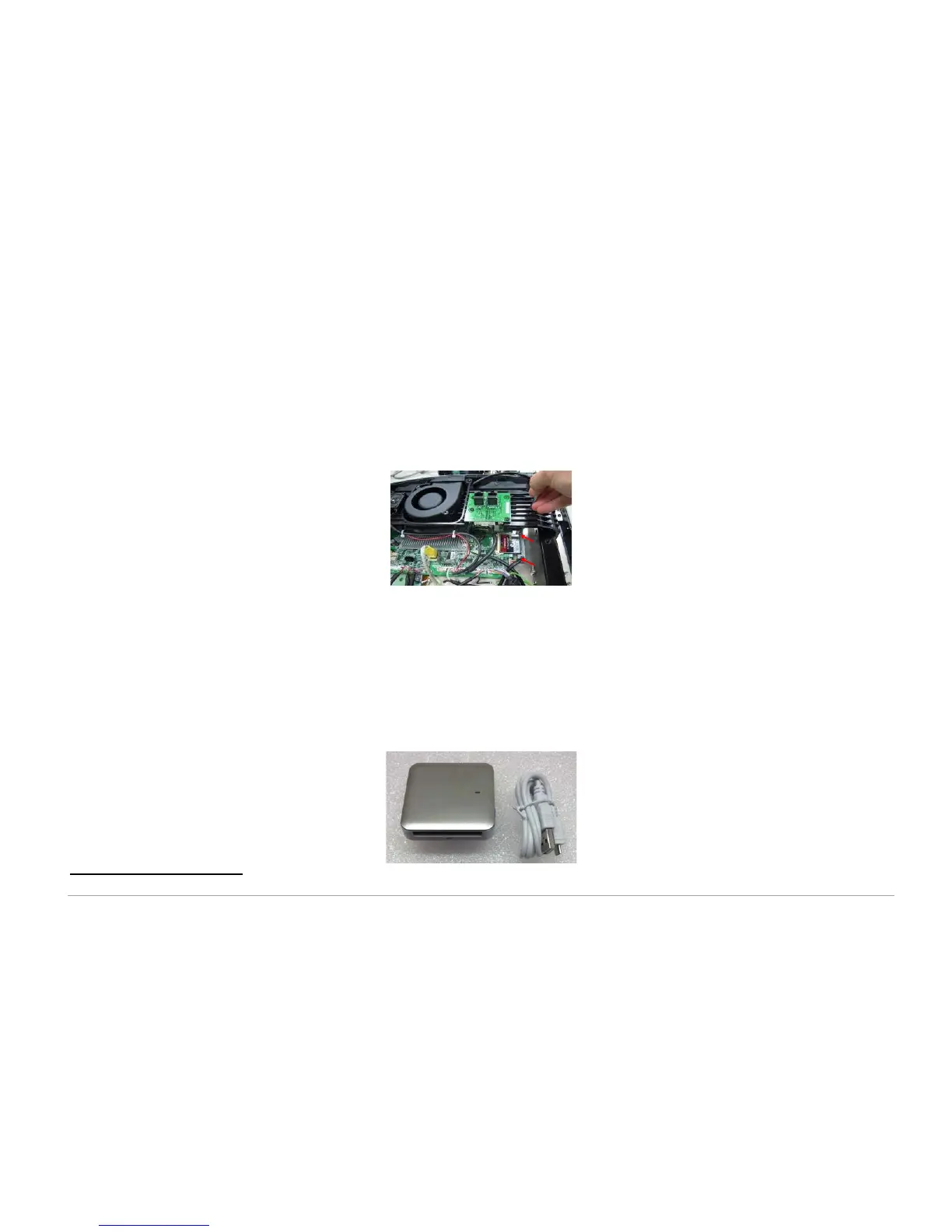
2. If the error remains, reseat the internal compact flash card:
a. Power off the console and unplug the power cord.
b. Remove the console from the frame and remove the back cover of the console.
c. Remove the four (4)
screws holding the iron plate to the console frame.
d. Carefully remove the CF card.
e. Reattach the CF card and ensure the connection is straight.
f. Reassemble and test the console.
i. If the issue remains and a CF card reader is available, begin with Step 3 below to rewrite the bad CF card.
ii. If the issue remains and a CF card reader is not available, begin with Step 8 to replace the CF card.
Follow these instructions to rewrite a bad CF card using a CF card reader
†
:
3. Record the Accumulated Distance, Accumulated Time, and Serial Number. This data resets when the CF card is rewritten.
4. Connect the CF card reader to your computer.
†
Please note: When troubleshooting the error message “System available space is not enough”, use a rewritten CF card with software version GUI V6.10 or above.



 To Next Page