34| Revision Date: 8/30/2017 | Revised by: EM
h. Right-click on the log labeled Application
.
i. Select Save All Events As
.
j. Navigate to the USB drive
.
k. Save the log file with a name that identifies the machine and log title. Example: TM01 – Application
.
l. Click Save
.
m. Repeat (h) through (k) to collect the logs labeled System and Administrative Events
.
n. Exit all applications
.
o. Return the console to 7xi home screen
.
p. Eject the computer accessories
.
4.
Email Johnson Health Tech North America - Customer Tech Support:
a. Attach the customer’s error records and the Window’s logs.
b.
Include the case number in the subject line
.
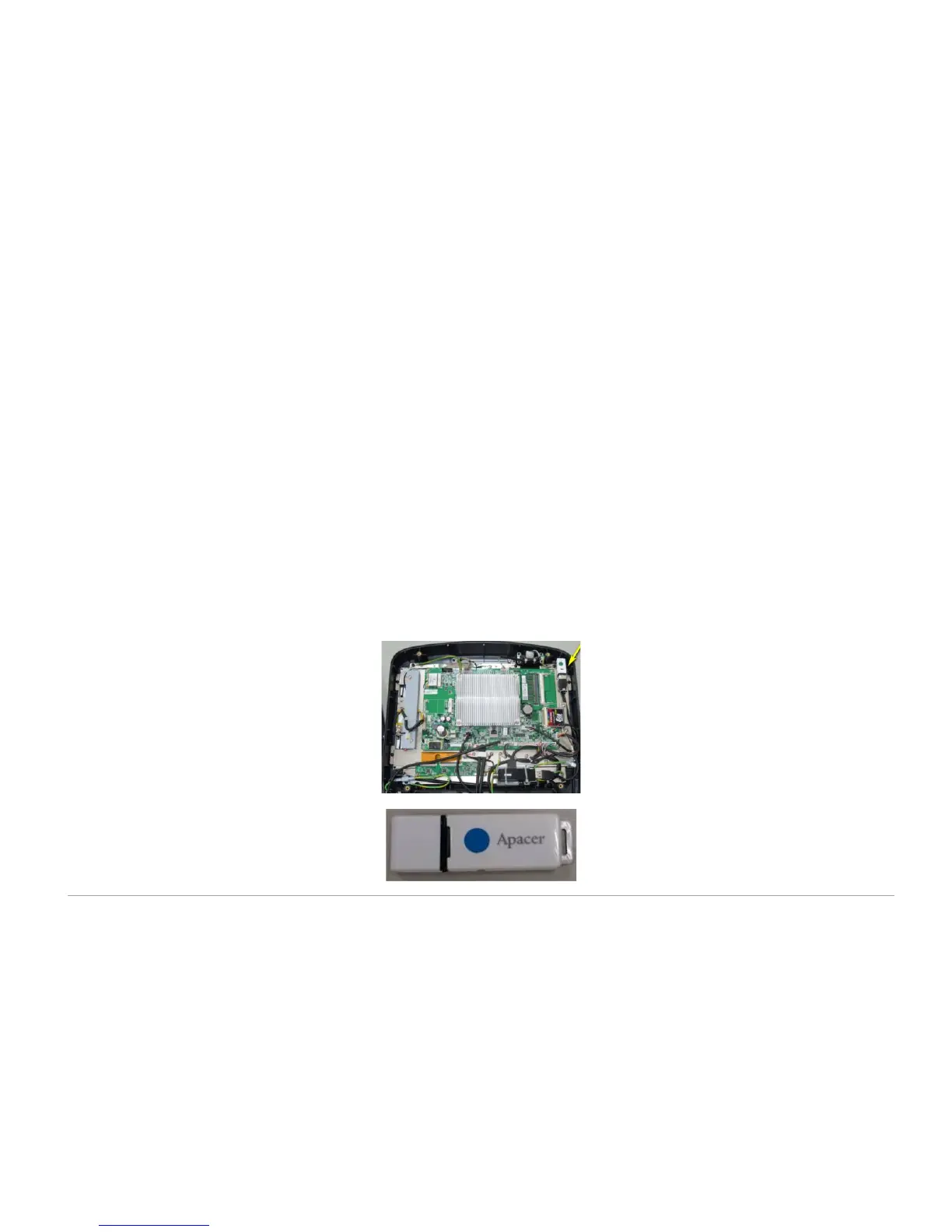
Replace the VA USB drive
Johnson Health Tech has improved the VA USB drive. The updated drive is available beginning in February 2016. New drives are marked with a
blue dot. Follow the instructions below to install the new drive:
1. Remove four (4) screws from the back of the console and set the cover aside, and then remove four (4) screws holding the iron plate to the
console frame.
2. Remove the old VA USB drive.
3. Install the replacement VA USB drive.



 To Next Page