33| Revision Date: 8/30/2017 | Revised by: EM
Replace tuner & collect Windows logs
Note: Prior to the appointment, ask the customer to track the date and time each error occurs over a period of three to four days. Collect the customer’s
records while onsite.
1.
Install a new tuner if a replacement is available. If you do not have a replacement tuner on hand, leave the tuner in place and proceed to collect logs.
2.
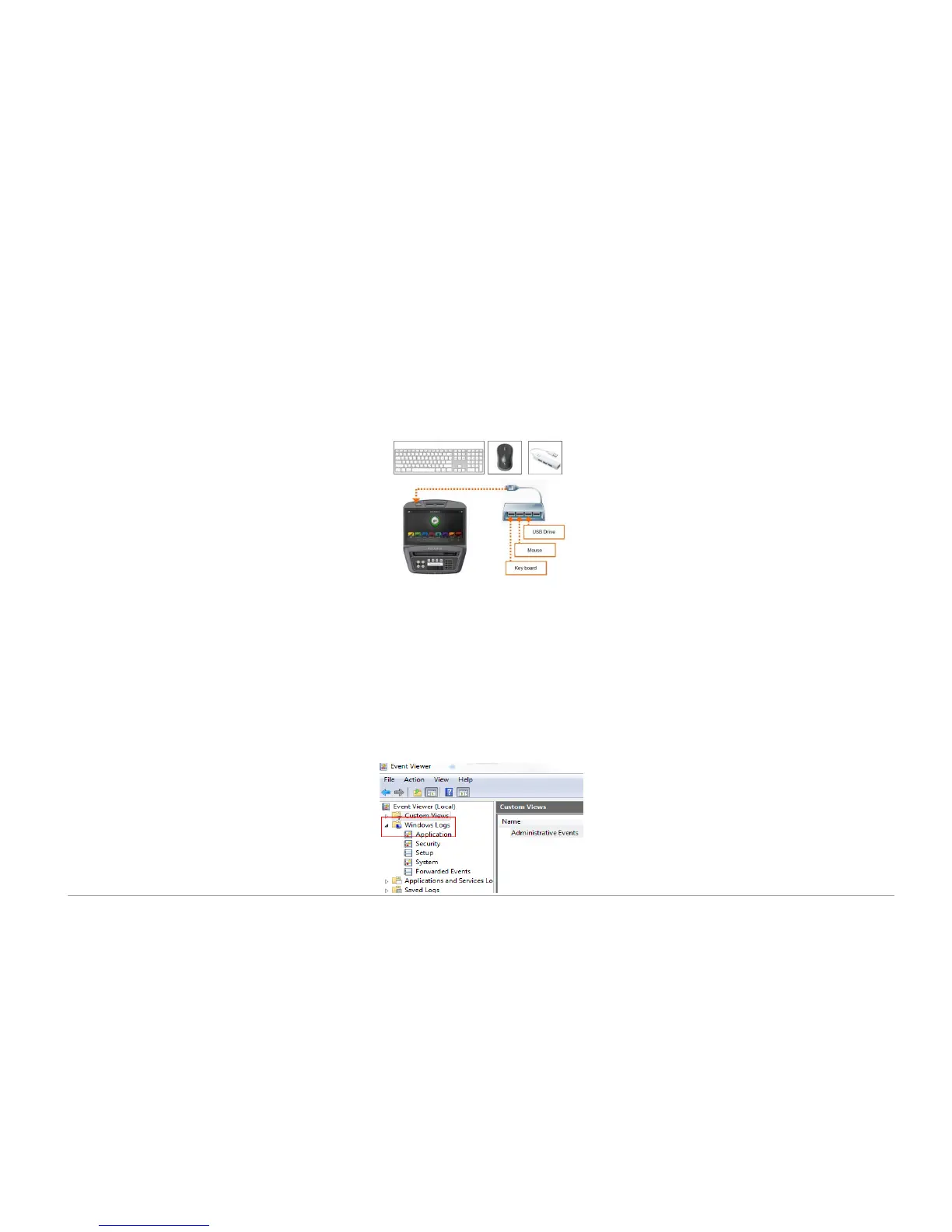
Set up the computer accessories:
a. Plug in a USB hub with a USB drive, keyboard, and mouse attached
.
b. Turn the console off and on again
.
c. Verify the console recognizes the devices
.
3.
Collect the Windows Application, System, and Administrative Events Logs
:
a. Press CTRL+ALT+DEL on the keyboard
.
b. Select Task Manager
.
c. Select File > New Task
.
d. Enter explorer.exe in the run dialog box
.
e. Select Control Panel from the left side panel
.
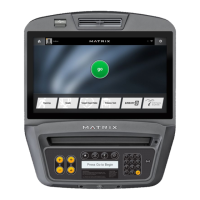
f. Go to Administrative Tools > Event Viewer
.
g. Expand the Windows Logs
.



 To Next Page