39| Revision Date: 8/30/2017 | Revised by: EM
g.
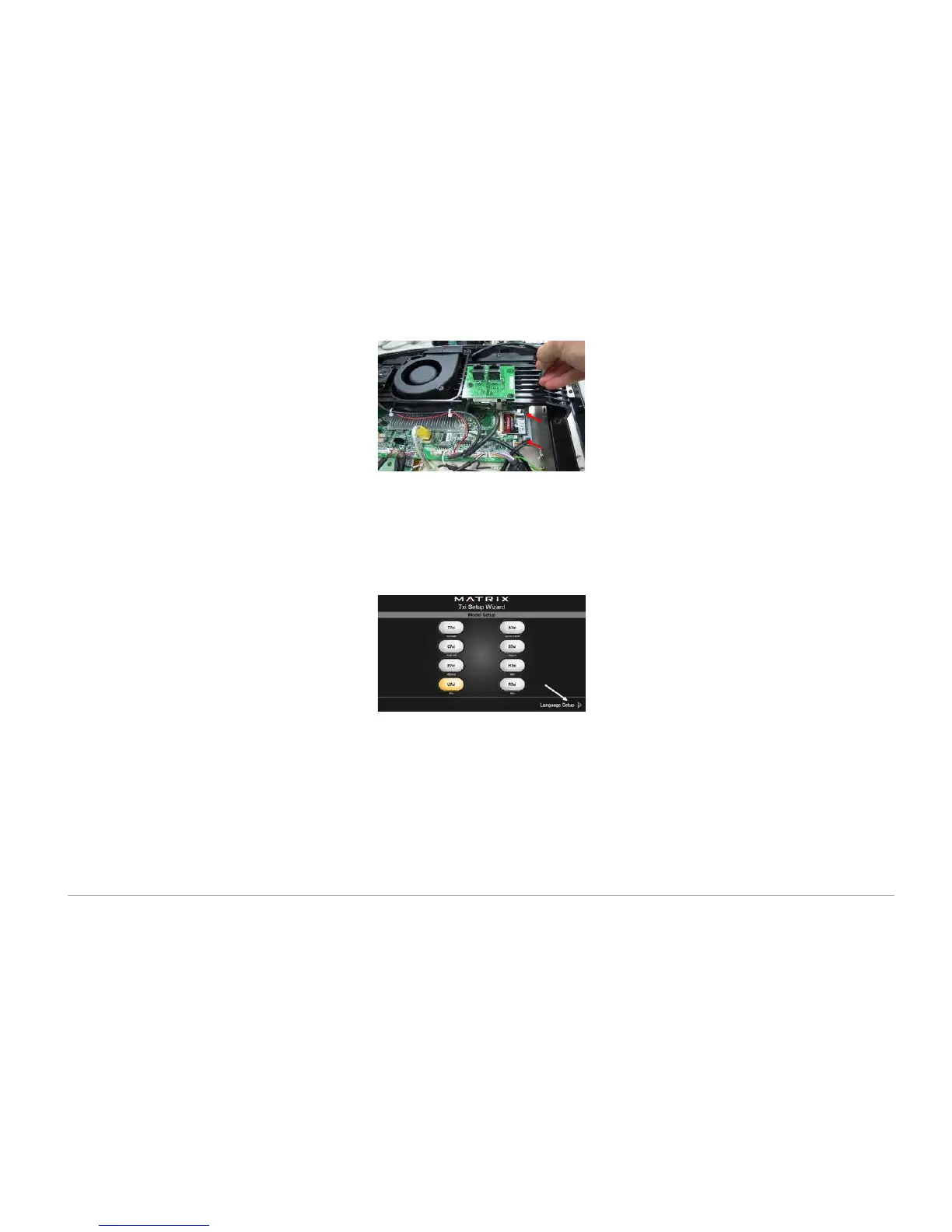
Remove the four (4) screws holding the iron plate to the console frame.
h. Remove the CF card from the console frame.
i.
Install the replacement CF card.
j.
Remove the tuner from the console.
k.
Install a new tuner.
l. Reattach the iron plate and console cover
.
m.
Turn on the power.
n.
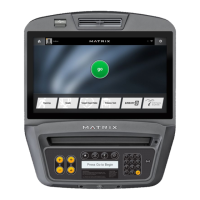
Wait for the 7xi Setup Wizard to display.
o.
Using the left and right arrow to scroll pages, select the appropriate settings for the following categories:
i. Model
ii. Language
iii. Date, time, and time zone
iv. Asset Management
v. Serial number
p.
Reboot the console by pressing
Enter 7 3 2 6 6 8 Enter
, then wait until the welcome screen displays.
Note: If the display shows 04A0, turn off the machine, wait 30 seconds, and then turn on the machine.



 To Next Page