46 47
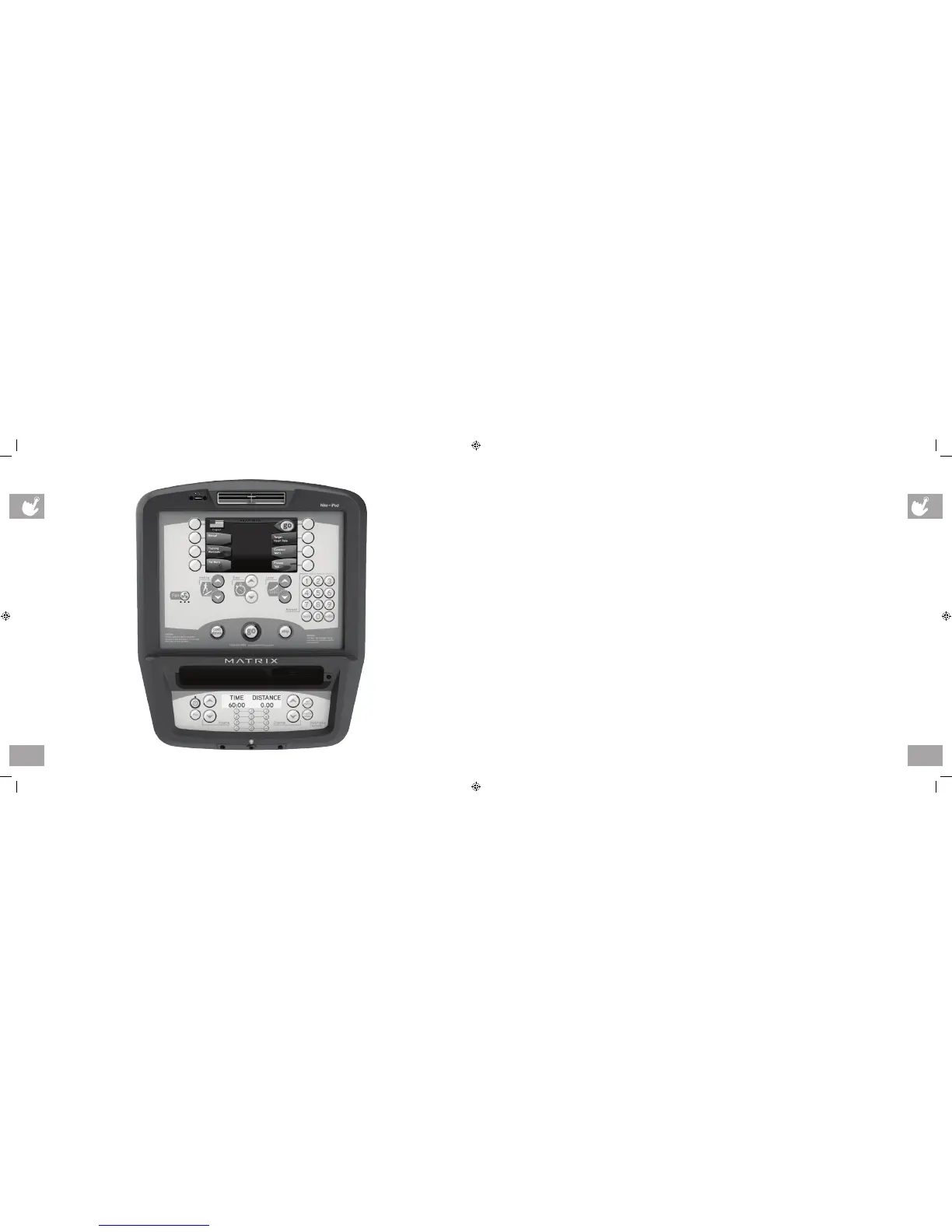
A7X / E7X CONSOLE DESCRIPTION
Note: There is a thin protective sheet of clear plastic on the overlay of the console that should be removed before use.
A) MULTI-PURPOSE KEYS: Keys have different functions depending on each screen.
B) GO: One touch Start.
C) ENTER: To confirm each program setting.
D) UP/DOWN INCLINE (A7X): Easy information and incline selection.
E) UP/DOWN LEVEL: Easy information and level selection.
F) UP/DOWN TIME: Easy information and time adjustment.
G) STOP: Ends workout and shows workout summary data.
H) NUMBER KEYPAD: Workout data input for workout setup. Level adjustment during workout.
I) COOL DOWN: Puts the Ascent into Cool Down mode.
J) FAN: Allows for fan speed selection (fan has three operating speeds.)
A7X / E7X ENTERTAINMENT ZONE
K) TV: Will take the user to directly the TV screen.
L) IPOD
®
: Will take the user directly to the iPod screen to allow for iPod control and playlist selection.
M) VOLUME UP/DOWN: Adjusts the volume output through the headphone jack of either integrated console TV or iPod output.
N) NUMBER KEYPAD: Allows for easy TV channel selections.
O) CHANNEL UP/DOWN: Allows for channel selection.
P) DISPLAY MODE: Allows user to cycle through console display options, iPod, TV or profile display.
Q) LAST CHANNEL: Allows the user to cycle between the current channel and the previous channel they were viewing.
A7X CONSOLE SHOWN
ep_ascent_om_r2.2.indd 46-47 9/26/11 11:50 AM


 To Next Page