16
15
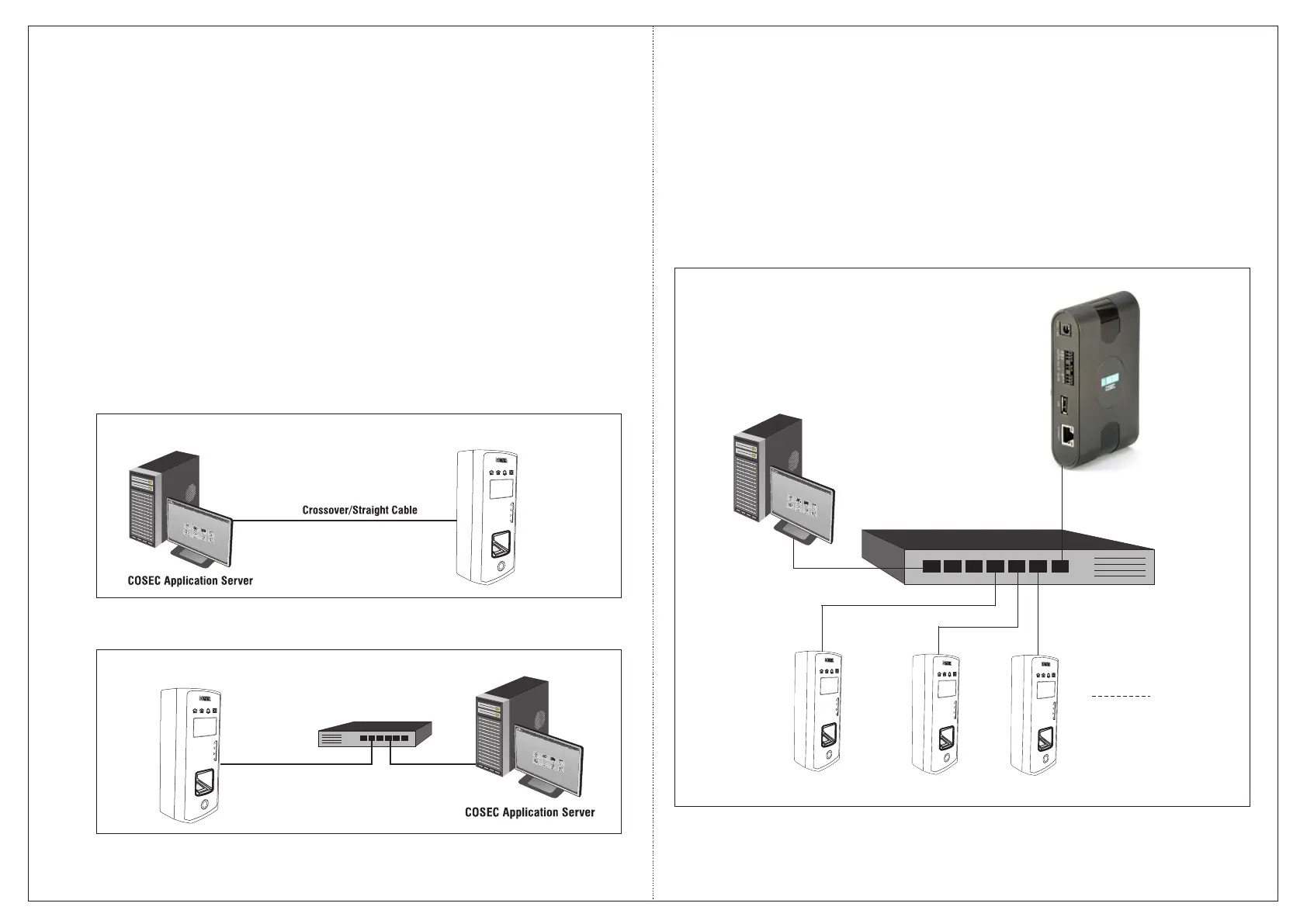
Connecting the Door to COSEC Server
Ÿ As a Direct Door
Ÿ As a Panel Door
The COSEC Door Controller can communicate with the COSEC Server in two ways:
Ethernet Switch
Figure 9: Connecting to the Monitoring Computer
In this type of architecture, you can connect the COSEC Door Controller either directly to
the monitoring computer using an Ethernet Crossover/Straight cable or through an
Ethernet Switch or hub using standard straight-through Ethernet cables (Figure 9).
Connecting as a Direct Door
1
1
2
2
3
3
4
4
5
5
6
6
7
7
8
8
9
9
0
0
ESC
ESC
ENT
ENT
1
1
2
2
3
3
4
4
5
5
6
6
7
7
8
8
9
9
0
0
ESC
ESC
ENT
ENT
Connecting as a Panel Door
To use the COSEC Door Controller as a Panel Door, connect it directly to a Panel Lite over
Ethernet. The typical master-slave architecture shall appear as shown in Figure 10.
Figure 10: Connecting as Panel Door
Ethernet Switch
COSEC Panel Lite
COSEC Application
Server
Up to 75
1
1
2
2
3
3
4
4
5
5
6
6
7
7
8
8
9
9
0
0
ESC
ESC
ENT
ENT
1
1
2
2
3
3
4
4
5
5
6
6
7
7
8
8
9
9
0
0
ESC
ESC
ENT
ENT
1
1
2
2
3
3
4
4
5
5
6
6
7
7
8
8
9
9
0
0
ESC
ESC
ENT
ENT


 To Next Page