6 Matrox Extio Series – User Guide
Overview
Thank you for purchasing a Matrox Extio product. This product is designed for environments
requiring data security, low heat emissions, and noise reduction. Leveraging PCI Express® bus
extension technology, Extio separates input and output devices from the computer to provide a
working environment similar to when the computer is at the user’s desk.
Hardware supplied
*
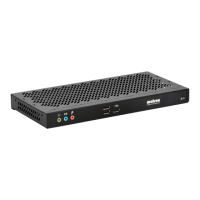
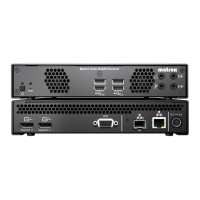
Extio F2208
– Matrox Extio unit, 2 DisplayPort
™
to DVI-D adapters, 1 power supply.
Extio F2408
– Matrox Extio unit, 4 DisplayPort to DVI-D adapters, 1 power supply.
Extio F2408E Expander
– Matrox Expander unit, 4 DisplayPort to DVI-D adapters, 1
power supply, 5 meters of LC-LC optical cable.
Hardware required (sold separately)
Matrox PCIe interface card (see shopmatrox.com)
LC-LC optical cable - multimode (62.5/125 µm (OM1), 50/125 µm (OM2, OM3, or
OM4)) or LC-LC optical cable - single-mode (9/125 µm (OS1 or OS2))
Optional hardware (sold separately)
Single-mode transceiver
Software available
Matrox PowerDesk –
to use your Matrox graphics hardware. Matrox provides 32-bit and
64-bit versions of the display driver.
* The hardware supplied with your Matrox product may vary depending on the SKU or part number of your product. For more
information, contact your Matrox representative.
Note:
To purchase any cables or adapters not included with your Matrox product, see the
Matrox online store (shopmatrox.com
).



 To Next Page