Matrox M-Series – User Guide 9
Connection overview – DualHead
Step-by-step connection setup – DualHead
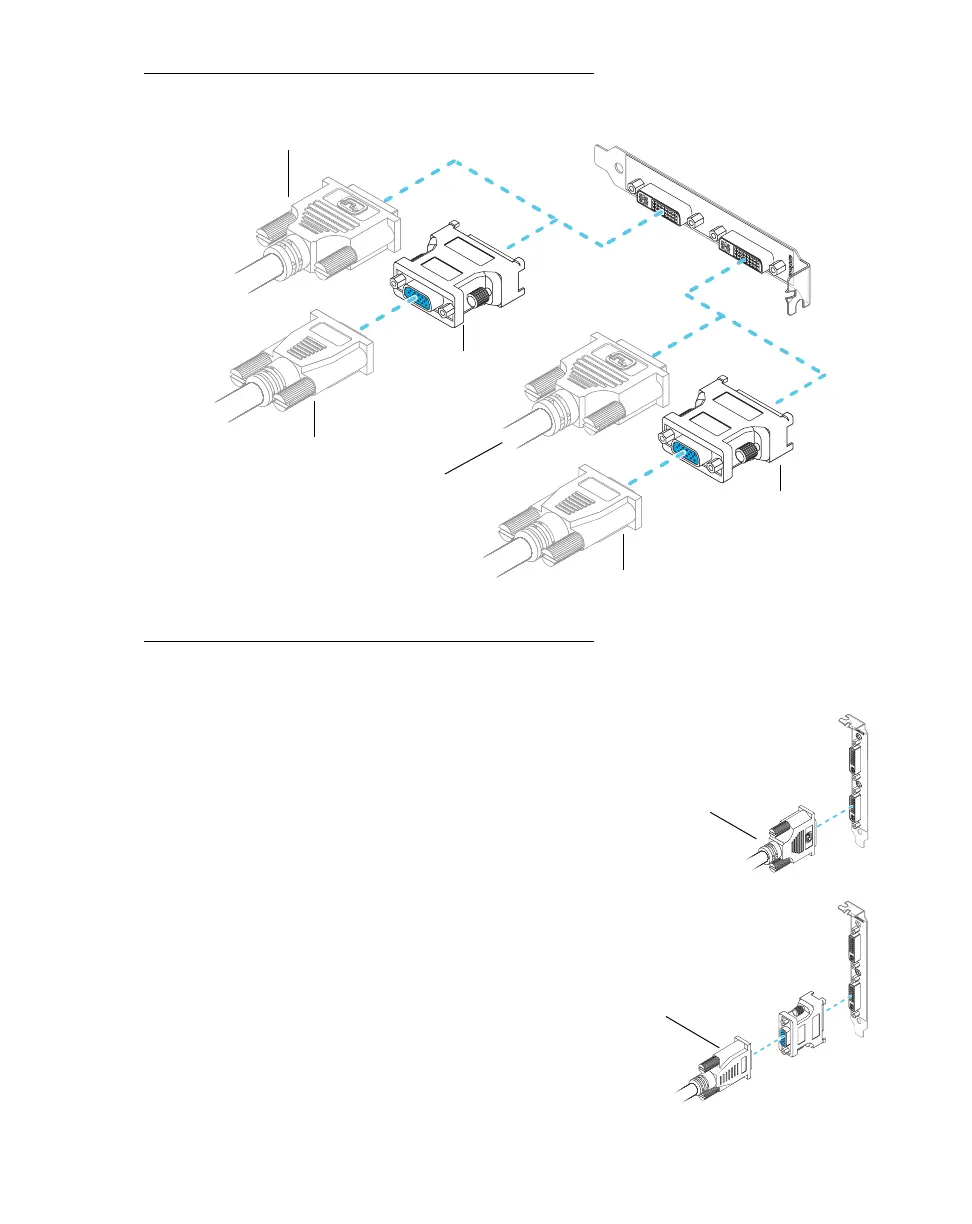
1 Connect the first monitor
Connect your preferred monitor to the
main connector (
A
) on your Matrox
graphics card.
If your monitor has a DVI connector,
connect it directly to the main connector of
your graphics card.
If your monitor has an HD-15 connector,
use the DVI-to-HD15 adapter included with
your Matrox product to connect your
monitor to the main connector.
Monitor connector (DVI)
Monitor connector (DVI)
Monitor connector (HD-15)
Monitor connector (HD-15)
DVI-to-HD15
adapter
DVI-to-HD15
adapter
Monitor connector (DVI)
Monitor connector (HD-15)











 To Next Page