EasyManua.ls Logo

MATSONIC MS8137C - Mounting Mainboard in Case

MATSONIC MS8137C
77 pages
Print Icon
To Next Page IconTo Next Page
To Previous Page IconTo Previous Page
Loading...
13
I
I
n
n
s
s
t
t
a
a
l
l
l
l
i
i
n
n
g
g
t
t
h
h
e
e
M
M
a
a
i
i
n
n
b
b
o
o
a
a
r
r
d
d
i
i
n
n
a
a
C
C
a
a
s
s
e
e
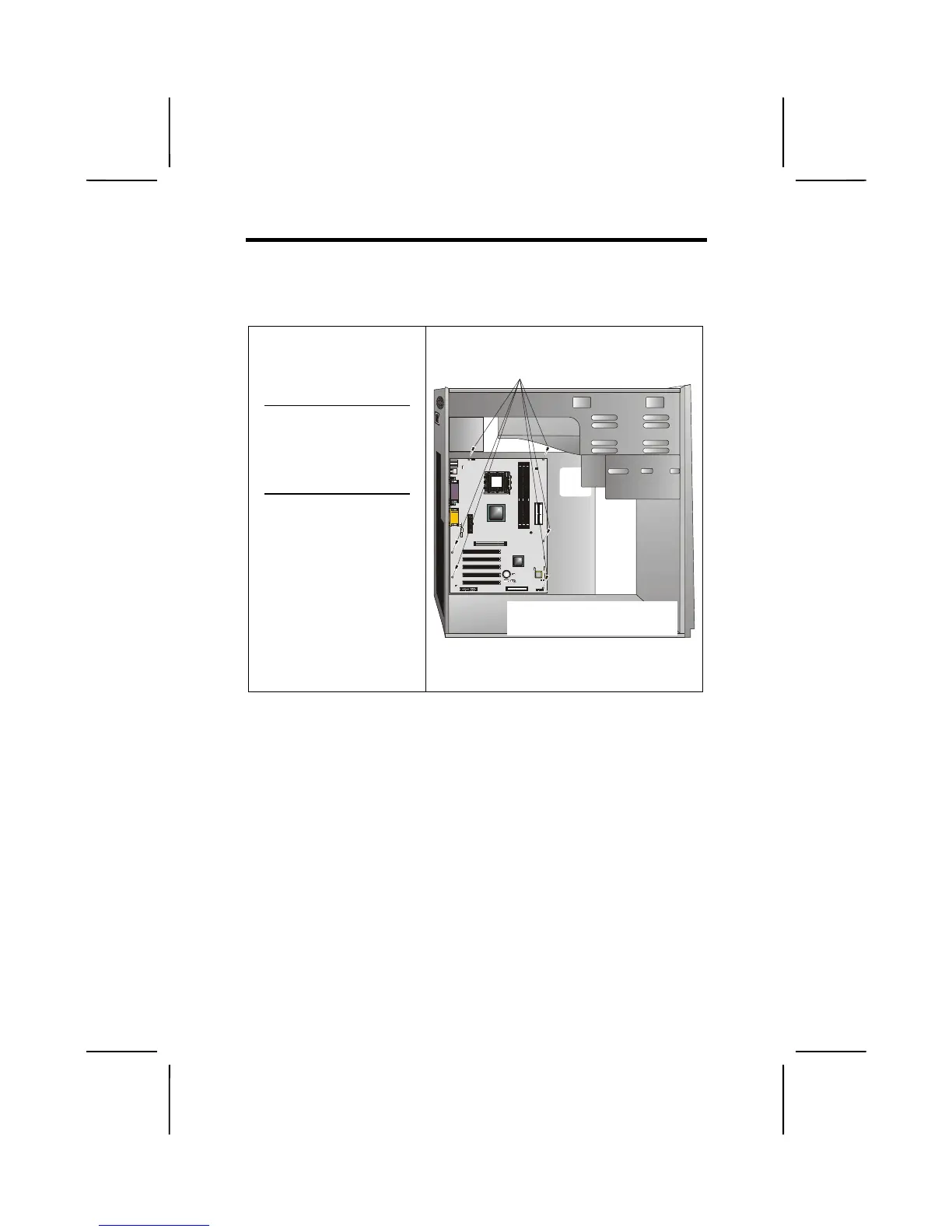
Refer to the following illustration and instructions for installing
the mainboard in a case:
This illustration shows
an example of a main-
board being installed in
a tower-type case:
Note:
Do not over-
tighten the
screws as this
can stress the
mainboard.
Most system cases have
mounting brackets in-
stalled in the case,
which correspond to the
holes in the mainboard.
Place the mainboard
over the mounting
brackets and secure the
mainboard onto the
mounting brackets with
screws.
2
.
S
ecure t
h
e ma
i
n
b
oar
d
w
i
t
h
screws where appropriate.
1. Place the mainboard
over the mounting brackets.
Ensure that your case has an I/O template that supports the
I/O ports and expansion slots on your mainboard.

Table of Contents

Related product manuals