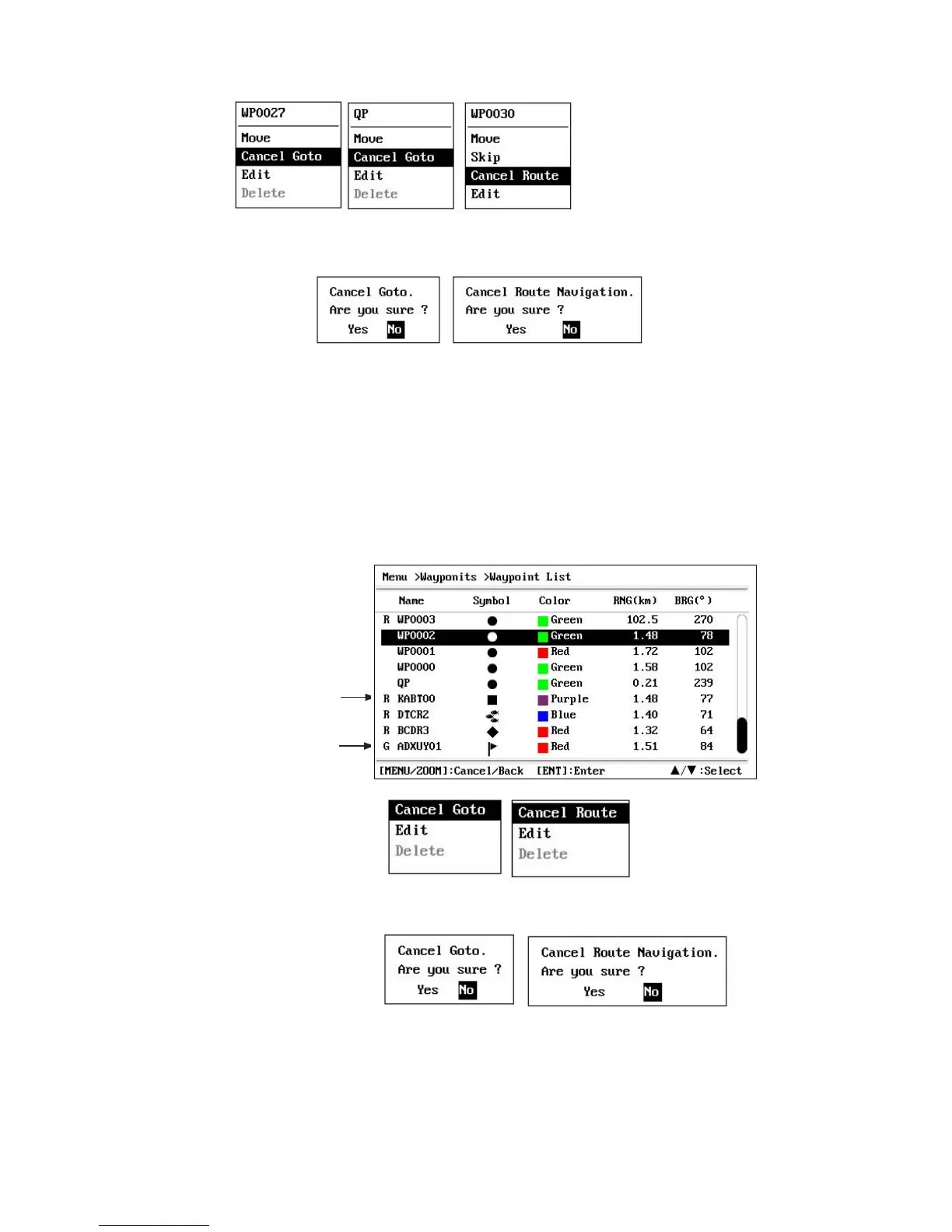
2. Press the ENT key.
3. Select [Cancel Goto (Route)], and press the ENT key.
4. Chose [Yes], and press the ENT key.
To cancel, select [No].
6.4.2 How to cancel destination through the list
1. Press the MENU/ZOOM key twice to show the main menu.
2. Select [Waypoints] (or [Routes]), and press the ENT key twice.
3. Select the waypoint (route) set as the current destination.
4. Press the ENT key.
5. Select [Cancel Goto (Route)], and press the ENT key.
(
for waypoint destination)
(for route navigation)
(for QP destination)
(for route navigation)
(for waypoint destination)
Waypoint used for
destination route
(for waypoint destination)
(for route navigation)
6. Select [Yes], and press the ENT key.
To cancel, select [No].
7. Press the MENU/ZOOM key several times to close the menu.
(for route navigation)
(for waypoint destination)
Destination mark
6-4


 To Next Page