5. Press each key one by one.
The corresponded mark on the display turns red if the key is functioning properly.
6. Press the MENU/ZOOM key three times to close the test screen.
7. Select [LCD Test], and press the ENT key.
Each press of this key changes the LCD pattern in the sequence shown below.
Red→Red (gradation) Green Green (gradation) Blue Blue (gradation)
White White/Black (gradation) Black return to System screen.
Note: To cancel the test, press the MENU/ZOOM key.
8. Press the MENU/ZOOM key twice to close the menu.
9.5 Clearing Data
You can clear GPS data, menu settings* and all backup data* to start afresh (*other
than Language, Units and TD).
1. Press the MENU/ZOOM key twice to show the menu.
2. Select [System], and press the ENT key.
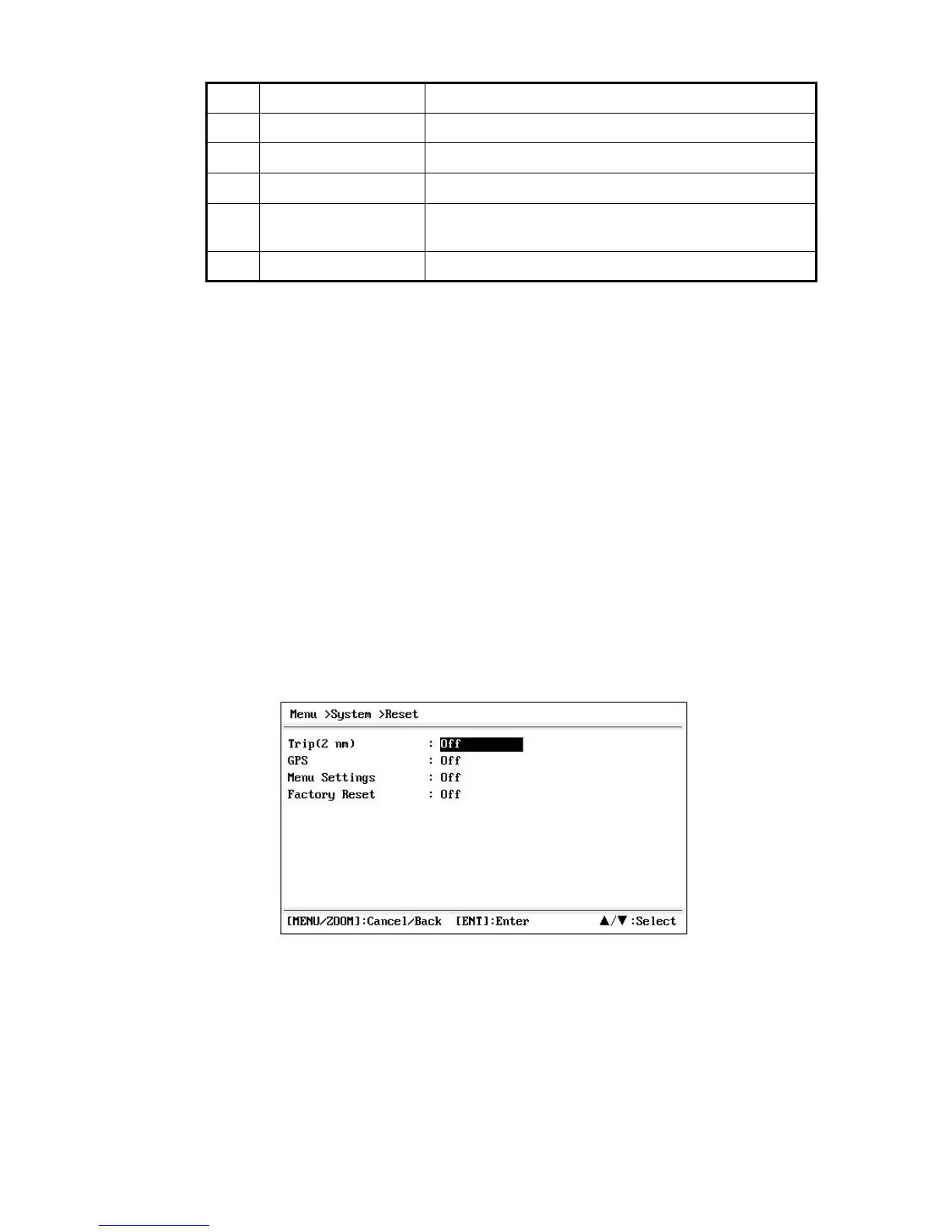
3. Select [Reset], and press the ENT key.
4. Select [GPS], [Menu Settings] or [Factory Reset], and press the ENT key.
5. Select [On], and press the ENT key.
6. Press W to select [Yes], and press the ENT key.
[Menu Settings], [Factory Reset]: Go to Initial Setting screen. Select the language
,
then press ENT and MENU/ZOOM key in order.
No. Test Items Description
1 ROM test Correct: “OK”, Wrong: “NG”
2 RAM test
3 GPS test Correct: “OK”, Wrong: “NG”
4 Program version No. The program version No. which is currently used ap-
pears.
5 CNT Number of test repetition.
Correct: “OK”, Wrong: “NG”
→ → → → →
→ → →
9-4


 To Next Page