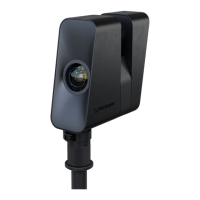
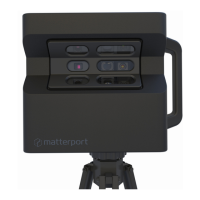
The Matterport Pro2 Lite 3D Camera reliably captures all the data needed to create immer-
sive 3D Spaces from the real world.
Though it is a complex instrument for capturing visual (RGB) and depth data, the camera is
easy to use, as most of the operation has been automated to ensure consistent scan results
with every use.
The Matterport Pro2 Lite 3D Camera consists of an array of three sensors mounted on a
motor which rotates the camera 360 degrees to capture the RGB and depth data needed to
create a 3D replica of a real-world location.
Issue Resolution
LCD display shows
“Sensor Fault”,
“Boot Timed Out”,
or any other error code
(1) Turn the camera off, wait 10 seconds, and then turn
it back on.
(2) If the error persists, then contact our Customer
Success team (support.matterport.com). The camera
needs to be returned to Matterport for repair.
6 Introduction
7 Hardware Issues
8 Battery Information
Battery Type Lithium Ion Rechargeable
Battery Voltage 14.4 V
Battery Capacity 5100 - 5200 mAh (73.44 - 74.88 Wh)


 To Next Page