EasyManua.ls Logo

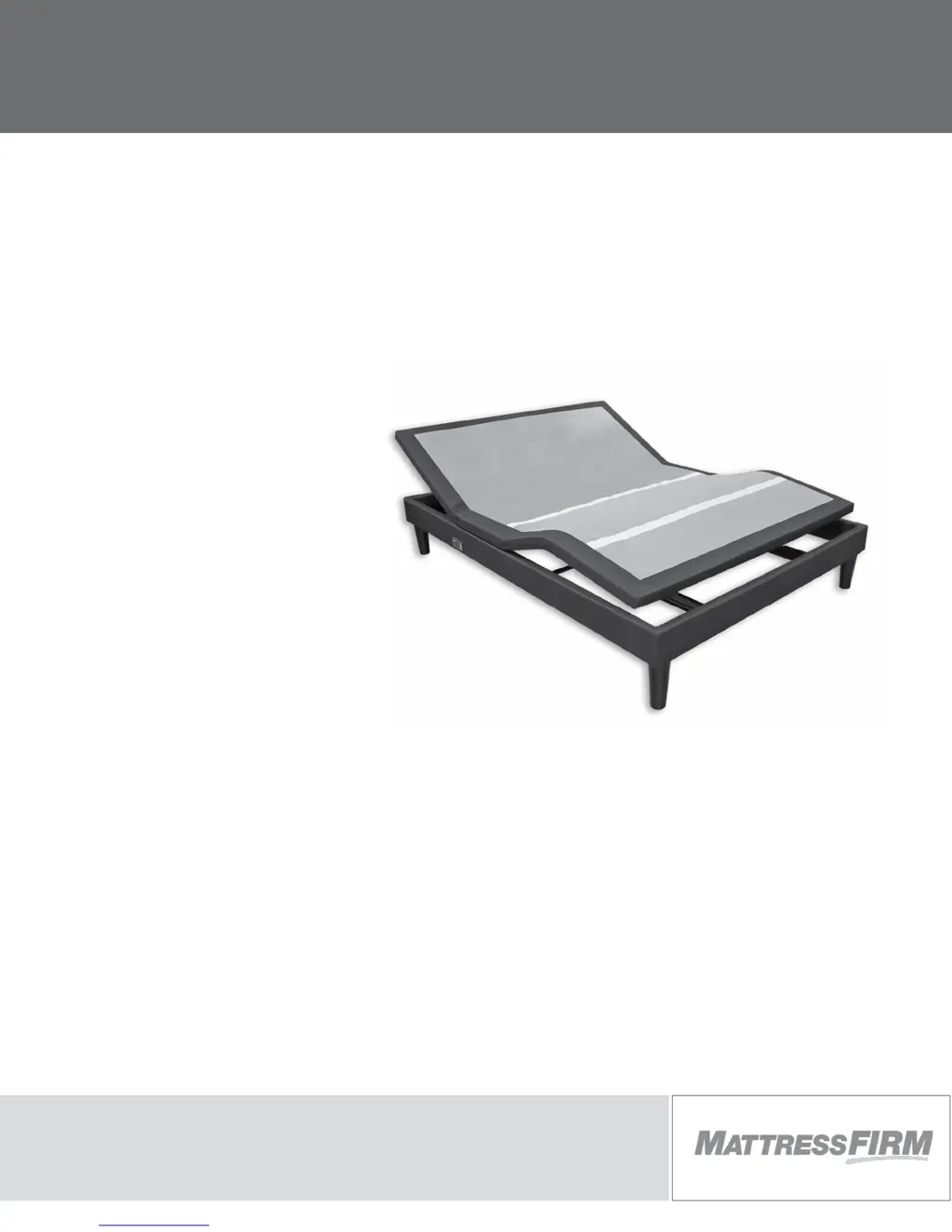
MATTRESS FIRM 500 - User Manual

MATTRESS FIRM 500
44 pages
Print Icon
To Next Page IconTo Next Page
Loading...
owners manual
500
ENGLISH
SPANISH

Other manuals for MATTRESS FIRM 500

Questions and Answers

  • T
    Tina GriffithJul 28, 2025
    What to do if no features of MATTRESS FIRM 500 base will activate?
    • J
      Jordan ThompsonJul 28, 2025
      If no features of your MATTRESS FIRM Indoor Furnishing base are working, try these steps: * Program the remote control (refer to the Remote Control Programming section of this manual for programming procedures). * Unplug the power cord, wait 30 seconds, and then plug it back in to reset the electronic components. * Check the electrical service breaker box to ensure that the electrical circuit breaker hasn't tripped. * Test the outlet by plugging in another working appliance to rule out a defective surge protection device or electrical outlet.
  • G
    gpatelAug 2, 2025
    What to do if MATTRESS FIRM Indoor Furnishing remote control illuminates but won't activate the base?
    • S
      Sandra WardAug 2, 2025
      If your MATTRESS FIRM Indoor Furnishing remote control lights up but doesn't activate the base, check the following: * Ensure the power cord is plugged into a working, grounded electrical outlet. It's recommended to use a grounded, electrical surge protection device. Test the outlet by plugging in another working appliance. * If the base was used beyond its rated duty cycle, the thermal switch might be open. Wait 30 minutes before attempting to operate the base again. Once normal operation resumes, avoid exceeding the duty cycle.
  • K
    Kevin ThorntonAug 8, 2025
    How to fix MATTRESS FIRM Indoor Furnishing head or foot section that won't return to flat position?
    • A
      Alicia ChaseAug 8, 2025
      If the head or foot section of your MATTRESS FIRM Indoor Furnishing elevates but won't return to the horizontal (flat) position: * Elevate the base and check for any obstructions, then remove them. * Ensure that the head section isn't too close to the wall. * Verify there's a 1.5” to 2” distance between the headboard brackets and the mattress. Adjust if needed.
  • K
    Katherine PhillipsAug 14, 2025
    Why MATTRESS FIRM 500 remote control will not illuminate?
    • M
      Margaret TaylorAug 14, 2025
      If your MATTRESS FIRM Indoor Furnishing remote control isn't lighting up, the first thing you should do is replace the batteries.
  • X
    Xavier MooreNov 19, 2025
    Why is my MATTRESS FIRM 500 massage motor so noisy?
    • A
      Alexis BeltranNov 19, 2025
      Excessive noise from the massage motor of your MATTRESS FIRM Indoor Furnishing could be due to several factors: * Make sure headboard brackets were removed during installation. If they're still attached to the underside of the base, remove them. * If the base is on a hard surface, place carpet pieces or rubber caster cups under each leg or caster. * Elevate the head or foot section slightly using the remote to realign the lift/lower mechanisms with the bed support platform. * Ensure the base isn't against a wall, nightstand, or other object that could cause vibration or noise. * If the base is installed over a bed frame, check that the massage motors aren't causing the bed frame to vibrate. * Confirm that the headboard attachment hardware is tightened firmly, if a headboard is...

Summary

Product Advisory and Safety Information

Electrical Rating and Grounding

Details electrical specifications, grounding requirements, and surge protection advice.

Warranty and Lubrication Notes

Covers warranty voidance conditions and lubrication requirements for the base.

Product Ratings and Safety

Outlines weight limits, operational duty cycles, and warnings for children and pets.

Pacemaker and Medical Warnings

Addresses potential effects on pacemakers and use with medical equipment.

Hospital Use Disclaimer and FCC Compliance

States in-home use only and outlines FCC compliance for digital device interference.

Pinch Point Hazards and Service

Warns about pinch points and details service accessibility requirements.

Acoustics

Lift;Lower and Massage Sound

Explains normal operational sounds for lifting, lowering, and massage features.

Location-Related Noise

Discusses how floor type and headboard attachments affect sound resonance.

Fabric Cleaning Information

Installation

Initial Unpacking and Component Check

Lists items to verify in the shipping carton before proceeding with setup.

Leg Installation Procedure

Details the steps for attaching the legs to the base frame using washers.

Power Connection and Battery Setup

Covers connecting the power cord and installing batteries in the remote control.

Mattress Placement and Retention

Guides on placing the mattress and using the Micro-Hook system or retainer bar.

USB; POWER OUTLET; UNDERBED LIGHT; FLAT

USB and Power Outlet Usage

Explains charging electronic devices via base-mounted USB and power outlets.

Underbed Light and Flat Function

Details how to operate the underbed light and use the flat button to level the base.

Power Down Operation for Outages

Preparing for Power Outage Operation

Describes locating the power brick and installing 9-volt batteries for power outage use.

Executing Power Down from Outage

Instructs on using the remote to flatten the base during a power outage.

Remote Control Function

Head Control Operations

Explains functions for head section positioning and massage intensity control.

Foot Control Operations

Details functions for foot section positioning and massage intensity control.

Preset, Flat, and Light Controls

Covers programming presets, leveling the base, and operating the underbed light.

Massage On;Off Control

Describes how to turn both massage motors on or off.

Remote Control Programming

Programming One Remote to One Base

Step-by-step guide for pairing a single remote control with the adjustable base.

Remote Control Programming (1 or 2 remote controls - 2 bases)

Pairing Remotes for Two Bases

Instructions for synchronizing one or two remotes to operate two bases simultaneously.

“PRESS & HOLD” TO “ONE TOUCH” PROGRAMMING

Switching Between Operation Modes

Explains how to change remote functions from press-and-hold to one-touch mode.

Reverting to Factory Settings

Details the procedure to reset remote control settings back to their original factory configuration.

Remote Control Programming (Separating 2 Bases)

Separating Bases for Independent Control

Guides on how to disconnect paired bases to allow independent remote operation.

Troubleshooting

Remote Operable But Base Not Activating

Solutions for when the remote lights up but the base does not respond.

No Base Features Activating

Troubleshooting steps for when none of the base's functions can be activated.

Remote Control Not Illuminating

Advice for when the remote control display or buttons do not light up.

Elevate But Not Returning to Flat

Solutions for when the base can lift but not lower to the flat position.

Excessive Massage Motor Noise

Guidance on identifying and resolving causes of loud massage motor sounds.

Accessories

Headboard Brackets

Information on optional headboard mounting brackets.

Leg Options

Details available leg sizes and types for base customization.

Mattress Retainer

Information on the mattress retainer bar for securing the mattress.

1 YEAR, 3 YEAR AND 10 YEAR LIMITED WARRANTY

1-Year Full Warranty Coverage

Details of the comprehensive warranty provided for the first year of ownership.

2 nd & 3 rd Year Limited Warranty

Outlines warranty coverage for parts replacement during the second and third years.

4 th-10 th Year Limited Warranty

Explains coverage for steel/mechanical parts and cost-sharing for replacements.

Additional Terms and Conditions

Covers general stipulations, claim notification, and warranty transferability.

Warranty Exclusions

Lists conditions and damages that are not covered by the limited warranty.

Customer Service and Contact Information

Provides details for contacting Mattress Firm customer service for warranty inquiries.

MATTRESS FIRM 500 Specifications

General IconGeneral
BrandMATTRESS FIRM
Model500
CategoryIndoor Furnishing
LanguageEnglish

Related product manuals