EasyManua.ls Logo

Maverick ET-77 - Timer Mode Operation; Count Up and Count Down Timers

Maverick ET-77
10 pages
Print Icon
To Next Page IconTo Next Page
To Previous Page IconTo Previous Page
Loading...
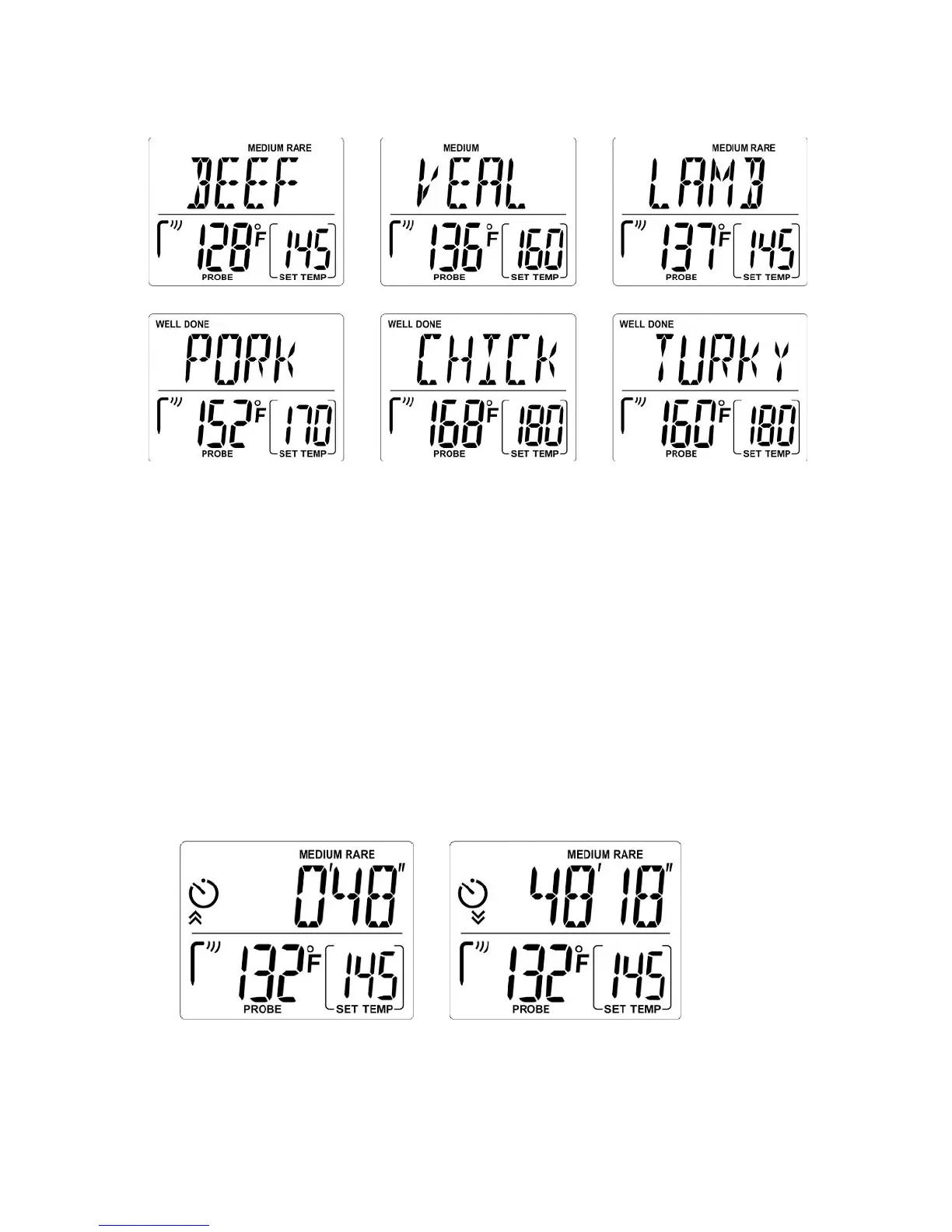
See below examples of what the LCD will look like:
Pre
-
Alert
Aler
t
Manual temperature setting
Timer mode (Count up /Count down)
When the probe temperature is within 10°F (5°C) of your selected doneness/temperature, the unit will beep
twice.
When the probe temperature reaches your selected doneness/temperature, the unit will beep 3 times per second
for 5 seconds and then silent for 5 seconds. This beeping pattern will repeat and last for 10 minutes.
Note:
To stop the alert beep, p
ress the [S
TART/STOP] button.
You can use
[HR/
?]
and
[MIN/
?]
buttons to enter a manual
temperature other than the above pre
-
programmed
temperature.
Count up
Count down

Other manuals for Maverick ET-77

Related product manuals