72
°
F
Target: 122°F
Back
Guided Cook
Cook Setup
Previous Cook
Start Cook Add Reminder
PROBE 1
Beef - Sirloin - Medium Rare
Peak
4:13
22/11/19
4:50 PM
135˚F
Target
135˚F
Beef - Sirloin - Medium Rare
Peak
4:13
22/11/19
4:50 PM
135˚F
Target
135˚F
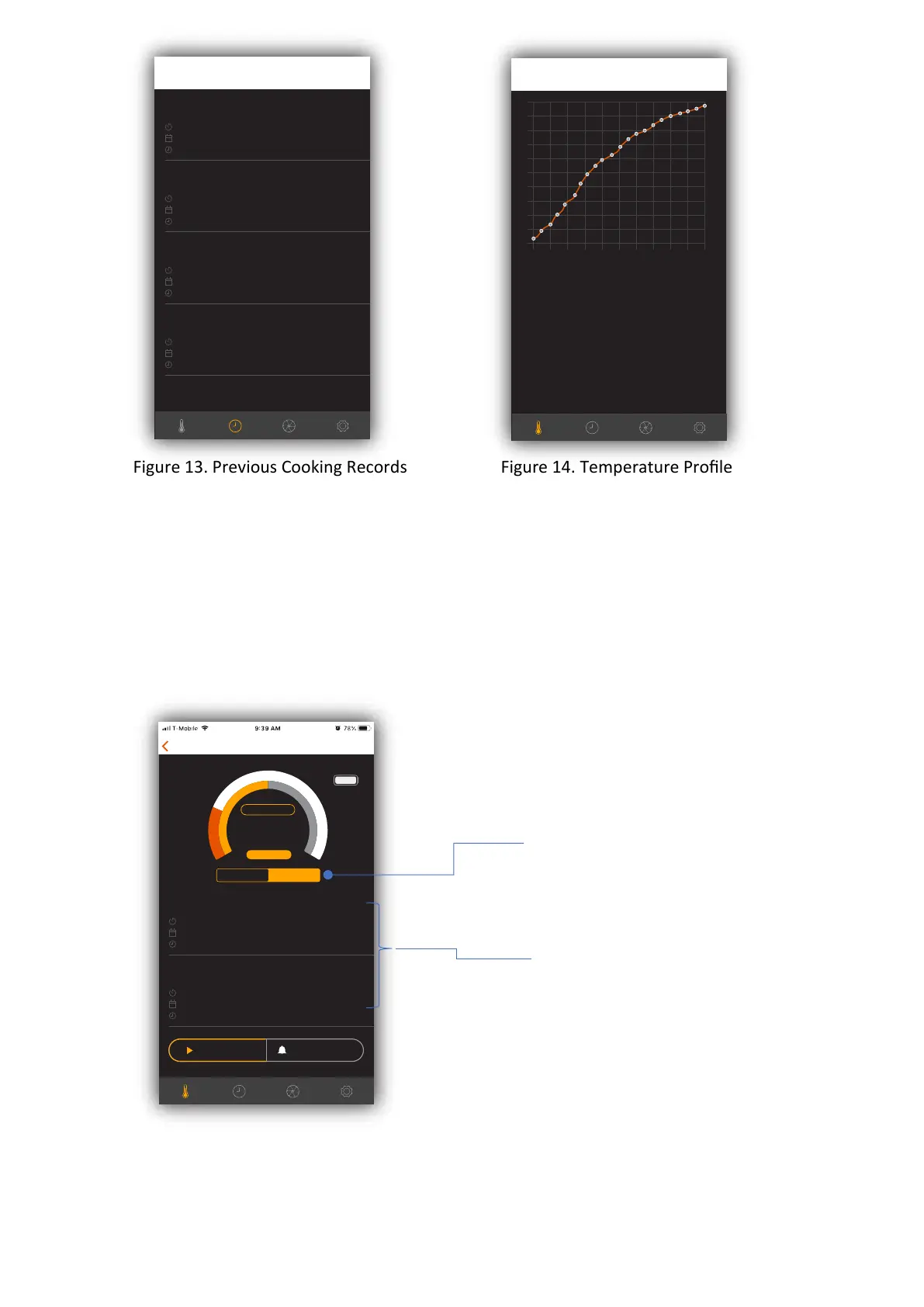
Figure 13. Previous Cooking Records Figure 14. Temperature Profile
2.2 Use Previous Cooking Records for Cooking
1. You can use previous cook record to setup the cook instead of entering type of meat,
cut of meat and doneness informaon every me.
2. In the cook setup screen, tap previous cook to show a list of previous records.
3. Scroll and choose which cook the user wants to repeat.
4. The corresponding seng is chosen automacally.
5. Simply tap “Start Cook” to start monito
ring.
Figure 15. Previous Cook
and a list of previous
which previous cook
that user wants to
repeat.
EDIT
Cooking Records
Beef - Sirloin - Medium Rare
Peak
4:13
22/11/19
4:50 PM
135˚F
Target
135˚F
Custom Cook
Peak
4:13
22/11/19
4:50 PM
135˚F
Target
135˚F
Beef - Sirloin - Medium Rare
Peak
4:13
22/11/19
4:50 PM
135˚F
Target
135˚F
Beef - Sirloin - Medium Rare
Peak
4:13
22/11/19
4:50 PM
135˚F
Target
135˚F
EDIT
Cooking Records
Total Time
Peak Temperature
Target Temperature
Cook Started
0:13
135˚F
135˚F
22/11/19 04:59
22/11/19 04:59
10
15
20
25
30
35
40
45
50
55
60
0m
2m
4m
6m
8m
10m
12m
14m
16m
18m
20m


 To Next Page