72
°
F
Target: 122°F
Back
Cook Setup
PROBE 1
2.3 Custom Cook
1. You can select the final temperature of the meat/food instead of using the temperature
seng in Guide Cook menu in order to cook the meat/food to your desirable texture and
taste.
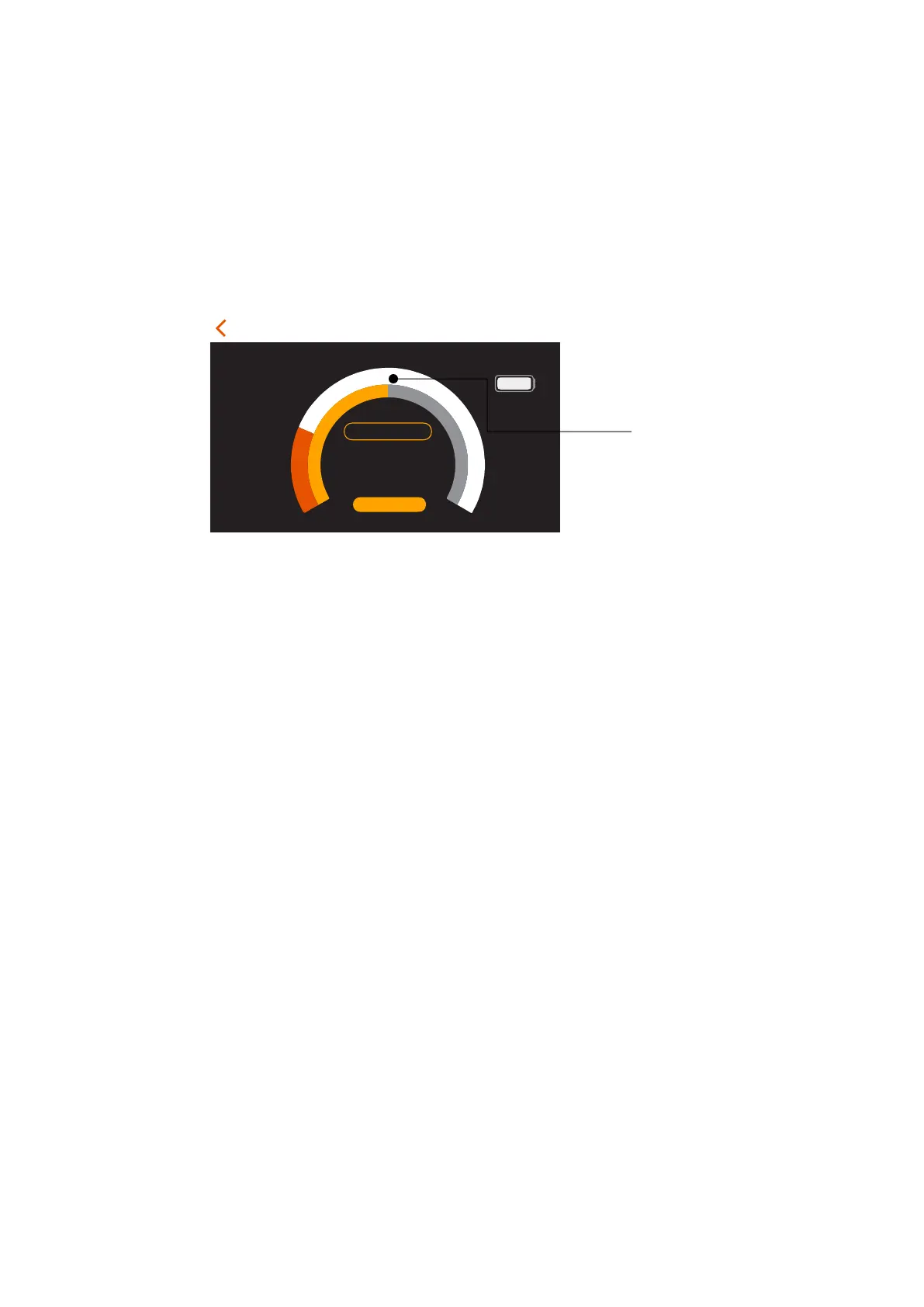
2. In the Cook Setup screen, you can touch the yellow target bar and move to the final
meat/food temperature that you want the meat/food to be reached. Tap “Start Cook”
buon once when you put the meat/food into the oven.
Figure 16. Manually adjust th
e Target Temperature for cooking
2.4 Setup of Reminder/Alert
There are two types of reminders, Temperature and Time, that you can set during the
monitoring and cooking process. For each cooking, you can set maximum of two
reminders in order to help you to take acons during cooking, such as flip over the steak.
Please follow the following steps to setup the reminder.
2.4.1 Temperature Reminder setup
In Cook Setup screen, tap “ADD REMINDER”. Select the
“Temperature reaches” and
move the centre buon of the temperature bar to the set the temperature that you want
to have the alert. Tap “Add Reminder” at the boom of the pop-up window to finish the
setup.
temperature
manually by moving
this bar to the desire
temperature seng


 To Next Page