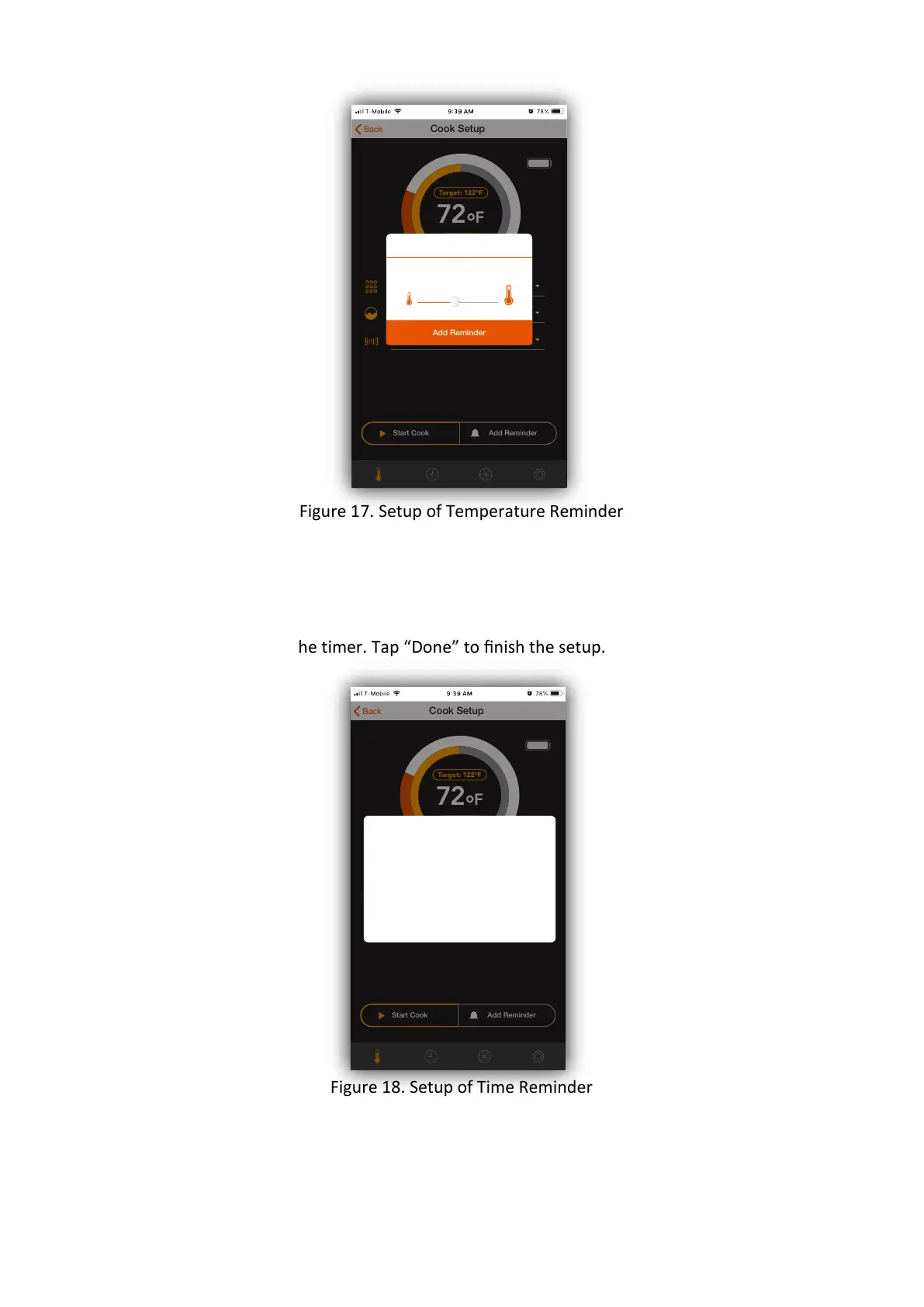
Figure 17. Setup of Temperature Reminder
2.4.2 Time Reminder setup
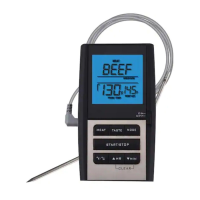
In Cook Setup screen, tap “ADD REMINDER” buon. Select the “Time reaches” and scroll
the dials to setup the timer. Tap “Done” to finish the setup.
Figure 18. Setup of Time Reminder
2.5 Overheat Alert
To prevent STAKE™ from being damaged by exposure to excessive heat, there is a builn
Overheat Alert. When the measured temperature is equal to or
72
°
F
Target: 122°F
Back
Guided Cook
Cook Setup
I want to cook:
Previous Cook
Cut of meat:
Doneness:
Start Cook Add Reminder
PROBE 1
Alert me when time reaches:
00 hr 00 min 00 sec
01 hr 01 min 30 sec
Cancel Done
72
°
F
Target: 122°F
Back
Guided Cook
Cook Setup
I want to cook:
Previous Cook
Cut of meat:
Doneness:
Start Cook Add Reminder
PROBE 1
Select Temperature
Add Reminder
122
°
F


 To Next Page