3 max mobility
®
PushTracker User’s Manual 4
Once the power assist is turned ON [OLED displays “SD ON”] and the PushTrack-
er is connected to the SmartDrive, the Indication LED will ash blue. When the
SmartDrive motor is driving, the Indication LED will be solid blue. e Indication
LED will ash red when the PushTracker is trying to connect or has lost wireless
connection to the SmartDrive. Whenever there is a change of state to the Smart-
Drive, you will feel vibration as additional indication from the PushTracker.
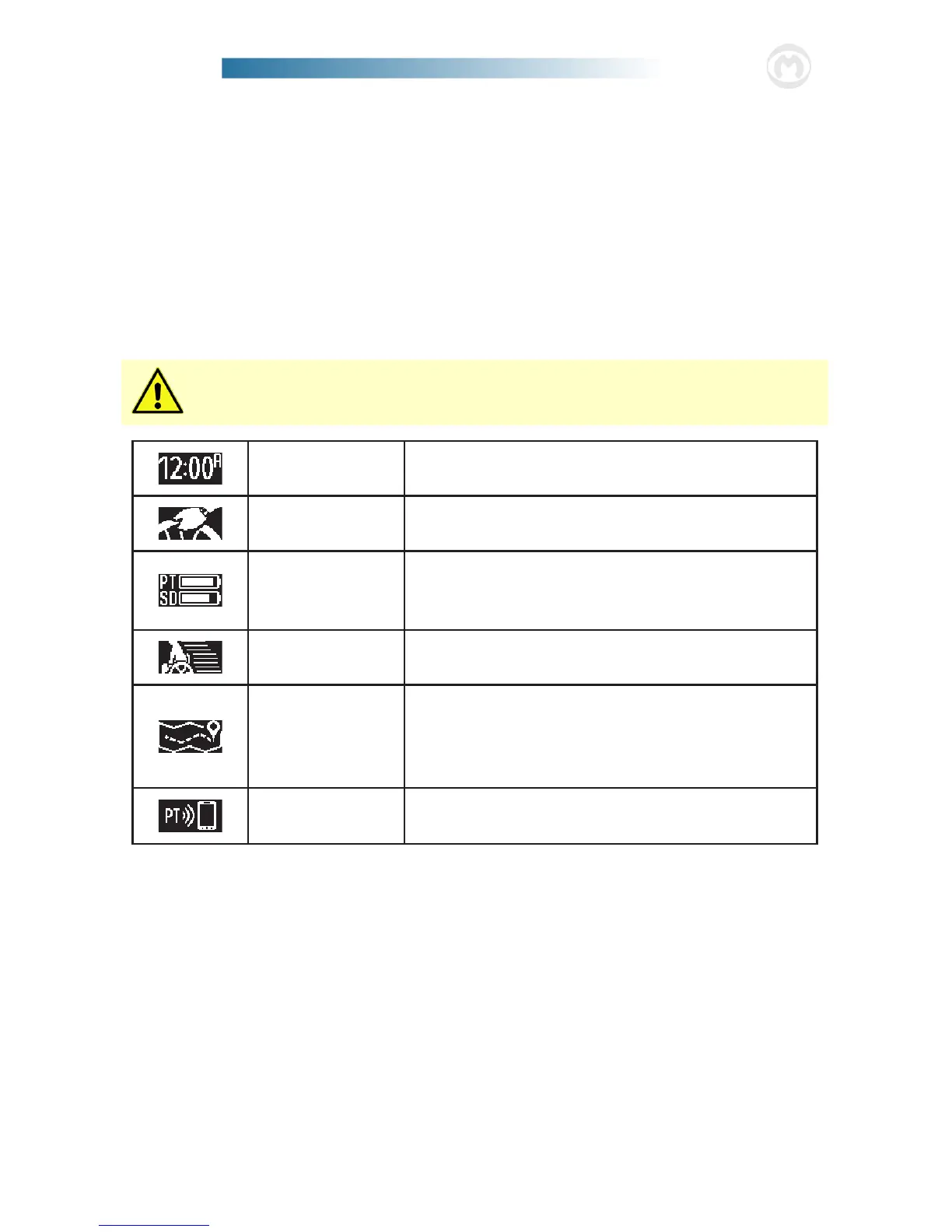
Display Information
Slowly SINGLE tap the PushTracker Display to scroll through the dierent items.
It is recommended that you turn OFF the power assist before tapping the
display. Accidental power assist activation may occur if power assist is ON.
Time
Displays the current time in 12 or 24 hour format [see
the “Settings Menu” section for details on changing].
Pushes
Displays the current number of pushes performed
that day. is number resets each day at midnight.
Battery Level
Displays the current battery level of the PushTracker
and SmartDrive [from the last time they were
wirelessly connected].
Coast Time
Displays the average coast time in seconds for the
current day. is number resets each day at midnight.
Distance
Displays the distance traveled by the SmartDrive for
the current day in the units you have selected [see
the “Settings Menu” section for details on changing].
is number resets each day at midnight.
App Connection
Displays when the PushTracker is attempting to connect to
the App [see “Connecting to the App” section for details].
Power Assist Activated
When power assist is ON and the SmartDrive motor is driving, the PushTracker
will display your current speed in the units that you have selected [see the “Settings
Menu” section for details on changing]. e Indication LED will light up with vari-
ous colors to notify you of the SmartDrive’s current state.
Sleep Mode
Press and hold the Power Assist Button for three (3) seconds to place your PushTracker
into sleep mode. is will help to conserve the battery when your PushTracker is not in use.


 To Next Page