SmartDrive User’s Manual 9
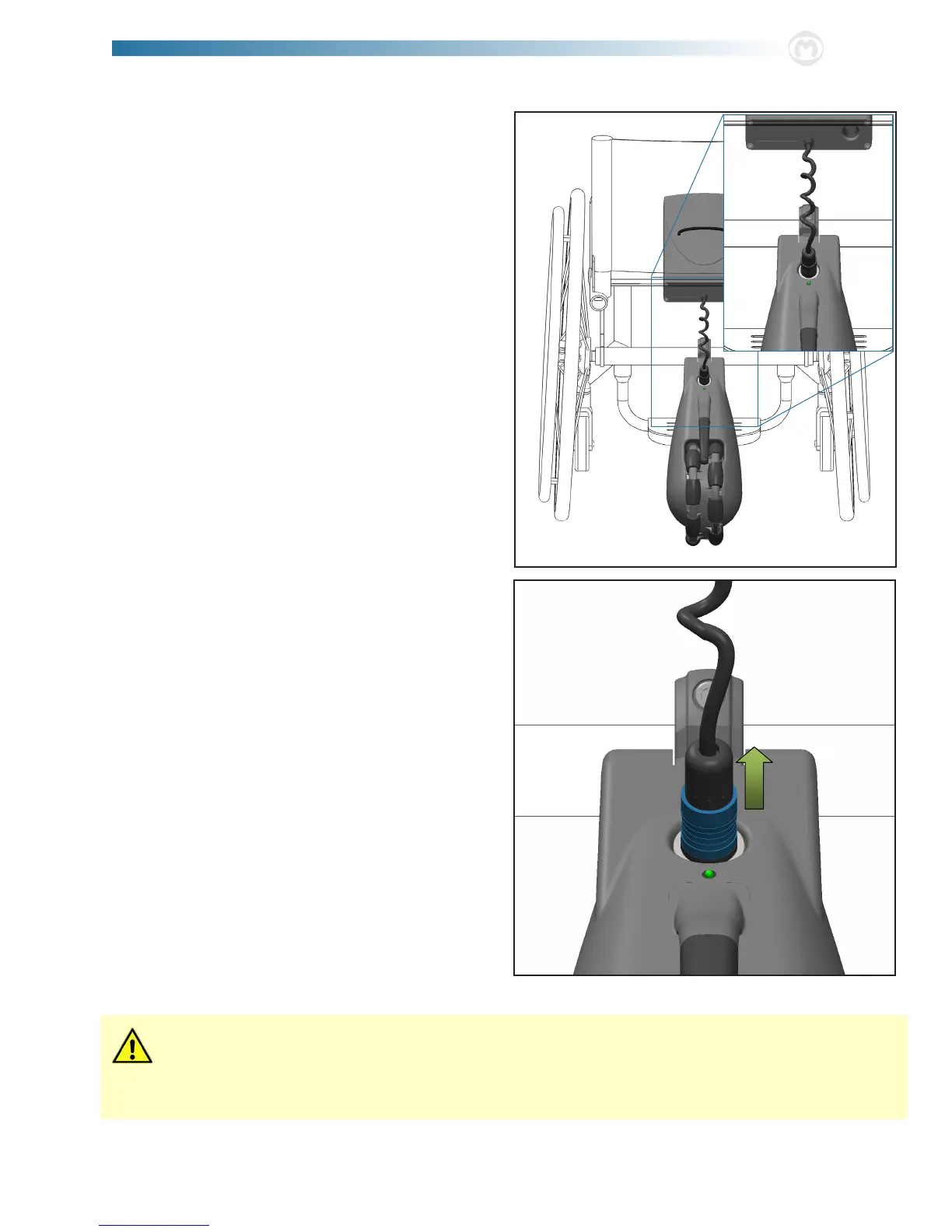
4. Finally, take the connector out of the connector storage
holder and plug into the top of the drive unit. ere are
white alignment arrows on the connector that should
face upward for proper connector alignment. e green
LED on top of the drive unit will light up and the unit
will beep two (2) times when proper connection is made.
e connector will automatically lock into the plug when
it is fully pushed in.
Use extreme caution when attempting to plug or unplug the connector while seated in the wheelchair. is presents
a serious risk of tipping over and injury.
Never use the wheelchair as support when clipping/removing the battery unit. Always hold onto a solid structure [i.e.
railing, car seat, etc.] when placing the battery unit.
5. To unlock and disconnect the battery from the drive unit,
pull up on the outer sleeve of the connector (highlighted
in blue in the gure to the right).



 To Next Page