10
11
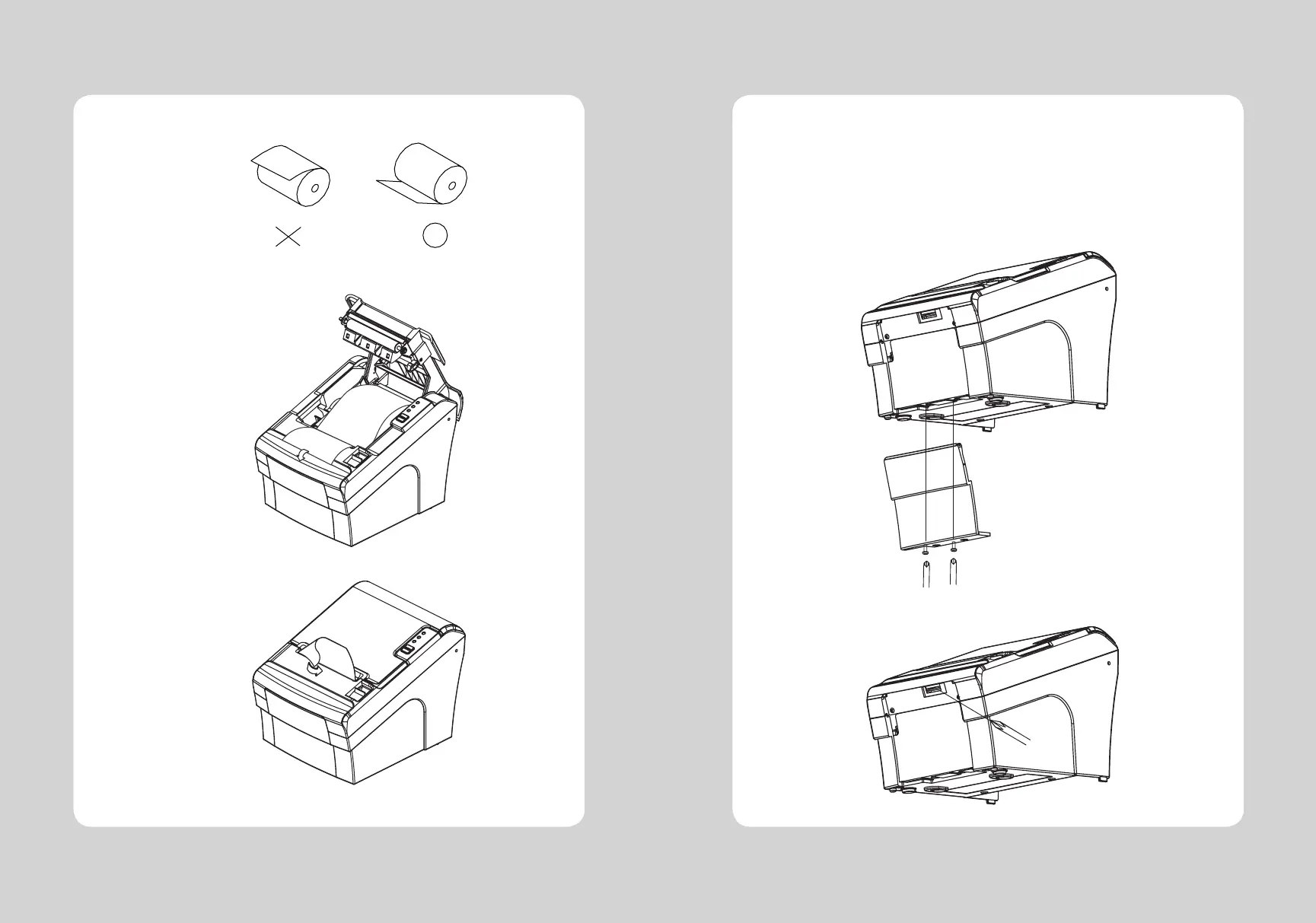
5. Be sure to note the correct direction that the paper comes off the roll.
6. Pull out a small amount of paper, as shown. Then, close the cover.
7. Tear off the paper as shown.
♣CAUTION:
When the paper is jammed with cutter, the top cover might be stuck. In this case, repeat power on
and off several times.
If the top cover is still stuck, please follow the steps to release the papers from jamming.
1. Make sure the printer is turned off.
2. Remove the screw from the DIP switch cover. Then, take off the DIP switch cover as shown in
the illustration below.
3. Turn screw with drivers to a direction until paper is released from the cutter.


 To Next Page