Home
Maxcom
Cell Phone
MM916
Page 12
Maxcom MM916 - Page 12
68 pages
Manual
Save Page as PDF
To Next Page
To Next Page
To Previous Page
To Previous Page
Loading...
12
x
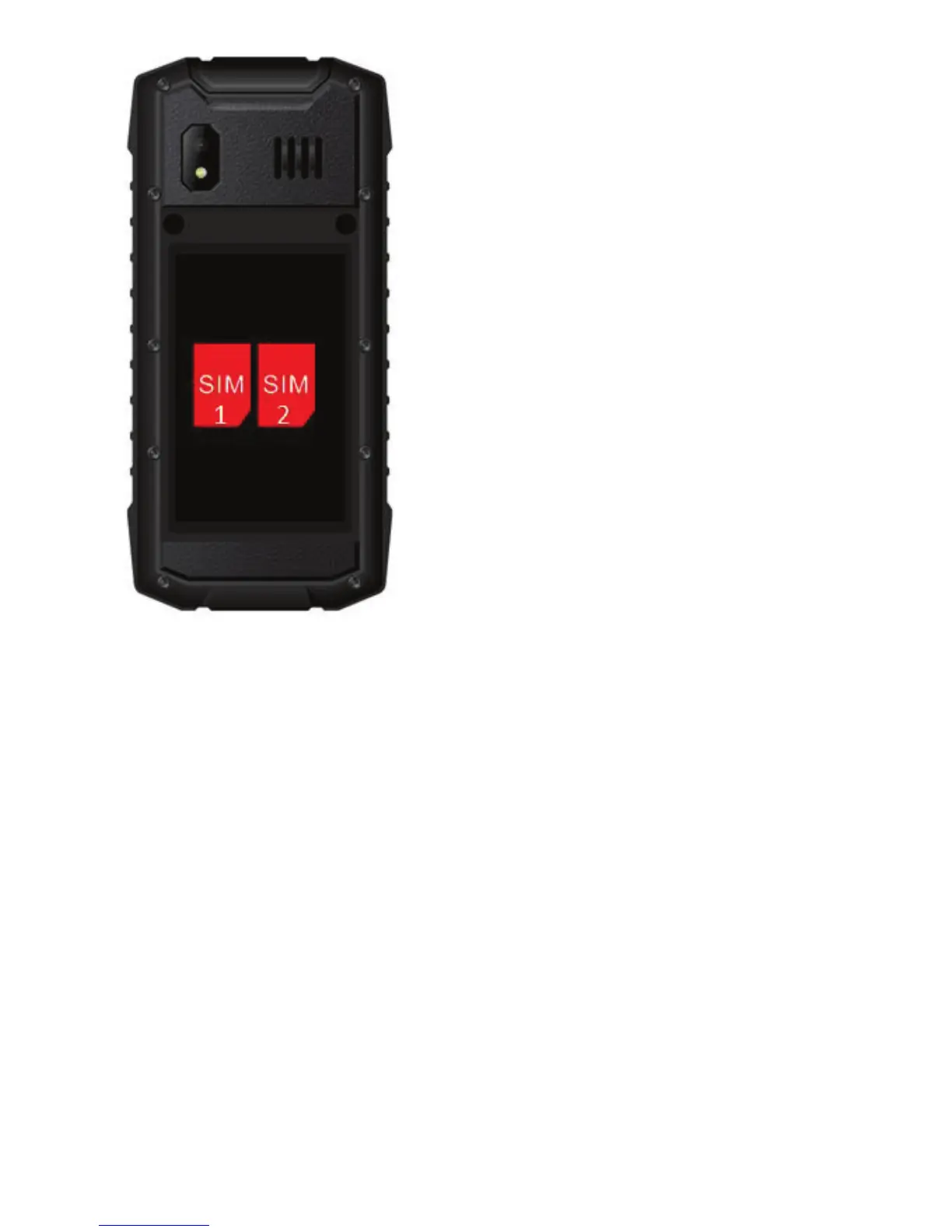
As an
opt
ion,
y
o
u m
ight ins
tall th
e M
icroSD
Mem
or
y
C
ard
.
T
o do so, move the
pin to
the
OPEN
position an
d th
en m
ove it
upwards. Insert
the MicroSD
so that i
ts cont
act pins
will face the
telephone co
ntac
ts, and m
ove the
pin to
t
he
LOCK
pos
iti
o
n
.
1 2
11
13
Table of Contents
Main Page
Default Chapter
5
Table of Contents
5
1 Safety Guidelines
8
2 Getting Started
9
SIM Card and Battery Installation
10
Charging Battery
14
3 Phone Description
16
4 Using the Phone
19
Switching on the Phone
19
Switching off the Phone
19
Idle Mode
19
Other Options
20
5 Menu
21
6 Phonebook
21
How to Save Contacts
21
How to View Contacts
22
How to Delete Contacts
23
How to Copy and Transfer Contacts
23
Sending Vcard
24
Other Phonebook Options
24
Speed Dial
24
Memory Status
24
Preferred Memory
25
7 Making Phone Calls
25
Direct Dialing
25
Dialing Number from Phonebook
26
Dialing Number from Call Log
26
Speed Dial (See 6.6.1)
26
8 Answering Phone Calls
26
Speakerphone Mode
27
9 Call Log
27
Phone Call History
27
Phone Call Settings
28
Number Withhold
28
Call Forwarding
28
Call Waiting
28
Call Barring
29
Advanced Settings
29
10 Text Messages
31
How to Create and Send Message
31
Reading & Replying to Messages
32
Message Boxes
33
Inbox
33
Sentbox
33
Drafts
33
Outbox
33
Archive
33
How to Delete Message
34
E-Mail
34
Network Messages
34
Templates
35
Message Settings
35
Voicemail
37
11 Multimedia
37
Camera/Video Camera
37
Photo Viewer
38
Multimedia Player
38
Photo Editor
39
Voice Recorder
39
Radio FM
40
12 File Manager
41
13 Tools
42
Alarm Clock
42
Calendar
42
Notebook
43
Tasks
43
World Clock
43
Phone Synchronization
43
Torch
43
14 Profiles
44
15 Other
44
Calculator
44
Unit Converter
45
Currency Converter
45
Stopwatch
45
E-Book Reader
45
Answer Machine
46
16 Network Service
46
17 Settings
47
Switching SIM Cards
47
Dual SIM Card Settings
47
Telephone Settings
47
Time and Date
47
Auto Powering On/Off
48
Language
48
Lcd
48
Motifs
49
Welcome Note
49
Shortcuts
49
Dedicated Keys
50
Auto Time Update
50
Airplane Mode
50
Network Settings
51
Security Settings
51
Blocking SIM1 Lock or SIM2 Using PIN
52
Blocking the Phone
52
Auto Keypad Lock
52
Connectivity
52
Bluetooth
53
Data Account
54
Internet Sharing
54
Restore Factory Settings
55
Sound Effects
55
18 Games
55
19 Computer Connection
56
20 FAQ (Troubleshooting)
56
21 Important Safety Precautions
59
22 Battery Information
61
23 Protect Your Environment
63
24 SAR Information
64
25 Declaration of Confirmity
66
Related product manuals
Maxcom MM918 STRONG DualSIM
64 pages
Maxcom MM136
59 pages
Maxcom MM735
8 pages
Maxcom MM428
59 pages
Maxcom MM721
67 pages
Maxcom MM237
60 pages
Maxcom MM236
69 pages
Maxcom MM128
2 pages
Maxcom MM720BB
68 pages
Maxcom MM238 3G
61 pages
Maxcom MM820 Plus
28 pages
Maxcom CLASSIC MM330 3G
66 pages



 To Next Page