EasyManua.ls Logo

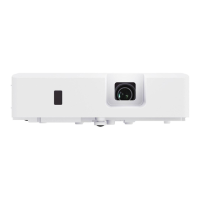
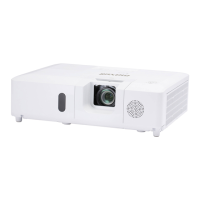
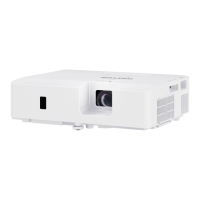
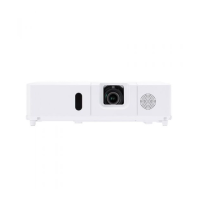
Maxell MC-EX3551 - User Manual

Maxell MC-EX3551
110 pages
Print Icon
To Next Page IconTo Next Page
Loading...
1
QM00091-1
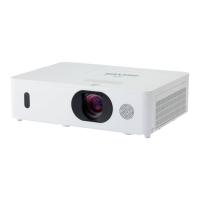
LCD Projector
User's Manual (detailed)
Operating Guide
Thank you for purchasing this projector.
Ź%HIRUHXVLQJWKLVSURGXFWSOHDVHUHDGDOOPDQXDOVIRUWKLV
SURGXFW%HVXUHWRUHDGSafety Guide¿UVW$IWHUUHDGLQJWKHPVWRUHWKHPLQD
VDIHSODFHIRUIXWXUHUHIHUHQFH
WARNING
7KHLQIRUPDWLRQLQWKLVPDQXDOLVVXEMHFWWRFKDQJHZLWKRXWQRWLFH
7KHLOOXVWUDWLRQVLQWKLVPDQXDODUHIRULOOXVWUDWLYHSXUSRVHV7KH\PD\GLIIHU
VOLJKWO\IURP\RXUSURMHFWRU
7KHPDQXIDFWXUHUDVVXPHVQRUHVSRQVLELOLW\IRUDQ\HUURUVWKDWPD\DSSHDULQ
WKLVPDQXDO
7KHUHSURGXFWLRQWUDQVIHURUFRS\RIDOORUDQ\SDUWRIWKLVGRFXPHQWLVQRW
SHUPLWWHGZLWKRXWH[SUHVVZULWWHQFRQVHQW
NOTE
Trademark acknowledgment
9DULRXVV\PEROVDUHXVHGLQWKLVPDQXDO7KHPHDQLQJVRIWKHVHV\PEROVDUH
GHVFULEHGEHORZ
$ERXWWKLVPDQXDO
WARNING
CAUTION
7KLVV\PEROLQGLFDWHVLQIRUPDWLRQWKDWLILJQRUHGFRXOGSRVVLEO\
UHVXOWLQSHUVRQDOLQMXU\RUHYHQGHDWKGXHWRLQFRUUHFWKDQGOLQJ
7KLVV\PEROLQGLFDWHVLQIRUPDWLRQWKDWLILJQRUHGFRXOGSRVVLEO\
UHVXOWLQSHUVRQDOLQMXU\RUSK\VLFDOGDPDJHGXHWRLQFRUUHFW
KDQGOLQJ
3OHDVHUHIHUWRWKHSDJHVZULWWHQIROORZLQJWKLVV\PERO
:LQGRZV
®
DQG:LQGRZV9LVWD
®
DUHUHJLVWHUHGWUDGHPDUNVRI0LFURVRIW&RUSRUDWLRQLQWKH
86DQGRURWKHUFRXQWULHV
9(6$DQG''&DUHWUDGHPDUNVRIWKH9LGHR(OHFWURQLFV6WDQGDUG$VVRFLDWLRQ

+'0,WKH+'0,ORJRDQG+LJK'H¿QLWLRQ0XOWLPHGLD,QWHUIDFHDUHWUDGHPDUNVRUUHJLVWHUHG
WUDGHPDUNVRI+'0,/LFHQVLQJ//&LQWKH8QLWHG6WDWHVDQGRWKHUFRXQWULHV
%OXUD\'LVF
70
DQG%OXUD\
70
DUHWUDGHPDUNVRI%OXUD\'LVF$VVRFLDWLRQ
',&20
®
LVWKHUHJLVWHUHGWUDGHPDUNRIWKH1DWLRQDO(OHFWULFDO0DQXIDFWXUHUV$VVRFLDWLRQ
IRULWVVWDQGDUGVSXEOLFDWLRQVUHODWLQJWRGLJLWDOFRPPXQLFDWLRQVRIPHGLFDOLQIRUPDWLRQ
$OORWKHUWUDGHPDUNVDUHWKHSURSHUWLHVRIWKHLUUHVSHFWLYHRZQHUV
NOTICE 7KLVHQWU\QRWLFHVRIIHDURIFDXVLQJWURXEOH
MC-EX3051/MC-EX3551/MC-EX4551
MC-EW3051/MC-EW3551/MC-EW4051

Other manuals for Maxell MC-EX3551

Questions and Answers

  • L
    Lisa ThomasAug 19, 2025
    What to do if the Maxell MC-EX3551 internal temperature is rising?
    • T
      Thomas ScottAug 19, 2025
      If the internal temperature of your Maxell Projector is rising, turn the power off and allow the projector to cool down for at least 15 minutes before turning it on again.
  • J
    jeromefoleyAug 21, 2025
    What to do if my Maxell MC-EX3551 Projector cooling fan is not operating?
    • J
      Jeffery GarciaAug 21, 2025
      If the cooling fan of your Maxell Projector is not operating, turn the power off and allow the projector to cool down for at least 15 minutes. After that, turn the power on again.
  • R
    Richard RomeroAug 23, 2025
    What to do if there is no input signal on my Maxell MC-EX3551?
    • L
      Lisa HarperAug 23, 2025
      If your Maxell Projector shows no input signal, confirm the signal input connection and the status of the signal source.
  • T
    Thomas CameronAug 26, 2025
    What to do if a certain error has been detected on Maxell Projector?
    • L
      Lauren DodsonAug 26, 2025
      If a certain error has been detected on your Maxell Projector, wait until the POWER indicator finishes blinking and then perform the proper measure using the item descriptions.
  • R
    Regina BrownAug 27, 2025
    What to do if there is a possibility that the interior portion of Maxell MC-EX3551 has become heated?
    • A
      Antonio ColemanAug 28, 2025
      If the interior of your Maxell Projector has become heated, turn the power off and allow the projector to cool down at least 15 minutes before turning it on again.
  • T
    Travis Holloway DDSAug 29, 2025
    What to do if an improper signal is input to Maxell Projector?
    • C
      Cathy MendozaAug 29, 2025
      If an improper signal is input to your Maxell Projector, confirm the specs for your projector or the signal source specs.
  • K
    Kevin MitchellAug 31, 2025
    What to do if COMPUTER IN2/MONITOR OUT port is selected as the picture input source even though MONITOR OUT is selected for COMPUTER IN2 on Maxell MC-EX3551 Projector?
    • M
      michaelgrahamAug 31, 2025
      If the COMPUTER IN2/MONITOR OUT port is selected as the picture input source even though MONITOR OUT is selected for COMPUTER IN2 on your Maxell Projector, select A/L or SYNC ON G on the dialog to project the picture input to the COMPUTER IN2/MONITOR OUT port.
  • R
    ronalddyerSep 3, 2025
    How to troubleshoot 'no input signal' on a Maxell MC-EX3551?
    • C
      Chad FloresSep 3, 2025
      If your Maxell Projector shows 'no input signal', first, check the signal input connection. Then, verify the status of the signal source to ensure it is properly sending a signal.
  • C
    catherine86Sep 5, 2025
    What to do if the internal temperature of my Maxell MC-EX3551 Projector is rising?
    • N
      nduranSep 5, 2025
      If the internal temperature of your Maxell Projector is rising, turn the power off and let it cool down for at least 10 minutes. After it has cooled, turn it back on.
  • J
    James StephensonSep 7, 2025
    What to do if the cooling fan is not operating on my Maxell Projector?
    • M
      matthewboothSep 7, 2025
      If the cooling fan on your Maxell Projector is not working, turn the power off and allow the projector to cool down for a minimum of 10 minutes. After cooling, check the unit, and then turn the power back on.

Summary

Setting Up

Safety Precautions

Highlights critical safety warnings for projector placement, including avoiding unstable conditions and liquids.

Connecting Devices

Explains how to connect various external devices to the projector using appropriate cables and accessories.

Power Supply Connection

Connecting to Power

Details the procedure for connecting the projector to a power outlet using the AC power cord.

Installation Details

Safety Warnings

Covers safety warnings related to the security bar and adapter cover.

Power Management

Turning On the Projector

Detailed steps on how to turn the projector on and initial settings.

Turning Off the Projector

Instructions for safely powering down the projector.

Power Safety Warnings

Highlights safety warnings related to turning the projector on and off.

Basic Operation

Selecting Input Signal

Explains how to choose the desired input source for the projector.

Picture Adjustments

Automatic Image Adjustment

Explains the automatic adjustment feature for picture position and keystone.

Image Quality Correction

Keystone and Perfect Fit

Describes how to correct trapezoidal distortion for a rectangular image.

Menu Navigation

Using the Menu Function

Overview of how to access and navigate through the projector's menus.

EASY MENU Options

PICTURE Menu

PICTURE Menu (continued)

INPUT Menu

SETUP Menu

Auto Keystone and Keystone

Adjusts automatic keystone correction and manual vertical keystone distortion.

Perfect Fit Adjustments

Allows fine-tuning of image corners for a perfect fit on the screen.

SETUP Menu (continued)

Installation and Standby Mode

Configures installation settings and standby modes.

AUDIO Menu

SCREEN Menu

SCREEN Menu (continued)

OPTION Menu

Service Options

Accesses service menus for altitude, auto adjust, ghosting, and key lock settings.

OPTION Menu (continued)

Network Communication

Configures communication parameters for network control and serial communication.

Information and Factory Reset

Displays system information and performs a factory reset.

NETWORK Menu

SECURITY Menu

Entering the Security Menu

Explains how to access the security settings and enter the password.

Password Management

Covers changing security passwords and handling forgotten passwords.

MyScreen Password Protection

Details setting up and managing password protection for MyScreen content.

SECURITY Menu (continued)

Presentation Tools

PC-LESS Presentation

Enables presentations directly from USB storage without a computer.

USB Display (Windows Computer)

Maintenance

Replacing the Lamp

Step-by-step guide for replacing the projector lamp.

Air Filter Cleaning

Instructions on how to clean or replace the projector's air filter.

Maintenance (continued)

General Safety Precautions

Key safety warnings for maintenance tasks.

Troubleshooting

Error Messages

Explains common error messages and their solutions.

Indicator Lamp Status

Interprets the meaning of different power, lamp, and temperature indicator lights.

Common Issues

Lists phenomena that might be mistaken for machine defects and their solutions.

Specifications

Maxell MC-EX3551 Specifications

General IconGeneral
ResolutionXGA (1024 x 768)
Zoom Ratio1.2x
Aspect Ratio4:3
Display Technology3LCD
Projection Size30 - 300 inches
Brightness3500 lumens
Contrast Ratio20000:1
Keystone CorrectionVertical ±30°
Input PortsHDMI, VGA, Composite Video
Output PortsVGA, Audio

Related product manuals