EasyManua.ls Logo

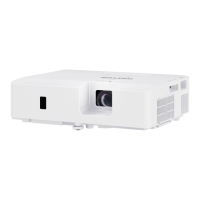
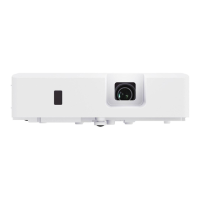
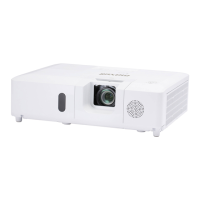
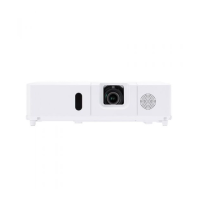
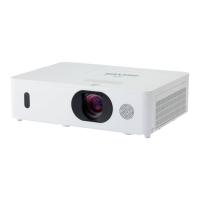
Maxell MC-EX4051 - User Manual

Maxell MC-EX4051
110 pages
Print Icon
To Next Page IconTo Next Page
Loading...
1
QM00091-2
LCD Projector
User's Manual (detailed)
Operating Guide
Thank you for purchasing this projector.
Ź%HIRUHXVLQJWKLVSURGXFWSOHDVHUHDGDOOPDQXDOVIRUWKLV
SURGXFW%HVXUHWRUHDGSafety Guide¿UVW$IWHUUHDGLQJWKHPVWRUHWKHPLQD
VDIHSODFHIRUIXWXUHUHIHUHQFH
WARNING
7KHLQIRUPDWLRQLQWKLVPDQXDOLVVXEMHFWWRFKDQJHZLWKRXWQRWLFH
7KHLOOXVWUDWLRQVLQWKLVPDQXDODUHIRULOOXVWUDWLYHSXUSRVHV7KH\PD\GLIIHU
VOLJKWO\IURP\RXUSURMHFWRU
7KHPDQXIDFWXUHUDVVXPHVQRUHVSRQVLELOLW\IRUDQ\HUURUVWKDWPD\DSSHDULQ
WKLVPDQXDO
7KHUHSURGXFWLRQWUDQVIHURUFRS\RIDOORUDQ\SDUWRIWKLVGRFXPHQWLVQRW
SHUPLWWHGZLWKRXWH[SUHVVZULWWHQFRQVHQW
NOTE
Trademark acknowledgment
9DULRXVV\PEROVDUHXVHGLQWKLVPDQXDO7KHPHDQLQJVRIWKHVHV\PEROVDUH
GHVFULEHGEHORZ
$ERXWWKLVPDQXDO
WARNING
CAUTION
7KLVV\PEROLQGLFDWHVLQIRUPDWLRQWKDWLILJQRUHGFRXOGSRVVLEO\
UHVXOWLQSHUVRQDOLQMXU\RUHYHQGHDWKGXHWRLQFRUUHFWKDQGOLQJ
7KLVV\PEROLQGLFDWHVLQIRUPDWLRQWKDWLILJQRUHGFRXOGSRVVLEO\
UHVXOWLQSHUVRQDOLQMXU\RUSK\VLFDOGDPDJHGXHWRLQFRUUHFW
KDQGOLQJ
3OHDVHUHIHUWRWKHSDJHVZULWWHQIROORZLQJWKLVV\PERO
:LQGRZV
®
DQG:LQGRZV9LVWD
®
DUHUHJLVWHUHGWUDGHPDUNVRI0LFURVRIW&RUSRUDWLRQLQWKH
86DQGRURWKHUFRXQWULHV
9(6$DQG''&DUHWUDGHPDUNVRIWKH9LGHR(OHFWURQLFV6WDQGDUG$VVRFLDWLRQ

+'0,WKH+'0,ORJRDQG+LJK'H¿QLWLRQ0XOWLPHGLD,QWHUIDFHDUHWUDGHPDUNVRUUHJLVWHUHG
WUDGHPDUNVRI+'0,/LFHQVLQJ//&LQWKH8QLWHG6WDWHVDQGRWKHUFRXQWULHV
%OXUD\'LVF
70
DQG%OXUD\
70
DUHWUDGHPDUNVRI%OXUD\'LVF$VVRFLDWLRQ
',&20
®
LVWKHUHJLVWHUHGWUDGHPDUNRIWKH1DWLRQDO(OHFWULFDO0DQXIDFWXUHUV$VVRFLDWLRQ
IRULWVVWDQGDUGVSXEOLFDWLRQVUHODWLQJWRGLJLWDOFRPPXQLFDWLRQVRIPHGLFDOLQIRUPDWLRQ
$OORWKHUWUDGHPDUNVDUHWKHSURSHUWLHVRIWKHLUUHVSHFWLYHRZQHUV
NOTICE 7KLVHQWU\QRWLFHVRIIHDURIFDXVLQJWURXEOH
MC-EX3051/MC-EX3551/MC-EX4051/MC-EX4551
MC-EW3051/MC-EW3551/MC-EW4051

Questions and Answers

  • C
    Christopher MackAug 19, 2025
    What to do if the Maxell MC-EX4051 internal temperature is rising?
    • B
      Brett GloverAug 19, 2025
      If the internal temperature of your Maxell Projector is rising, turn the power off and allow the projector to cool down for at least 15 minutes before turning it on again.
  • K
    kellyalexandriaAug 21, 2025
    What to do if my Maxell MC-EX4051 cooling fan is not operating?
    • L
      lisalesterAug 21, 2025
      If the cooling fan of your Maxell Projector is not operating, turn the power off and allow the projector to cool down for at least 15 minutes. After that, turn the power on again.
  • H
    Holly LewisAug 23, 2025
    What to do if there is no input signal on my Maxell MC-EX4051 Projector?
    • D
      Diane MorrisAug 23, 2025
      If your Maxell Projector shows no input signal, confirm the signal input connection and the status of the signal source.
  • S
    Stacey StewartAug 26, 2025
    What to do if a certain error has been detected on Maxell MC-EX4051?
    • M
      Michael BrownAug 26, 2025
      If a certain error has been detected on your Maxell Projector, wait until the POWER indicator finishes blinking and then perform the proper measure using the item descriptions.
  • J
    Jessica EvansAug 27, 2025
    What to do if there is a possibility that the interior portion of Maxell Projector has become heated?
    • R
      Rebecca JamesAug 27, 2025
      If the interior of your Maxell Projector has become heated, turn the power off and allow the projector to cool down at least 15 minutes before turning it on again.
  • D
    debra04Aug 29, 2025
    What to do if an improper signal is input to Maxell MC-EX4051?
    • W
      williamsonmelissaAug 29, 2025
      If an improper signal is input to your Maxell Projector, confirm the specs for your projector or the signal source specs.
  • M
    Meredith WalkerSep 1, 2025
    What to do if COMPUTER IN2/MONITOR OUT port is selected as the picture input source even though MONITOR OUT is selected for COMPUTER IN2 on Maxell MC-EX4051 Projector?
    • M
      manuelgonzalezSep 1, 2025
      If the COMPUTER IN2/MONITOR OUT port is selected as the picture input source even though MONITOR OUT is selected for COMPUTER IN2 on your Maxell Projector, select A/L or SYNC ON G on the dialog to project the picture input to the COMPUTER IN2/MONITOR OUT port.
  • Y
    Yesenia BarberSep 3, 2025
    How to troubleshoot 'no input signal' on a Maxell Projector?
    • T
      Tina TaylorSep 3, 2025
      If your Maxell Projector shows 'no input signal', first, check the signal input connection. Then, verify the status of the signal source to ensure it is properly sending a signal.
  • E
    Edward JensenSep 5, 2025
    What to do if the internal temperature of my Maxell MC-EX4051 Projector is rising?
    • J
      Jennifer MannSep 5, 2025
      If the internal temperature of your Maxell Projector is rising, turn the power off and let it cool down for at least 10 minutes. After it has cooled, turn it back on.
  • F
    Felicia RochaSep 7, 2025
    What to do if the cooling fan is not operating on my Maxell MC-EX4051 Projector?
    • Y
      Yolanda KleinSep 7, 2025
      If the cooling fan on your Maxell Projector is not working, turn the power off and allow the projector to cool down for a minimum of 10 minutes. After cooling, check the unit, and then turn the power back on.

Maxell MC-EX4051 Specifications

General IconGeneral
BrandMaxell
ModelMC-EX4051
CategoryProjector
LanguageEnglish

Related product manuals