EasyManua.ls Logo

Maxell MP-EU5002 - Pjlink Command; Usb Type a

Maxell MP-EU5002
35 pages
Print Icon
To Next Page IconTo Next Page
To Previous Page IconTo Previous Page
Loading...
34
QM00062-1
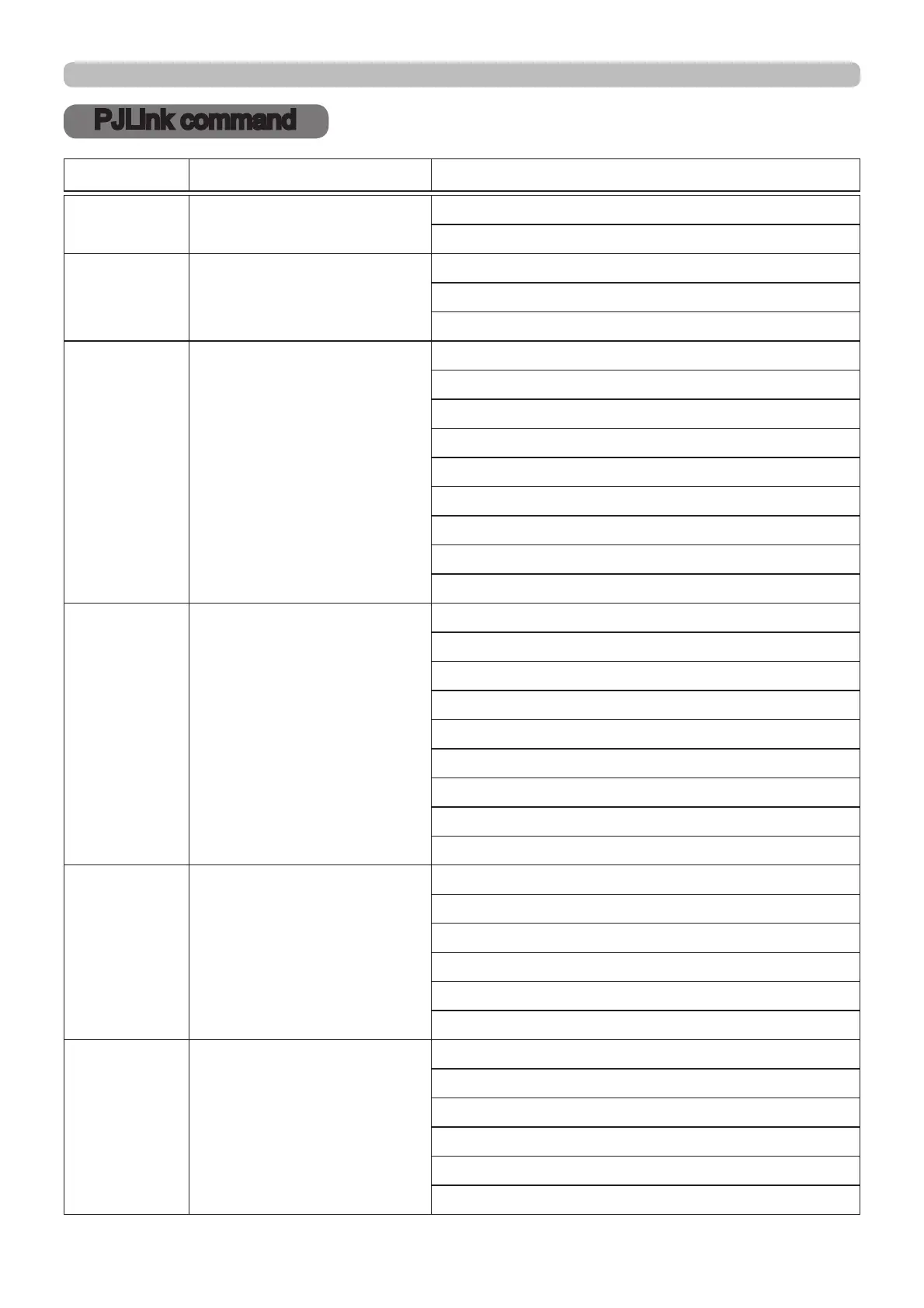
PJLink command
PJLink command
POWR Power Control
0 = Standby
1 = Power On
POWR ? Power Status inquiry
0 = Standby
1 = Power On
2 = Cool Down
INPT Input Source selection
11 = COMPUTER IN 1
12 = COMPUTER IN 2
23 = VIDEO
31 = HDMI1
33 = HDMI2/MHL
34 = HDMI3
41 = USB TYPE A
51 = LAN
52 = USB TYPE B
INPT ? Input Source inquiry
11 = COMPUTER IN 1
12 = COMPUTER IN 2
23 = VIDEO
31 = HDMI1
33 = HDMI2/MHL
34 = HDMI3
41 = USB TYPE A
51 = LAN
52 = USB TYPE B
AVMT AV Mute
10 = BLANK off
11 = BLANK on
20 = Mute off
21 = Mute on
30 = AV Mute off
31 = AV Mute on
AVMT ? AV Mute inquiry
10 = BLANK off
11 = BLANK on
20 = Mute off
21 = Mute on
30 = AV Mute off
31 = AV Mute on
Commands Control Description Parameter or Response
(continued on next page)

Other manuals for Maxell MP-EU5002

Related product manuals