9
QM00062-1
RS-232C Communication
RS-232C Communication
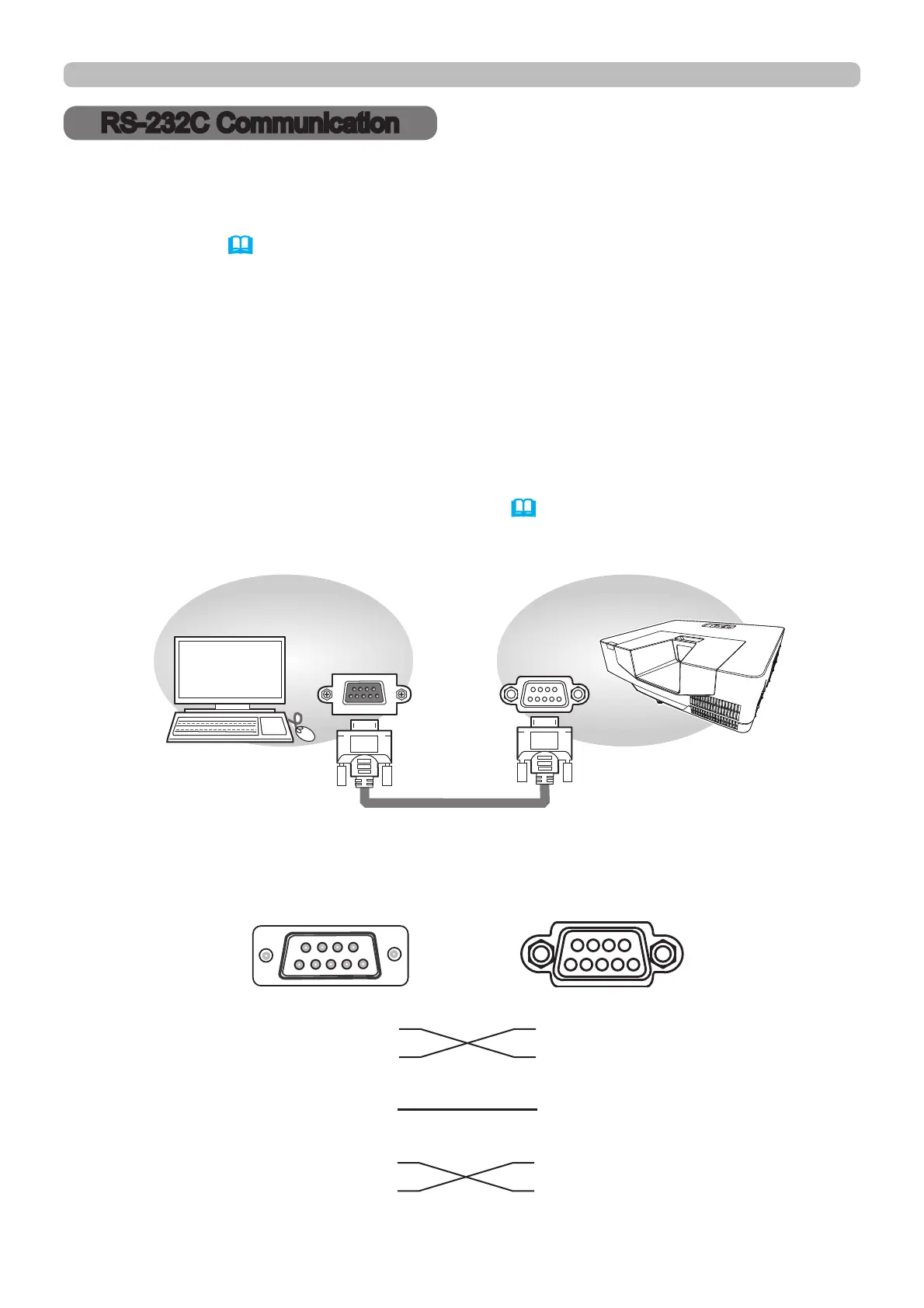
When the projector connects to the computer by RS-232C communication, the
projector can be controlled with RS-232C commands from the computer.
For details of RS-232C commands, refer to RS-232C Communication / Network
command table (
18).
Connection
1.
Turn off the projector and the computer.
2.
Connect the projector's CONTROL port and the computer's RS-232C port
ZLWKD56&FDEOHFURVV8VHWKHFDEOHWKDWIXO¿OOVWKHVSHFL¿FDWLRQ
VKRZQLQ¿JXUH
3.
Turn the computer on, and after the computer has started up turn the projector
on.
4.
Set the COMMUNICATION TYPE to OFF. (
OPTION menu - SERVICE -
COMMUNICATION in the Operating Guide)
(cross)
RS-232C Cable
RS-232C
CONTROL
CD (1) (1)
ٕ
RD(2) (2) RD
TD (3) (3) TD
DTR (4) (4)
ٕ
GND (5) (5) GND
DSR (6) (6)
ٕ
RTS (7) (7) RTS
CTS (8) (8) CTS
RI (9) (9)
ٕ
CONTROL port
of the projector
RS-232C port
of the computer
9
54321
6
7
8
1
2
4
3
8
9
5
76



 To Next Page